Category: Decision Guides

  • AI Recommendation Engines in eCommerce: How Personalization Lifts Conversions & AOV

    AI Recommendation Engines in eCommerce: How Personalization Lifts Conversions & AOV

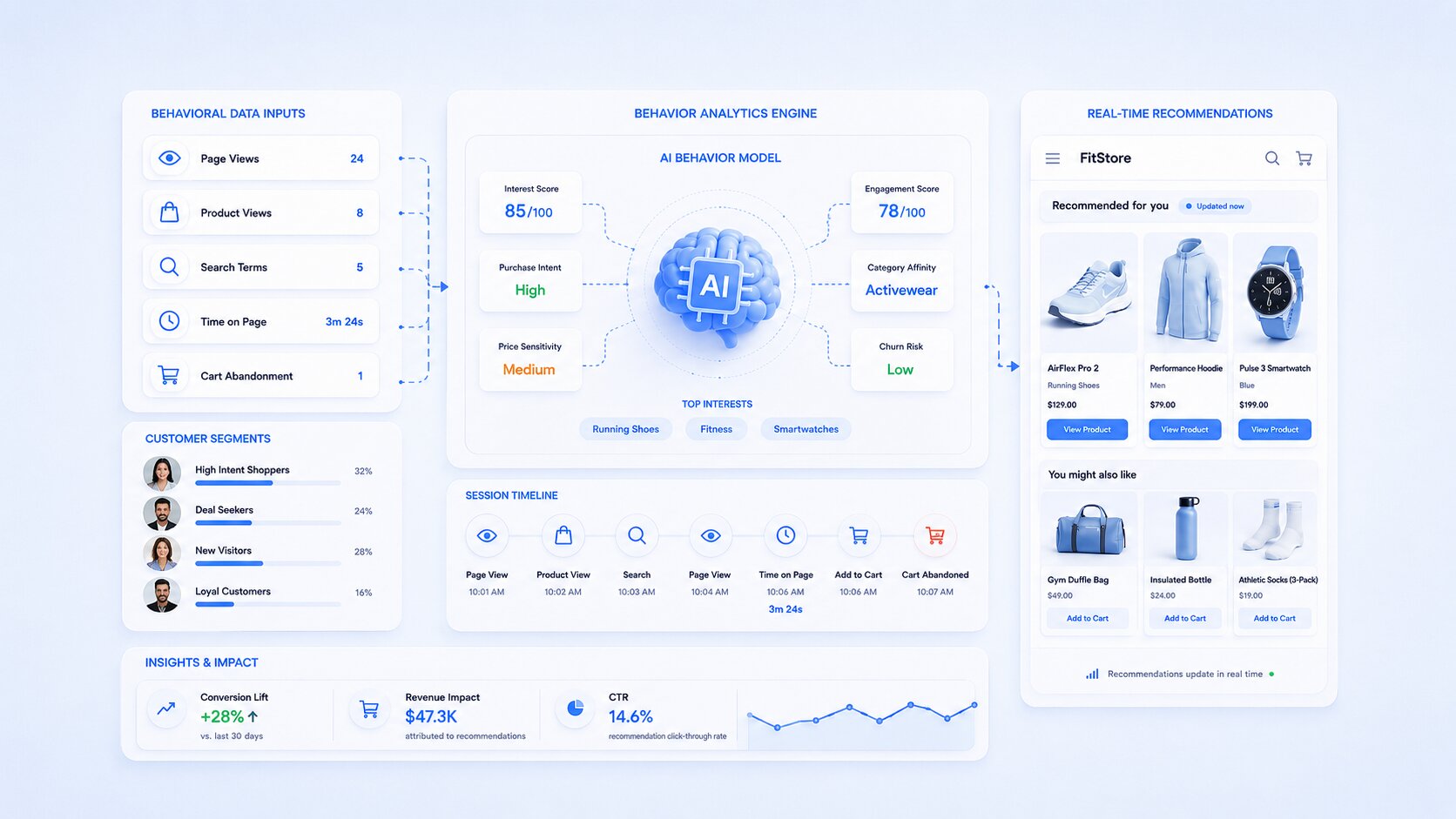
    Every online store owner asks the same question at some point. Why do some shoppers buy more, faster, while others bounce after one page view? The answer, most of the time, is personalization. A well-built AI recommendation engine ecommerce brands rely on studies of each visitor’s behavior in real time and shows them products they actually want. Not generic bestsellers. Not random upsells. Real, relevant picks.

    This is not a nice-to-have anymore. It is the difference between a store that scales and one that stalls.

    Key Takeaways:

    • An AI recommendation engine ecommerce stores use today can lift AOV by 15% to 25%, and in some cases much higher, when paired with strong behavioral data.
    • Amazon still generates roughly 35% of its sales through personalized recommendations, the industry’s most cited proof point.
    • Sessions where shoppers engage with a recommendation widget show AOV jumps as high as 369% compared to sessions without one.
    • Ecommerce personalization software is not just for enterprise brands anymore. Mid-market and even free ecommerce personalization software options now exist for smaller catalogs.
    • Personalization for anonymous and first-time shoppers is where most stores leave money on the table, and it is fixable with the right engine.

    What Is an AI Recommendation Engine in eCommerce?

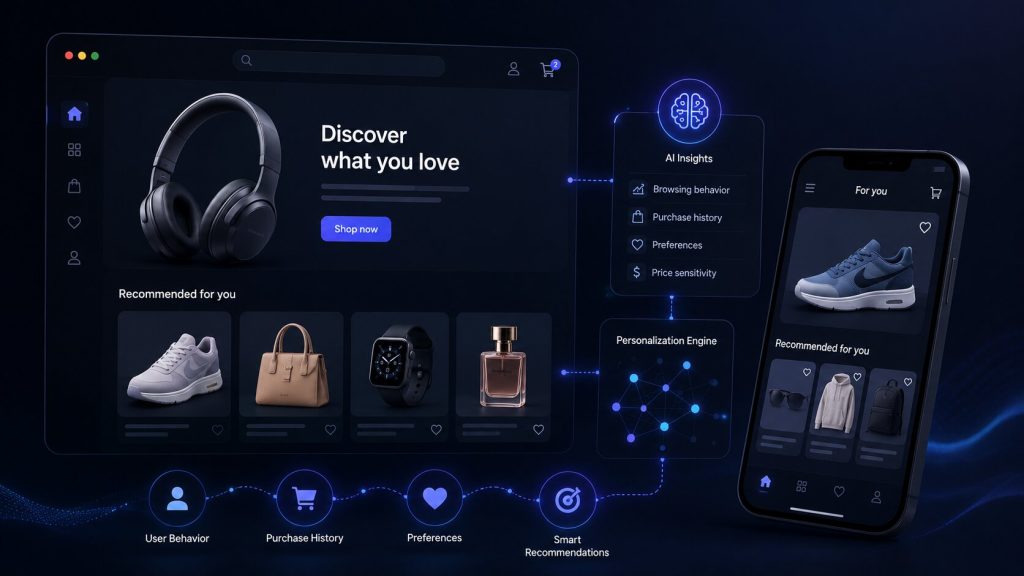
    An AI recommendation engine ecommerce platforms use is a system that analyzes browsing patterns, purchase history, cart behavior, and even time-of-day activity to predict what a shopper wants next. It runs on machine learning models that get smarter with every click.

    Unlike old-school “customers also bought” widgets, modern engines use customer behavior analytics to build a live profile of each visitor. This profile updates in real time. So the homepage a shopper sees on Monday morning can look completely different from what they see Friday evening, based on what they browsed in between.

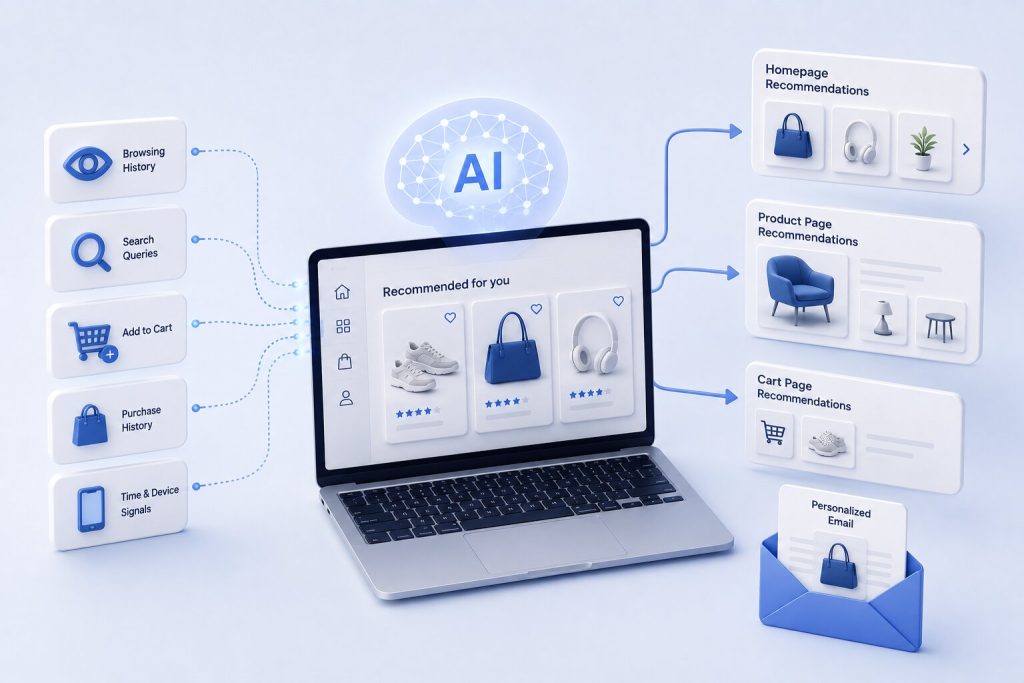
    Three components typically power this system:

    • Data collection layer: tracks clicks, scroll depth, cart adds, and search queries
    • Prediction model: scores products based on likelihood of purchase
    • Delivery layer: pushes recommendations to the homepage, product pages, cart, and email

    Why is eCommerce Personalization Software No Longer Optional?

    Shoppers today expect stores to know them. According to McKinsey research, companies that invest seriously in AI-driven personalization see 3% to 15% increases in revenue and 10% to 20% gains in sales ROI. That is not a small edge. That is the gap between a store that grows every quarter and one that plateaus.

    Ecommerce personalization software has moved from a “premium feature” to table stakes because customer patience for generic experiences has dropped sharply. A shopper who lands on a site and sees irrelevant products simply leaves. There is no second chance in most cases. The next tab is always open.

    This is exactly why AI personalization software for ecommerce has become one of the fastest-growing categories in retail tech. Brands are not buying it to look modern. They are buying it because it directly protects revenue.

    How Customer Behavior Analytics Powers Smarter Recommendations
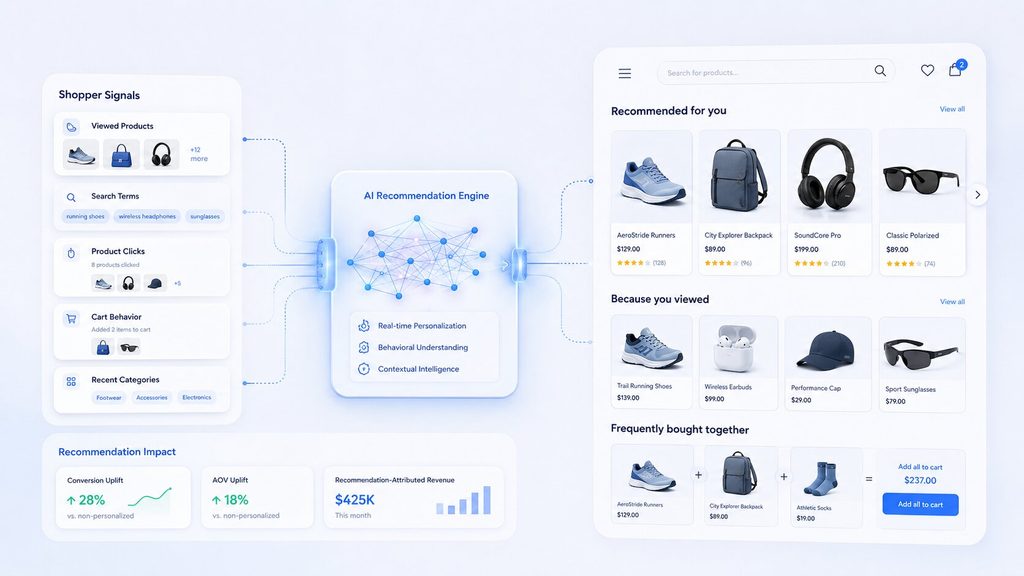
    Good recommendations start with good data. Customer behavior analytics tracks signals most teams never think to measure manually, such as:

    • Pages visited before abandoning a cart
    • Products viewed but never added to cart
    • Time spent on specific categories
    • Device used and time of day shopping happens
    • Search terms typed into the site’s own search bar

    An ecommerce personalization engine combines these signals into a single behavioral score for each shopper. That score decides what gets shown next, on the homepage, in the cart, and in follow-up emails.

    The more granular the data, the sharper the recommendation. This is why generic, rule-based “related products” sections underperform real AI engines. Rules cannot adapt. Behavior-driven models do.

    Types of AI Recommendation Engines (And Which One Fits Your Store)
    Not all recommendation engines work the same way. Picking the wrong type is one of the biggest reasons stores don’t see the lift they expect. Here is a quick breakdown.

    Engine TypeHow It WorksBest For
    Collaborative FilteringRecommends based on what similar shoppers boughtStores with large purchase history and repeat customers
    Content-Based FilteringMatches products based on attributes (color, category, price)Stores with detailed product catalogs, low return traffic
    Session-Based ModelsPredicts intent from clicks within a single visitAnonymous and first-time shoppers with no history
    Hybrid ModelsCombines collaborative and content-based signalsMost mid-to-large stores; highest accuracy overall

    Most modern AI recommendation engine ecommerce platforms now default to hybrid models, since relying on just one method leaves gaps. Collaborative filtering alone struggles with new products (the “cold start” problem), and content-based filtering alone misses behavioral nuance. Hybrid systems solve both.

    The Real Impact: Conversions and AOV

    Numbers make the case better than any pitch. Here is what independent research shows about personalization software for ecommerce and its impact on revenue metrics.

    Real-World Examples: Brands Winning with AI Recommendations

    • Amazon built its entire discovery experience around contextual recommendations, generating an estimated 35% of sales through personalization, still the most cited benchmark in the industry.
    • Tatcha, a skincare brand, attributes 11.4% of total site revenue to its AI shopping assistant, with a 3x conversion lift and 38% AOV uplift from personalized product guidance.
    • Victoria Beckham’s ecommerce store saw a 20% AOV increase after deploying AI-driven personalization at checkout.
    • Wayfair uses AI-powered visualization alongside recommendations to help shoppers picture products in their own space, which cuts returns and lifts purchase confidence.

    The pattern across all of these brands is the same. Personalization was not a side feature. It was tied directly to a revenue metric the business tracked weekly.

    Choosing the Best eCommerce Personalization Software

    Finding the best ecommerce personalization software depends on your catalog size, traffic volume, and technical resources. There is no single “best” option for every store. Here is how to think about it by business stage.

    Business StageWhat to PrioritizeTypical Investment
    Small store, low trafficFree ecommerce personalization software or built-in platform tools (Shopify, WooCommerce plugins)$0 to $50/month
    Growing DTC brandStandalone AI engine with email and on-site sync$200 to $2,000/month
    Mid-market retailerFull ecommerce personalization engine with behavioral analytics and A/B testing$2,000 to $10,000/month
    Enterprise brandCustom-built engine integrated with CDP and CRMCustom pricing, often six figures annually

    When researching best ecommerce personalization software 2024 and current 2026 options, look past marketing claims and check for three things: real-time data processing, cross-channel sync (site, email, app), and transparent reporting on what the AI actually influenced.

    Personalization for Anonymous and First-Time Shoppers
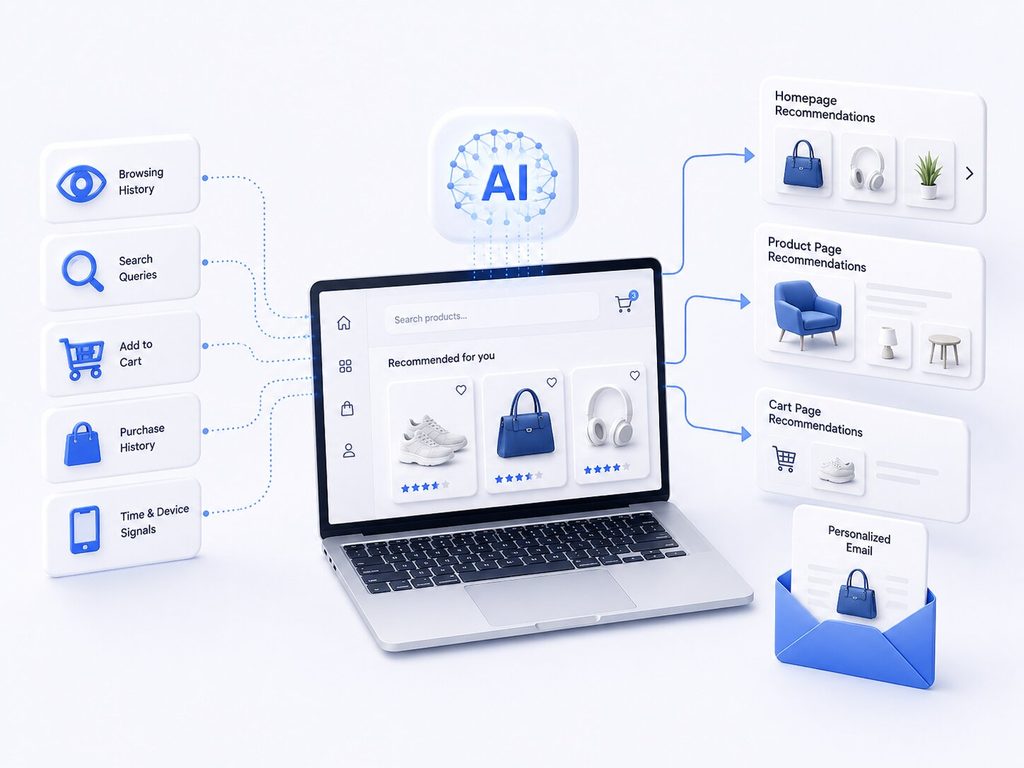
    Here is where most stores struggle. A returning customer with a purchase history is easy to personalize for. A first-time visitor with zero history is not.

    This is exactly why ecommerce personalization software for anonymous and first-time shoppers has become its own specialized category. These tools use session-based signals instead of historical data:

    • What the visitor clicked in the first 30 seconds
    • Referral source (social, search, email link)
    • Device type and location
    • Product category first viewed

    A strong engine builds a “cold start” profile within the first few clicks and adjusts recommendations mid-session. This matters because first-time visitors make up the majority of traffic for most growing stores, often 60% to 80% depending on the brand. Ignoring this segment means ignoring most of your funnel.

    Best Personalized Product Recommendation Software: What to Look For

    When comparing the best personalized product recommendation software for ecommerce, focus on these capabilities rather than flashy dashboards:

    • Real-time scoring: recommendations update as the shopper browses, not after a batch process runs overnight
    • Multi-surface delivery: the same intelligence should power homepage, cart, checkout, and email
    • Explainability: you should be able to see why a product was recommended, not just that it was
    • Easy A/B testing: to prove the lift is real, not assumed
    • Data privacy compliance: especially important with GDPR and India’s DPDP Act now in effect

    If you are asking what is the best personalized product recommendation software for ecommerce, the honest answer is: the one that fits your data maturity. A brand-new store with thin data needs a lighter, session-based tool. An established brand with years of purchase history can run a far more sophisticated model.

    A Simple Rollout Plan

    Do not try to personalize everything at once. Start narrow.

    • Pick one high-traffic page (usually the homepage or a top category page)
    • Connect your product and behavior data cleanly before turning anything on
    • Run a small pilot with a percentage of traffic to measure actual lift
    • Expand to cart and email once the on-site results prove out
    • Layer in anonymous shopper logic last, since it needs the most tuning

    This phased approach protects your budget while still letting you capture the bulk of the AOV and conversion gains research consistently points to.

    Final Thought

    Personalization is no longer a competitive edge reserved for giants like Amazon. With the right AI personalization software for ecommerce, even a mid-sized store can see meaningful lifts in both conversions and order value within months, not years. The technology has matured. The data costs have dropped. What is left is execution.

    KPIs You Should Track After Launch

    Rolling out a recommendation engine without tracking the right numbers is a common mistake. Watch these five metrics closely:

    • Recommendation click-through rate
    • Revenue per session with vs without recommendations
    • AOV of engaged sessions
    • Conversion rate by segment
    • Recommendation-attributed revenue

    Without this tracking, it is impossible to know if the engine is actually working or just running in the background unnoticed.

    At VectovateAI, we design and build AI-native e-commerce architectures, recommendation layers, and vector search systems tailored for enterprise and mid-market retailers. Operating from our development hub in Ahmedabad, India, our engineering team helps brands integrate real-time personalization directly into headless, microservices, or custom platform stacks—ensuring rapid execution with complete data ownership.

    Ready to Lift Your Store’s AOV and Conversion Rates?

    Whether you want to integrate a session-based recommendation engine or build a custom recommendation pipeline from scratch, our team is ready to help.

    Book a Free AI Architecture Review with VectovateAI

  • AI-Powered Web Development: How Generative Engineering Ships Production Software 2x Faster

    AI-Powered Web Development: How Generative Engineering Ships Production Software 2x Faster

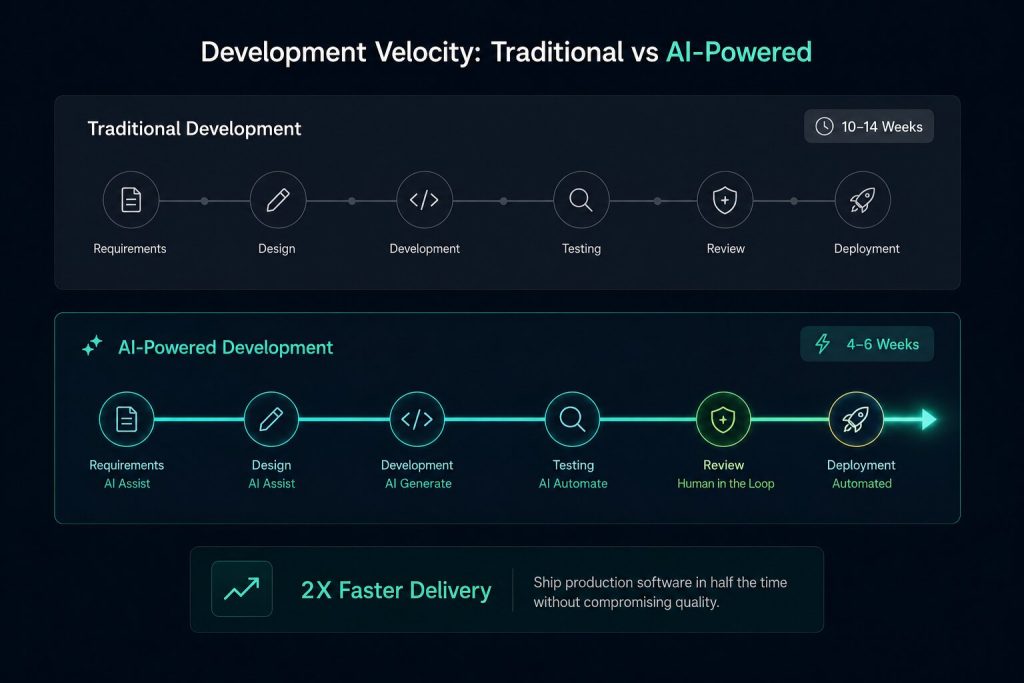
    AI-powered web development is the fastest route from an idea to a shipped product. Businesses that adopt it are cutting release cycles in half. Developers who use it well are shipping cleaner code, faster.

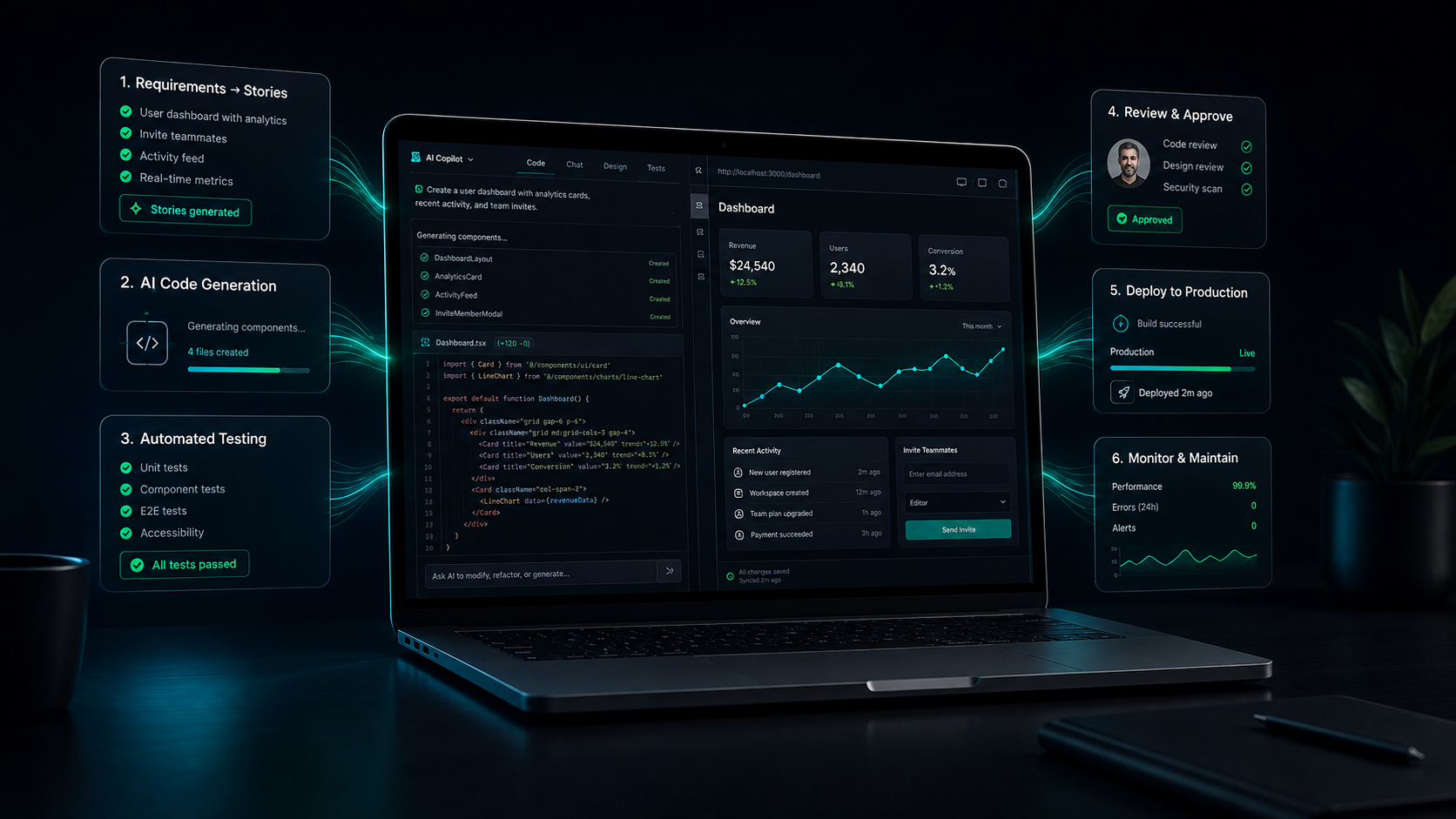
    This shift has a name: generative software engineering. It blends AI code generation, automated testing, and human oversight into one workflow. The result is production-grade software that ships in weeks, not months.

    If you are a founder or a CTO trying to understand this shift, this guide breaks it down. It also tells you exactly what to look for when picking an AI development partner for your next project.

    Key Takeaways

    • AI-powered web development can cut delivery timelines by 2x to 5x when paired with strong human review.
    • Generative AI now touches every stage of the software development lifecycle, from requirement gathering to deployment.
    • Speed without oversight is risky. AI-generated code still needs senior engineering judgment before it ships.
    • The right AI development partner depends on your use case: MVP building, enterprise agents, healthcare compliance, or computer vision.
    • Ahmedabad’s engineering talent pool is becoming a serious hub for agent-first, human-in-the-loop software delivery.
    • VectovateAI’s Engineering Team in Ahmedabad provides an agent-first, human-in-the-loop framework built for global scalability.

    What Generative Software Engineering Actually Means

    Generative software engineering is not just “AI writes your code.” It is a full-cycle transformation of how software gets built.

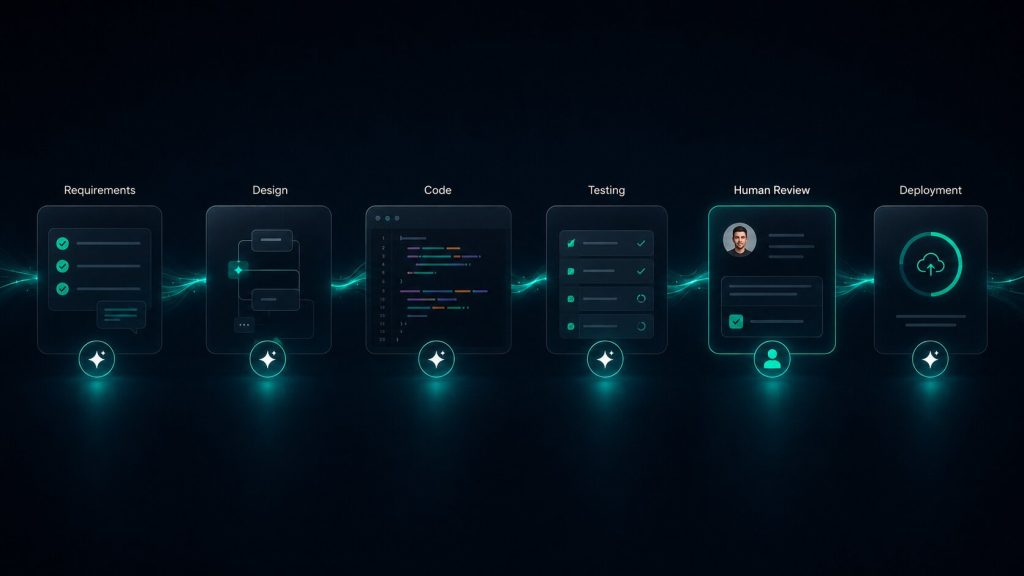
    Modern AI tools now assist across the entire lifecycle: requirement gathering, design, coding, testing, deployment, and maintenance. Generative AI transforms ideas into requirements, then converts those requirements into user stories, test cases, code, and documentation, all while working alongside human developers.

    According to forecasts by Gartner, over 80% of enterprise software engineering teams will integrate generative AI and agentic workflows into their core development lifecycle by 2026.

    This is the core idea behind AI product engineering. Instead of treating AI as an autocomplete tool, teams treat it as a collaborator across the whole build process, from architecture decisions to final QA.

    Why AI-Powered Web Development Ships Software 2x Faster?

    The speed gain is not hype. It comes from removing friction at every stage.

    Empirical research by GitHub and MIT demonstrates that developers using generative AI workflows complete software engineering tasks 55.8% faster than those using traditional manual methods.

    Teams using AI-powered coding tools report productivity gains of 2 to 5 times when compared to traditional workflows. A task that once needed a full workday now takes hours.

    Here is where the time actually gets saved:

    Development StageTraditional TimelineAI-Powered Timeline
    Requirement to spec3-5 daysSame day
    Boilerplate coding2-3 daysFew hours
    Test case writing1-2 daysMinutes to hours
    Documentation1 dayAuto-generated, reviewed same day
    Bug detectionOngoing manual QAContinuous, real-time

    AI tools accelerate coding, reduce human error, and free developers to focus on complex and creative tasks, while AI-driven testing systems generate adaptive test cases and prioritize the most critical ones.

    This is why generative software engineering is becoming the default approach for teams that need to ship fast without sacrificing quality.

    The Trap Nobody Talks About: Speed Without Understanding

    Faster is not always better. This is the part most agencies skip when they pitch AI development.

    A developer who documented months of real AI-assisted coding put it plainly: the risk is not that AI writes bad code. The real risk is that AI generates code that looks correct, compiles, and passes basic tests, but quietly encourages the developer to stop thinking.

    This is exactly why human-in-the-loop review is not optional. It is the difference between an AI development partner who ships fragile code fast, and one who ships resilient production software fast.

    AI is also confidently wrong at times. However, peer-reviewed research from Purdue University shows that over 52% of unvetted AI code outputs contain incorrect logic or security vulnerabilities, making senior engineer oversight critical.

    It can suggest insecure implementations, outdated libraries, or architectures that fail under real traffic. Senior engineering judgment catches what AI misses. That judgment is what you are actually paying for when you hire an AI development partner.

    How to Choose an AI Development Partner?

    Not every AI vendor is built for every use case. Here is what to look for, based on what you are trying to build.

    Your SituationWhat to Prioritize
    Creative agency looking for AI development partnerFast prototyping, design-to-code speed, flexible sprints
    Criteria for selecting healthcare app development partner AI MLHIPAA-aware architecture, model explainability, audit trails
    AI agent development partner for enterprise operationsWorkflow orchestration, system integrations, governance controls
    AI MVP development partnerLean team, quick iteration, cost-conscious tech stack
    AI development partner for computer visionDataset engineering experience, model tuning, edge deployment know-how

    What to Look for in an AI Development Partner?

    Whether you are a founder or a technical decision-maker, use this checklist before signing any contract:

    • Proven delivery, not just demos. Ask for a working production case, not a proof of concept.
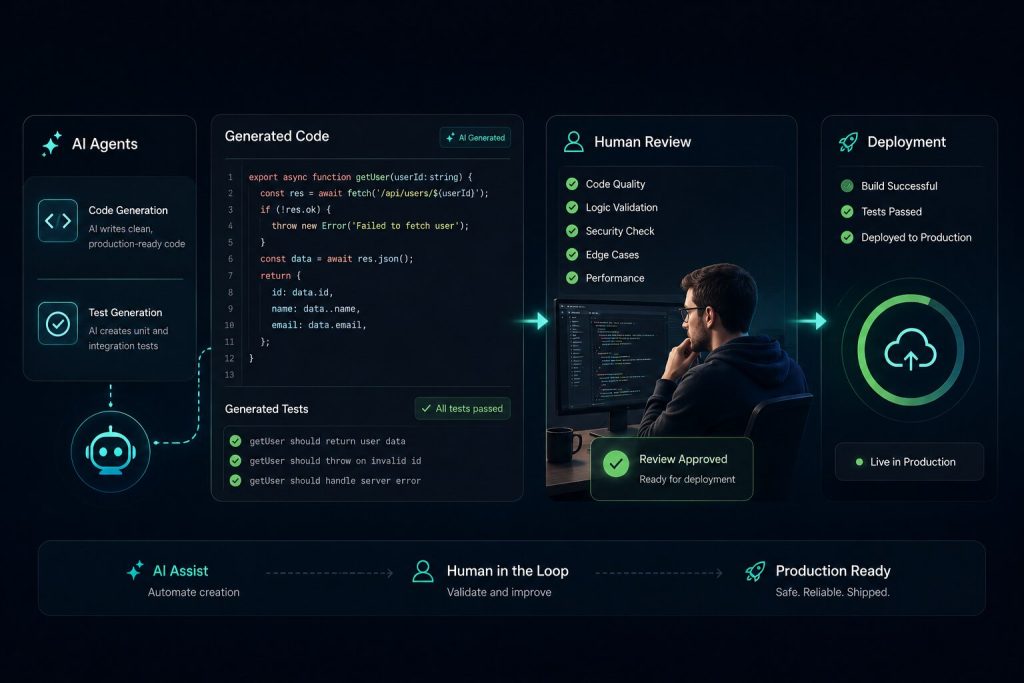
    • Human-in-the-loop process. Every AI-generated module should go through senior review before deployment.
    • Transparent AI usage. They should tell you clearly where AI wrote code and where humans did.
    • Security-first mindset. AI-generated code needs the same security audits as human-written code.
    • Domain fit. A team strong in fintech may not be right for healthcare or computer vision work.

    CTO AI Development Partner Evaluation Framework

    If you are a CTO evaluating an AI development partner, go beyond the sales pitch. Ask these direct questions:

    • What percentage of your delivered code is AI-generated versus human-reviewed?
    • How do you handle AI hallucinations in production-critical logic?
    • Can you show a rollback plan if an AI-generated module fails in production?
    • What is your testing coverage strategy for AI-assisted code?
    • How do you train your engineers to review AI output critically, not just accept it?

    How to Choose an AI Strategy Development Consulting Partner?

    If your need is broader than one project, meaning you want an ongoing AI strategy development consulting partner, look for a team that can do three things well: assess your current tech debt, map a realistic AI adoption roadmap, and staff the roadmap with engineers who actually build, not just advise

    How to choose an AI strategy development consulting partner comes down to one test: can they show you a live system where AI and human engineers work together on the same codebase, today, not just in a pitch deck.

    Building Software the Right Way: Agent-First, Human-in-the-Loop

    Most agencies market AI speed alone. That is an incomplete pitch.

    The stronger model is agent-first, human-in-the-loop. AI agents handle the repetitive, high-volume work: generating boilerplate, drafting test suites, flagging vulnerabilities, and writing first-pass documentation. Human engineers handle architecture, security review, and the judgment calls that decide whether software actually survives contact with real users.

    This is also where VectovateAI’s engineering talent pool in Ahmedabad comes in. The city has quietly built a strong base of engineers who combine deep technical fundamentals with hands-on AI tooling experience. That combination, technical rigor plus AI fluency, is exactly what generative software engineering demands.

    Real-world teams are already proving this model works: solo founders are combining AI tools to cut build timelines from six months down to a few weeks, while agencies are launching client-ready websites in about 48 hours. The gains are real when the process includes proper review, not blind acceptance of AI output.

    Final Word

    AI-powered web development is not about replacing engineers. It is about giving good engineers a faster path to production, and giving bad shortcuts nowhere to hide.

    If you are evaluating an AI development partner, whether for an MVP, an enterprise AI agent system, a healthcare application, or a computer vision product, judge them on their review discipline as much as their speed. The partners who last are the ones who ship fast without ever letting AI think alone.

  • eCommerce Platform Development in the AI Era: An Architecture Guide for Retail Tech Leaders

    eCommerce Platform Development in the AI Era: An Architecture Guide for Retail Tech Leaders

    eCommerce platform development has moved past the “pick a platform and launch” era. AI now sits inside the architecture itself, shaping how inventory, search, pricing, and customer experience work together in real time.

    Online retail crossed $5.4 trillion in 2025 and is on track to touch nearly $6.8 trillion in 2026, driven largely by teams that treat platform-building as an engineering problem, not a template-picking exercise, as per a Statista report.

    Generative AI is now the engine behind how production commerce software gets written, tested, and shipped, cutting launch timelines from four to six months down to six to twelve weeks, without cutting corners on scale or security.

    Buyers no longer compare “custom vs template.” They compare speed, personalization, and total cost of ownership. If your development partner is still writing every module by hand, you are already behind.

    This guide breaks down what a modern, AI-ready commerce architecture actually looks like, and how retail leaders can plan eCommerce platform development projects that scale without collapsing under their own complexity.

    Key Takeaways

    • Traditional, batch-processing commerce architecture cannot support real-time personalization or AI-driven demand spikes.
    • eCommerce software development in 2026 leans heavily on modular, composable systems rather than monolithic builds.
    • Headless and API-first architecture is now the default starting point for any serious retail platform.
    • AI features can raise development budgets by 20 to 50 percent, but they also unlock measurable gains in conversion and retention.
    • B2B and enterprise buyers need governance, auditability, and human-in-the-loop controls, not just automation for its own sake.

    Why Traditional Architectures Struggle in the AI Era

    Most legacy commerce systems were built for predictable traffic and static personalization. They rely on batch jobs. Data gets collected, stored, and processed later, often overnight.

    That model breaks the moment real-time demand hits. A flash sale, a viral product, or a festive-season spike overwhelms a batch-based system. Pages slow down. Checkout lags. Shoppers abandon carts before they even reach payment. This pattern of slow response, stale personalization, and delayed decision-making leads directly to revenue leakage.

    An AI-first architecture flips this. Data streams continuously instead of arriving in nightly batches. The system scales resources the moment demand spikes, similar to a thermostat reacting instantly to temperature change. Automation layers handle routine tasks like catalog updates, freeing engineering teams to focus on strategy instead of firefighting.

    What Modern eCommerce software development Looks Like

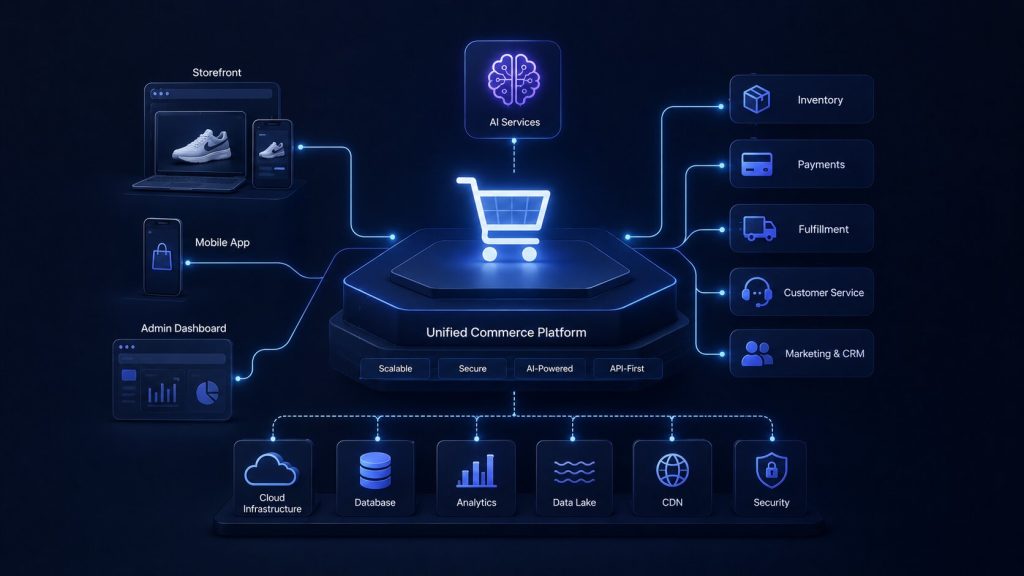
    eCommerce software development today rarely means writing every module from scratch. Retail tech leaders combine platforms, APIs, and AI services into a composable stack. This shift changes both cost and speed of delivery.

    Three forces are driving this change:

    • AI-assisted coding and testing. Development teams using AI coding assistants report meaningful gains in output and fewer review cycles, which shortens delivery timelines for eCommerce development projects.
    • Modular, composable commerce. Instead of one monolithic build, teams stitch together commerce platforms, payment gateways, shipping APIs, analytics tools, and AI recommendation engines.
    • Plugin and app ecosystems. Features like AI chatbots, dynamic pricing, and advanced search no longer require custom code from day one.

    This is why custom ecommerce software development today looks more like systems integration than pure engineering. A strong ecommerce software development company spends as much time on architecture decisions as it does on writing code.

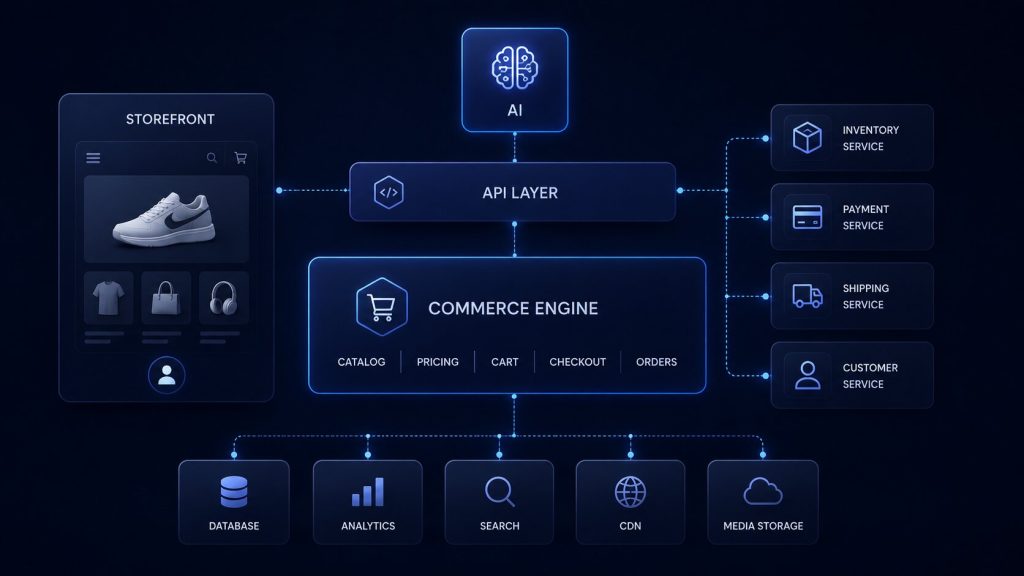
    Core Architecture Layers for AI-Ready Platforms

    A well-planned eCommerce platform development project is built in layers. Each layer has a distinct job, and each one needs to talk to the AI layer sitting alongside it.

    LayerWhat It HandlesAI’s Role
    Storefront / ExperienceUI, product discovery, checkout flowPersonalized layouts, dynamic search, visual and voice search
    Commerce EngineCart, pricing, orders, promotionsDynamic pricing, real-time inventory logic
    Data & Event LayerBehavioral, transactional, inventory dataStreaming data for real-time decisions
    AI/ML ServicesRecommendations, forecasting, fraud detectionCore intelligence layer
    Integration LayerERP, CRM, payment, logistics APIsConnects AI insights to operations
    Governance LayerAccess control, audit logs, complianceHuman-in-the-loop review, model oversight

    This layered approach matters because AI-driven eCommerce software solution development is only as good as the data feeding it. If the data and event layer is weak, personalization and forecasting both suffer, no matter how advanced the AI model is.

    Headless Commerce Development: The Backbone of AI-Ready Retail

    Headless commerce development separates the frontend experience from the backend commerce logic. This is not a trend anymore. It is close to a baseline requirement for any platform planning serious AI integration.

    According to Gartner, organizations that adopt a modular, composable, and headless commerce approach outpace the competition by up to 60% in the speed of implementing new digital features.

    Why it matters for AI-first retail:

    • Teams can update the storefront without touching backend logic, enabling faster experimentation with AI-driven layouts.
    • APIs expose data cleanly to AI services, making real-time personalization and recommendation engines far easier to plug in.
    • Multiple frontends, web, mobile, kiosk, voice, can pull from the same backend, keeping experiences consistent across channels.

    This kind of hybrid continuity, where online and offline experiences share the same customer profile and real-time data, is becoming standard practice for platforms competing on personalization at scale.

    Software development for ecommerce that ignores this shift risks locking retailers into rigid, hard-to-update platforms right when shopper expectations move fastest.

    B2B eCommerce Software Development: Unique Architecture Needs

    B2B eCommerce software development carries different demands than B2C. Buyers expect custom pricing, approval workflows, bulk ordering, and deep ERP integration. AI adds another layer of complexity here, since B2B decisions often involve multiple stakeholders and longer sales cycles.

    Key architecture considerations for retail & eCommerce software development in B2B contexts:

    • Custom pricing logic tied to contracts, volume tiers, and account history.
    • ERP and CRM integration so AI forecasting reflects real procurement patterns, not just web traffic.
    • Role-based access and approval chains, since B2B purchases often need sign-off from more than one person.
    • Predictive reordering, where AI agents flag or even initiate low-risk repeat purchases with clear user controls.

    Getting this right requires eCommerce software developer teams that understand procurement workflows, not just storefront UX.

    In-House vs Outsourced eCommerce software development services

    One of the earliest decisions retail tech leaders face is whether to build with an internal team or partner with an external eCommerce software development company. Each path carries trade-offs that go beyond simple cost comparison.

    FactorIn-House TeamOutsourced Partner
    Speed to launch:Slower, hiring takes timeFaster, team is already in place
    Domain expertise:Deep product knowledgeBroad experience across industries
    Long-term cost:Higher fixed costLower upfront, variable cost
    Technical debt risk:Lower if team is stableHigher if governance is weak
    Scalability:Limited by headcountEasier to scale up or down

    The real risk in outsourcing is not cost. It is what some technical leaders call the “maintenance iceberg,” the hidden cost of poorly documented code, unclear ownership, and weak governance surfacing months after launch. Retail leaders evaluating a development eCommerce software partner should ask direct questions about documentation standards, code ownership, and governance-as-code practices before signing a contract.

    Cost Snapshot: What eCommerce Platform Development Costs in 2026

    Budget planning for eCommerce website development software projects depends heavily on scope, integrations, and how much AI capability is built in. Here is a general breakdown based on current market patterns.

    Project ScopeTypical BudgetTimeline
    Starter store$3,000 – $10,0002 – 4 weeks
    Growth-stage platform$10,000 – $50,0004 – 8 weeks
    Advanced commerce platform$50,000 – $120,0008 – 12 weeks
    Enterprise / B2B platform$120,000+12 – 20 weeks

    AI-specific features add their own cost layer:

    • Product recommendation engine: $8,000 – $40,000
    • Dynamic pricing system: $25,000 – $60,000
    • AI search and personalization: $5,000 – $20,000

    These figures reflect broader industry benchmarks for eCommerce software solutions development and can shift based on region, team structure, and platform choice.

    Governance, Data & AI Guardrails: The Missing Layer

    Most conversations about AI in commerce focus on what AI can do. Few focus on how to keep it accountable. This gap becomes expensive fast, especially for B2B and enterprise retailers where a wrong AI-driven price change or a bad recommendation can damage trust at scale.

    A strong governance layer includes:

    • Human-in-the-loop checkpoints for high-stakes decisions like pricing changes or large B2B orders.
    • Audit trails that log why an AI system made a specific recommendation or pricing call.
    • Clear escalation paths when AI confidence is low, or data looks unusual.

    This is where retail-eCommerce software development needs to shift its default posture. Full automation sounds efficient, but retailers that keep a human checkpoint on high-impact decisions tend to catch errors before they become costly.

    Conclusion:

    Retail leaders who treat eCommerce platform development as an ongoing architecture discipline, not a one-time build, are the ones positioned to compete in 2026 and beyond. The technology choices matter, but the governance and data discipline around them matter just as much.

    Building AI-Native Commerce Architectures with VectovateAI

    At VectovateAI, we engineering-first architects help enterprise and growth-stage brands build modular, scalable, and secure e-commerce systems. Operating from our hub in Ahmedabad, India, our team combines agentic velocity with strict Human-in-the-Loop governance—ensuring your retail software ships up to 2x faster without sacrificing code quality, security, or enterprise compliance.

    Ready to Modernize Your E-Commerce Architecture?

    Whether you are migrating away from a legacy monolith or constructing a headless, multi-channel commerce stack from the ground up, our lead systems architects are ready to assist.

    Schedule a free architecture & security review with VectovateAI

  • AI-Native Software Development: Why Bolted-On AI Fails and What Building AI-First Actually Looks Like

    AI-Native Software Development: Why Bolted-On AI Fails and What Building AI-First Actually Looks Like

    Every software vendor claims “AI-powered” today. But most of that AI is duct-taped onto systems built for a different era.

    AI-native software development flips that model putting AI at the core of the architecture. This guide breaks down what that actually means, why bolted-on AI keeps failing, and what a real AI-first build looks like in 2026.

    Key Takeaways

    • AI-native software development puts AI in the core architecture, not on top of it. The removal test settles the question: take AI away, and if the product breaks, it was AI-native.
    • Bolted-on AI inherits every weakness of the legacy system underneath it, including data rigidity, per-seat pricing conflicts, and clunky UX.
    • Gartner projects 40% of agentic AI projects will fail by 2027, mostly from automating broken processes instead of rebuilding around AI-native principles.
    • Real AI-native platforms track rich, multi-attribute data foundations and adapt continuously, not reactively.
    • The right build order is: define the task, design the data model, choose the AI integration pattern, then build the interface last.
    • Human-in-the-loop review stays essential for high-stakes decisions, even in a fully agent-first system.

    What Is AI Native Development?

    In simple terms, it means designing a product’s data, workflows, and interface around AI from day one, instead of adding a chatbot to an existing system.

    Bolted-on AI sits on top of legacy architecture, it reads data, suggests actions, and stops there. AI-native development instead makes the model part of the core, structures data so the model can reason over it, and assumes intelligence is available at every step of the workflow.

    AI-Native vs Traditional Enterprise Development Tools

    This is where AI native app building platforms vs traditional enterprise development tools really diverge.

    A useful benchmark test involves removing all AI features from a product; if it still functions as a viable tool, the AI was added on, and if it collapses, the product is AI-native.

    ApproachData ModelAI’s RoleWhat Breaks Without AI
    Bolted-on AIBuilt for humans, AI reads it laterSuggests, summarizes, chatsNothing. Core product still runs
    AI-native developmentBuilt for AI agents to act onCore execution engineThe entire product

    In a bolt-on platform, the core execution engine still runs on scripts, not intent, so tests behave exactly as the scripts define them, and while the AI module may suggest fixes, the underlying rigid structure stays unchanged. That’s the trap. AI patched onto an old foundation inherits every weakness of that foundation.

    Why Bolted-On AI Fails: The Three Structural Traps

    AI native development platforms solve three problems that bolt-on tools structurally cannot fix:

    • Data model rigidity. Legacy databases expect humans to enter data slowly and carefully. AI agents generate and act on data at machine speed. Forcing that into an old schema breaks reports, integrations, and workflows built on top of it.
    • Pricing model conflict. Per-seat pricing assumes humans are the primary users. When AI agents handle work that used to need five people, that revenue model collapses on its own.
    • UX design conflict. Old interfaces are built around menus and forms. AI-native interfaces accept natural language and let agents act. Bolting one onto the other creates a clumsy hybrid that satisfies neither.

    The 2025 DORA Report, based on nearly 5,000 technology professionals globally, found that AI does not fix a team, it amplifies whatever is already there. That single line explains why so many “AI transformation” projects on old platforms quietly fail. You cannot automate your way out of a broken foundation.

    Gartner AI-Native Development Platforms 2026: What the Data Says

    The numbers back this up clearly. Here’s what the research firms are projecting for AI-native development platforms trends 2026:

    SourceFinding
    Gartner40% of enterprise apps will feature task-specific AI agents by end of 2026, up from under 5% in 2025
    Gartner80% of organizations will evolve large dev teams into smaller, AI-augmented teams by 2030
    Gartner40% of agentic AI projects will fail by 2027, largely because teams automate broken processes instead of redesigning around AI-native principles
    Deloitte78% of tech leaders anticipate broad AI agent integration into their architecture within the next five years

    That Gartner failure statistic matters more than the growth ones. It tells you the risk isn’t underusing AI. The risk is bolting AI onto broken processes and calling it transformation.

    Key Features of AI-Native Software Development Platforms

    If you’re evaluating AI native development firms, here’s what to actually look for. These are the key features of ai-native software development platforms 2025 2026 that separate real AI-native builds from marketing:

    • Intent-driven design: You describe the outcome. The system determines the steps, instead of forcing you to script every action manually.
    • Multi-attribute data foundations: Instead of tracking a single data point per element, resilient architectures track hundreds of attributes per element, so no single change breaks the system.
    • Continuous adaptation, not reactive patching: real self-healing monitors how the application changes and updates the model automatically before failures accumulate, rather than alerting a human after something breaks.
    • Human-in-the-loop governance: AI acts, but a person reviews high-stakes decisions before they go live.
    • Agent-first workflows: Routine, repeatable work runs through AI agents. People supervise outcomes instead of performing every step by hand.

    What an AI-Native Developer Actually Does Differently

    An AI native developer doesn’t start with wireframes. They start by defining the decision or task the AI will own, then design the data model around that task first. Only after that comes the interface. This order matters. Build the screen first, and you’ll end up retrofitting AI later, which is exactly the bolt-on trap this whole guide is about.

    Developer-first AI-native companies treat the model choice and integration pattern as a foundational decision, not an afterthought bolted on before launch. They keep a human review step for anything high-stakes, whether that’s a financial transaction, a healthcare workflow, or a customer-facing action. AI moves fast. Judgment still needs a person in the loop.

    Who’s Actually Behind These Builds?

    If you look closely at AI deployment manager profiles at developer-first AI-native companies, a pattern shows up fast. They’re people who sit between the agent and the business outcome, decide what the agent is allowed to touch, and own the rollback plan before anything goes live.

    That’s the real difference between a company that talks about being AI-native and one that actually is. Developer-first AI-native companies don’t treat deployment as an afterthought handled by whoever’s free that week. They build it into the role from day one, the same way they build AI into the architecture from day one.

    What Building AI-First Actually Looks Like: A Practical Example

    Picture two ways to build the same thing: an internal client portal with status tracking and a support assistant.

    The bolted-on route:

    Build database tables, design pages by hand, wire up a chatbot widget at the end. The chatbot can summarize what’s already there. It cannot restructure the workflow, act on data, or run anything autonomously.

    The AI-native route:

    Design the task first (client wants project status without asking a human). Build the data model so an agent can query it directly. Deploy the agent with real context and a clear boundary on what it can do without approval. The interface comes last, shaped around what the agent needs to work well.

    The difference isn’t speed alone. It’s capability. One produces a page with a chatbot stapled to it. The other produces a system where intelligence is load-bearing.

    Best AI Native Software Development Firms: What to Ask Before You Hire

    If you’re comparing best AI-native software development firms, skip the marketing deck and ask these directly:

    • Where does AI live in your architecture? Is it the execution engine, or a layer sitting on top of an older script-based system?
    • Can your platform work from a plain description of the outcome, without a developer writing every step first?
    • What happens when the underlying application changes? Does the system adapt on its own, or does someone get an alert to fix it manually?
    • Show a live build, not a recorded demo.

    Any firm that answers vaguely, or leans on phrases like “AI-enhanced,” is likely bolting AI onto an older system. That’s not automatically wrong for every project. But it’s not AI-native, and you should know which one you’re paying for.

    Our Take: Agent-First, Human-in-the-Loop, Built at VectovateAI

    Most AI-native conversations happen at the platform level: pricing tiers, SaaS dashboards, no-code app builders. We come at this from a different angle. As an Ahmedabad-based software engineering team, our focus is agent-first custom development, where AI agents handle the repeatable work and a human always reviews the outcomes that matter.

    That combination, agent-first execution paired with human-in-the-loop governance, is what separates AI-native systems that actually hold up in production from demos that look good in a pitch meeting. We build the data layer and the agent layer together, from the first sprint, not as a phase-two upgrade.

  • Healthcare SaaS Development: How to Build a Scalable, Compliant, AI-Powered Platform in 2026

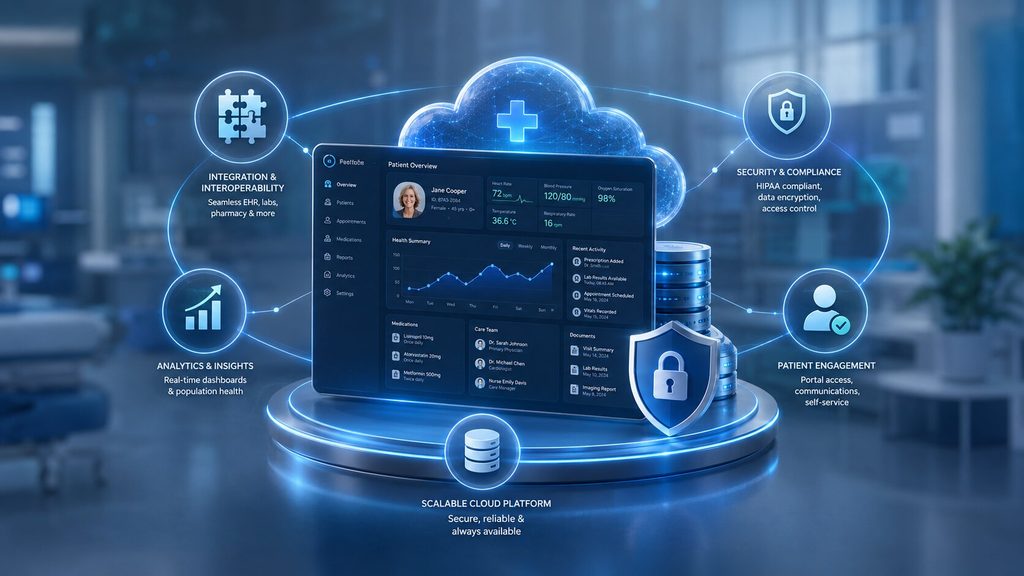
    Healthcare SaaS Development: How to Build a Scalable, Compliant, AI-Powered Platform in 2026

    Healthcare leaders no longer ask “should we build a digital health product?” They ask “how do we architect one that scales seamlessly without breaking under strict regulatory mandates, volatile user concurrency, or clinical data complexity?” Healthcare SaaS development in 2026 sits at the intersection of three hard problems: compliance, interoperability, and AI adoption, and getting any one of them wrong costs you months and millions.

    According to Mordor Intelligence, the stakes are only rising: the global healthcare SaaS market is worth $37.68 billion in 2026 and is growing at a 16.94% CAGR, expected to reach $82.37 billion by 2031. Building a resilient, compliance-first architecture from day one is the single highest-leverage decision a HealthTech leadership team can make.

    This guide breaks down exactly how to plan, build, and launch a scalable, compliant, AI-powered healthcare SaaS platform, and why the way you build it now matters as much as what you build.

    Key Takeaways

    • Healthcare SaaS development succeeds when compliance (HIPAA, GDPR, ABDM) is designed in from day one, not patched in later.
    • AI is no longer a bolt-on feature. It now shapes the healthcare software development lifecycle itself, from requirement-gathering to deployment.
    • A modern healthcare SaaS platform needs five pillars: interoperability, security, scalability, AI/agentic intelligence, and human-in-the-loop clinical oversight.
    • Telehealth software development timelines typically run 4-9 months depending on scope, and budgets range from $60,000 to $400,000+.
    • Choosing the right healthtech software development companies matters more than choosing the right tech stack, and execution discipline decides outcomes.

    What Does Healthcare SaaS Development Actually Involve?

    Healthcare SaaS development means building a cloud-hosted, subscription-based software platform that healthcare providers, payers, or patients access over the internet instead of installing on local servers.

    Think patient portals, telehealth software development platforms, remote monitoring dashboards, or hospital management systems delivered as a service. Advanced platforms also incorporate AI-native clinical decision support via Retrieval-Augmented Generation (RAG) and automated X12 EDI claims clearinghouses.

    Unlike a generic SaaS product, healthcare application development carries extra weight. You are handling Protected Health Information (PHI), you must interoperate with existing hospital systems, and a bug in your code can affect patient safety, not just user experience. That’s why custom healthtech software development services look very different from typical web app development. Every architectural decision runs through a compliance and clinical-safety filter first.

    Why AI Is Rewriting the Healthcare Software Development Playbook

    Software engineering itself is changing, and healthcare is feeling it first because the stakes are highest. AWS’s engineering team recently proposed an entirely new way of building software called the AI-Driven Development Lifecycle, in which AI is positioned as a central collaborator that creates detailed work plans, actively seeks clarification, and defers critical decisions to human teams, rather than being treated as a side tool. This is exactly the discipline healthtech software development needs. AI can move fast on code, test generation, and documentation, but a clinician or compliance officer still has to sign off on anything that touches patient data or care logic.

    Industry analysis backs this shift. AI is transforming linear software delivery into a continuously optimizing system by introducing intelligence, automation, and feedback at every stage of the development lifecycle, from requirements parsing to deployment to operations. For a healthcare SaaS platform, that means:

    • Requirements phase: AI parses clinical workflows and regulatory clauses (HIPAA, ABDM, SOC 2, FHIR R4 specs & HL7) to flag conflicts before a single line of code is written.
    • Build phase: AI-assisted coding accelerates FHIR/HL7 integration work and reduces manual API-mapping errors.
    • Testing phase: AI generates synthetic, privacy-safe patient data to test edge cases without ever touching real PHI.
    • Operations phase: AI-driven monitoring catches anomalies in patient data flows faster than manual audits ever could.

    This is the “Agent-first, Human-in-the-loop” approach that separates a platform built to scale from one built to demo. AI drafts, humans decide — especially in digital health software development, where a wrong autonomous decision isn’t just a bug. It’s a liability.

    The 5 Pillars of a Scalable, Compliant Healthcare SaaS Platform

    Every successful healthtech enterprise software development project rests on five non-negotiable pillars.

    Pillar What It Means Why It Matters
    Interoperability HL7, FHIR, and DICOM support to connect with EHRs, labs, and imaging systems Hospitals won’t adopt a platform that creates data silos
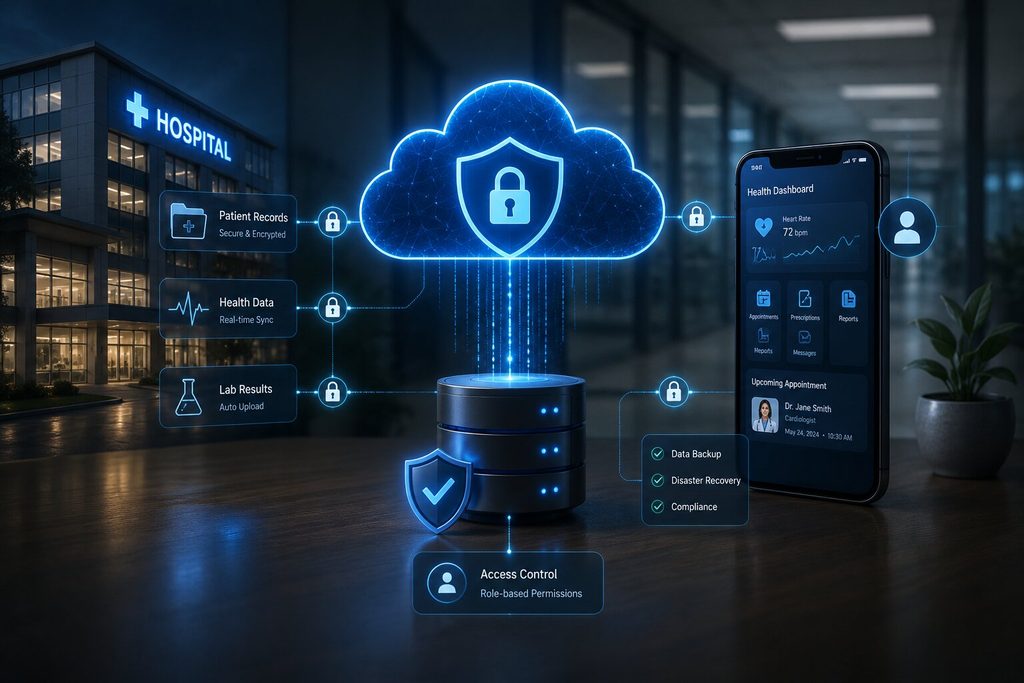
    Security & Compliance HIPAA, GDPR, ABDM, SOC 2 baked into architecture One breach can end a healthtech brand overnight
    Scalability Cloud-native, microservices-based, auto-scaling infrastructure Patient load spikes unpredictably (flu season, pandemics, campaigns)
    AI/Agentic Layer Clinical decision support, triage bots, predictive analytics Differentiates your platform from legacy competitors
    Human-in-the-Loop Governance Clinician review checkpoints on AI-driven suggestions Keeps AI accountable and clinically safe

    A platform missing even one of these pillars isn’t a healthcare SaaS platform. It’s a liability waiting to surface.

    Core Features Every Modern Healthcare SaaS Platform Needs

    Whether you’re building a hospital-wide system or a focused telehealth software development product, these features are now table stakes:

    • Secure patient portals with granular Role-Based Access Control (RBAC).
    • HIPAA-compliant video consultation infrastructure built with WebRTC and bandwidth-adaptive streaming for telehealth software development.
    • EHR/EMR integration via FHIR APIs for real time chart updates.
    • AI-powered symptom triage to route patients faster and reduce clinician load.
    • E-prescription and pharmacy integration (e.g., Surescripts) with immutable audit trails.
    • Remote patient monitoring (RPM) dashboards pulling data from wearables and IoT devices.
    • Billing and insurance claims automation to reduce administrative overhead.
    • Analytics and predictive dashboards for population health management.
    • Multi-tenant architecture if you’re selling to multiple hospital groups or clinics.

    Each of these needs to be designed for custom healthtech software development, not squeezed out of an off-the-shelf template. Healthcare workflows are too specific for generic SaaS boilerplate to hold up under real clinical use.

    Compliance: The Part You Cannot Outsource to Later

    Compliance failures are the single biggest reason healthcare software development projects stall or get shelved after launch. Build these in from architecture stage one:

    Regulation Region What It Requires
    HIPAA United States PHI encryption, access logs, breach notification protocols
    GDPR European Union Explicit consent, right to erasure, data portability
    ABDM (Ayushman Bharat Digital Mission) India Health ID integration, consent-based data sharing
    SOC 2 Type II Global/Enterprise Security, availability, and confidentiality controls audit
    HL7/FHIR Global Standardized clinical data exchange format

    A genuinely reliable healthcare application development partner treats these not as a checklist at the end, but as design constraints from the first architecture diagram.

    Cost & Timeline: What to Actually Budget For

    Cost is usually the first question decision-makers ask, so here’s a realistic breakdown for healthtech software development services in 2026:

    Platform Type Estimated Timeline Estimated Cost (USD)
    MVP Patient Portal / Booking App 3-4 months $40,000 – $80,000
    Telehealth Platform (video + EHR integration) 5-7 months $90,000 – $180,000
    Full Hospital Management SaaS 8-12 months $200,000 – $450,000+
    AI-Powered RPM + Analytics Suite 6-9 months $150,000 – $300,000

    Costs swing based on the depth of EHR integration, the number of compliance jurisdictions you need to satisfy, and how much AI/agentic functionality you build in versus bolt on later. Building AI-native from day one costs more upfront but saves significant rework, and retrofitting AI into a rigid legacy architecture is almost always more expensive than designing for it initially.

    Choosing the Right Development Partner

    Here’s what actually separates a healthtech software development company from a bad hire:

    1. Domain proof, not just tech proof. Ask for healthcare-specific case studies and verified FHIR integration experience, not generic app portfolios.
    2. Compliance-first engineering culture. They should ask about HIPAA/ABDM before you bring it up.
    3. AI-DLC maturity. Teams using AI-augmented development cycles ship faster without sacrificing code quality. This is now a genuine differentiator, not a buzzword.
    4. Post-launch ownership. Healthcare platforms need continuous monitoring, patching, and audit support long after go-live.
    5. Engineering depth over headcount. Ahmedabad’s software engineering ecosystem has quietly become a serious hub for this kind of disciplined, compliance-aware, AI-augmented development — worth evaluating alongside the usual metro-city names.

    Final Thoughts

    Building a healthcare SaaS platform in 2026 isn’t about picking the flashiest AI feature. It’s about combining compliant architecture, real interoperability, and a development process where AI accelerates the team without replacing clinical and regulatory judgment. Get the foundation — compliance, interoperability, and security — right first, layer AI-driven intelligence on top with human oversight built in, and you have a platform that scales with trust intact.

    If you’re scoping a custom healthtech software development services project and want a realistic cost and timeline estimate based on your specific use case, that conversation is worth having before you write a single requirement document.

    At VectovateAI, we engineer custom, AI-Native healthcare software platforms built for enterprise scale, strict compliance, and flawless interoperability.

    Schedule a Technical Architecture Review with VectovateAI

  • AI-Powered Dashboards: The Future of Business Intelligence

    AI-Powered Dashboards: The Future of Business Intelligence

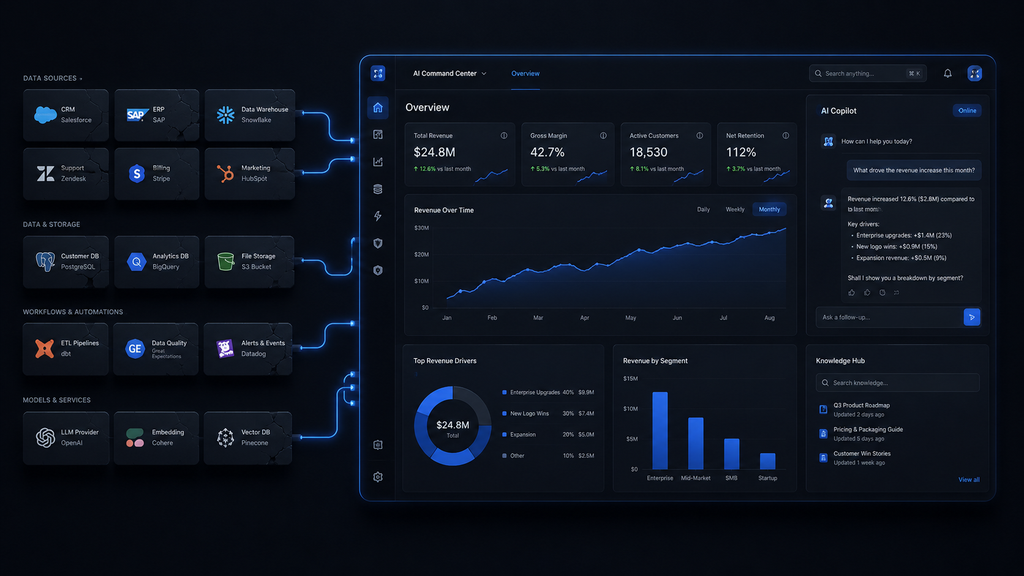
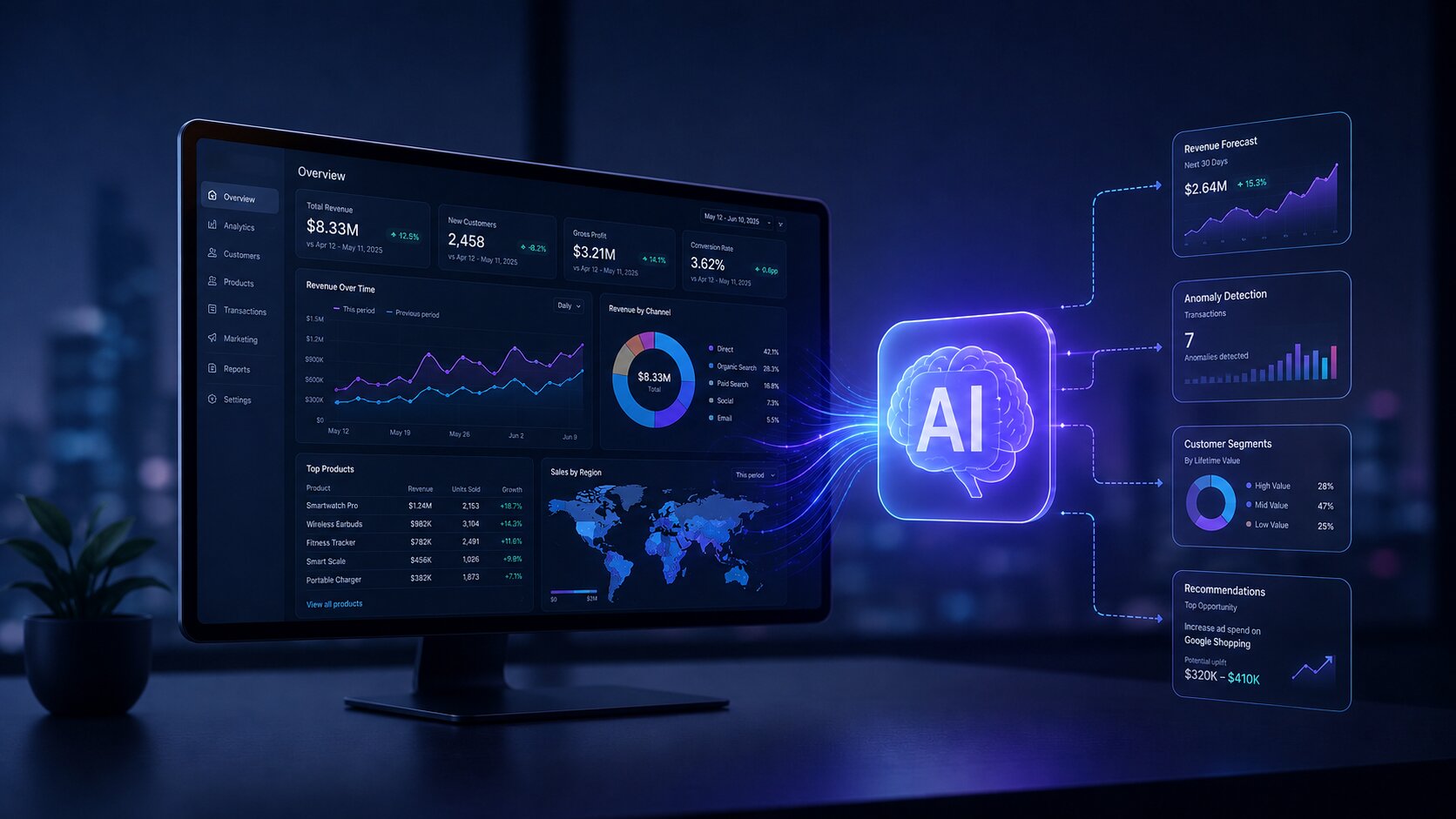
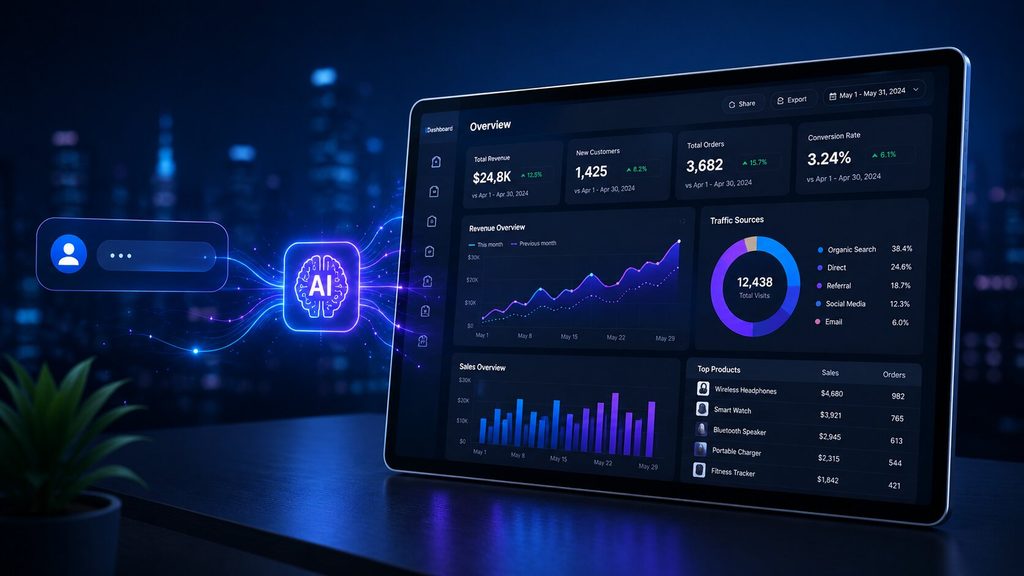
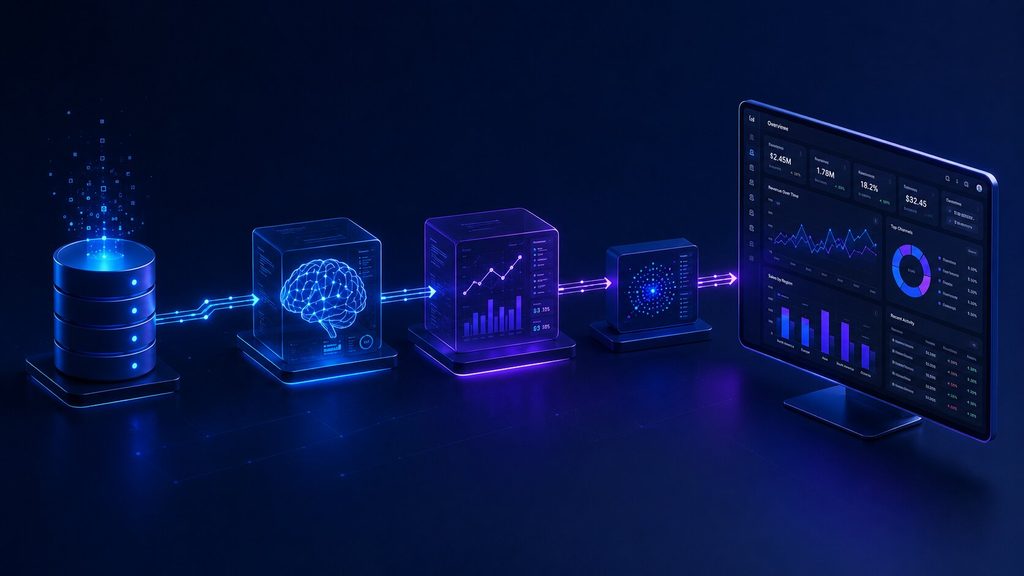
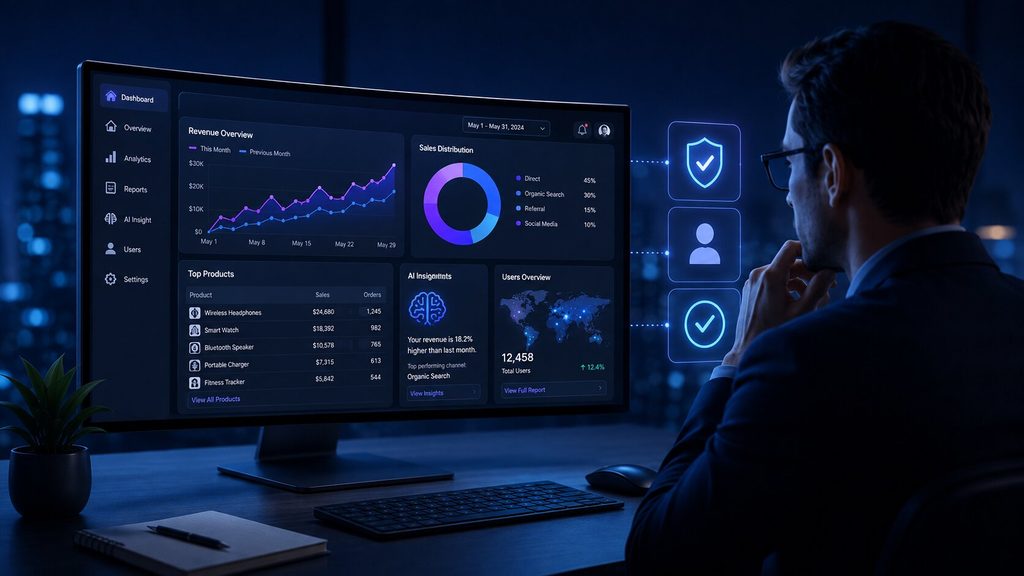
    Your dashboard tells you sales dropped 12% last quarter. It doesn’t tell you why, and it definitely doesn’t tell you what to do next. That gap between “here’s the number” and “here’s the decision” is exactly what AI-powered dashboards are built to close. Instead of waiting days for an analyst to build a custom report, you ask a question in plain English and get an answer, a chart, and a reason, all in seconds.

    Here’s what’s actually changed, what’s still hype, and how to tell the difference before you commit a budget to it.

    Key Takeaways

    • AI dashboards don’t just display data. They explain it, forecast it, and let you ask follow-up questions in plain English.
    • Only 4% of IT leaders consider their data “AI-ready,” according to Gartner, so AI dashboard success starts with clean data, not fancy models.
    • Text-to-SQL engines like Snowflake’s Cortex Analyst now hit close to 90% accuracy, closing the gap between “cool demo” and “trustworthy tool.”

    What Is a Business Intelligence Dashboard, Really?

    Before we jump into the AI layer, let’s ground the basics. A business intelligence dashboard is a visual workspace with charts, KPIs, and tables that pull data from your systems into one screen so you can track performance without digging through spreadsheets. Traditional BI platforms have done this for two decades. You picked your metrics, someone built the report, and you waited for updates.

    The problem? That model was built for a world where data moved slowly, and questions were predictable. Neither is true anymore. Your data volumes have exploded, and your team’s questions change daily, not quarterly.

    This is exactly the gap AI dashboarding is built to close.

    What Makes a Dashboard “AI-Powered”?

    An AI dashboard is a fundamentally different way of interacting with data.

    Instead of clicking through filters, you ask a question — “show me sales trends by region this quarter” — and the system does three things a static dashboard never could:

    1. Understands intent, not just keywords, using natural language processing (NLP)
    2. Generates the right visualization automatically, choosing a line chart for trends or a comparison card for two values
    3. Explains what’s happening, not just what the numbers say

    Databricks frames this shift well: their AI/BI approach uses a compound AI system that learns and shares insights from data interactions across a company.

    At VectovateAI, this is the same philosophy behind our Data Visualization & Dashboards work: dashboards that explain themselves, not just display numbers.

    The Technology Stack Behind AI Dashboards

    If you’re evaluating an AI dashboard generator, it helps to know what’s actually running under the hood. Four technologies do the heavy lifting:

    Technology What It Does Why It Matters
    Text-to-SQL / NLP Converts plain-English questions into database queries Removes the SQL bottleneck for non-technical users
    Machine Learning Models Detects patterns, anomalies, and churn signals Surfaces issues before a human would spot them
    Predictive Analytics Engines Forecasts trends using historical data Shifts BI from “what happened” to “what’s next”
    Automated Visualization Engines Picks the right chart type instantly Saves hours of manual dashboard design

    Snowflake’s Cortex Analyst reports it delivers self-serve answers from tables like sales transactions without writing SQL, with industry-leading accuracy of roughly 90%, which is the difference between a tool people trust and one they double-check every time.

    This kind of accuracy depends entirely on the data engineering and data warehousing foundation underneath it. Skip that groundwork, and even the best AI model will produce shaky answers.

    Why “Excel Dashboards AI” Searches Are Spiking

    Excel dashboards AI tools have become such a popular entry point. You don’t need to rip out your existing systems. Modern AI layers can sit on top of Excel or your existing data warehouse and add:

    • Natural language query boxes (“what were my top 5 products last month?”)
    • Auto-generated pivot summaries and forecasts
    • Anomaly flags on rows that look off compared to historical patterns

    This is a low-risk way to test AI dashboard design before committing to a full platform migration, and it’s often the first place SMBs in India and the UAE start their AI journey through a lightweight data analytics engagement.

    Real Business Impact: It’s Not Just Hype

    Care-coordination platform Wellthy used natural language search to let its care team explore patient data without relying on data engineers, and the result was savings of more than $200,000 by increasing analyst efficiency.

    That said, adoption is still uneven. A recent ThoughtSpot industry survey found 65% of organizations are either actively using or exploring AI solutions for data analytics, which tells you two things: the shift is real, but a third of the market hasn’t moved yet, which is your window to get ahead of competitors. Our own supply chain AI orchestration case study shows a similar pattern: a 60% reduction in operational costs once predictive analytics replaced manual reporting.

    The Trust Problem Nobody Talks About Enough

    AI-powered dashboards are only as good as the data feeding them, and most companies aren’t ready. Gartner’s research is blunt on this: only 4% of IT leaders consider their data AI-ready. Feed a model messy, inconsistent, or duplicated data, and you don’t get insight, you get confident-sounding nonsense.

    Gartner reports 50% of consumers don’t trust humans to use AI responsibly, which means transparency isn’t optional, it’s a competitive differentiator. If your dashboard AI can’t explain why it flagged a trend, adoption stalls no matter how accurate the model actually is.

    This is why the strongest platforms build in human-in-the-loop review rather than fully autonomous decision-making. It’s also the core principle behind how we approach AI/ML development at VectovateAI: senior oversight on every model, not just automated output.

    What Does “AI-Ready Data” Actually Look Like?

    Before connecting an AI query engine or dashboard generator to your database, your data infrastructure must meet three engineering criteria:

    • Unified Semantic Definitions: A single source of truth ensuring metric calculations (e.g., “Net Revenue” or “Active User”) mean the exact same thing across all departments.
    • Context-Rich Schema Metadata: High-quality table documentation, foreign key constraints, and clear column naming so LLMs don’t misinterpret database logic.
    • Automated Pipeline Hygiene: Real-time ingestion pipelines that continuously validate, clean, and deduplicate records before feeding analytics models.

    Business Intelligence Dashboard Examples: Where AI Is Already Working

    AI-driven dashboards are already delivering measurable results across industries:

    • Retail: Forecasting inventory needs based on seasonal demand shifts, cutting both overstock and stockouts. See our work in retail & eCommerce.
    • Healthcare: Flagging high-risk patients before discharge using treatment history and demographic patterns, reducing avoidable readmissions. More in healthcare AI.
    • Finance: Scanning transactions in real time to catch fraud and unusual spending patterns before they escalate, a core use case in finance & insurance.
    • Supply Chain: Detecting anomalies like unexpected price hikes or demand spikes across supplier networks, covered under supply chain & logistics.
    • Marketing: Auto-segmenting customers and predicting campaign performance without waiting on an analyst.

    What Is a Business Intelligence Dashboard Going to Look Like in 2027?

    If you’re wondering what a business intelligence dashboard is going to evolve into next, the direction is fairly clear from where the major platforms are investing. Expect:

    • Conversational-first interfaces replacing click-heavy filters almost entirely
    • Proactive alerts where the dashboard tells you something’s wrong before you ask
    • Role-based storytelling: executives get a summary, analysts get the granular breakdown, automatically
    • Tighter governance layers as regulators start paying closer attention to AI-driven business decisions

    The businesses that win with this shift will keep a human checkpoint on high-stakes decisions, even as the routine reporting gets fully automated, an approach we build into every AI agent development engagement.

    How to Choose the Right AI Dashboard Partner?

    Not every AI dashboard vendor is solving the same problem. Before you commit, ask these questions:

    1. How is your data prepared today? If it’s inconsistent across systems, fix that first. No AI model fixes bad inputs.
    2. Do you need self-service for business users, or deeper predictive modeling for analysts? These require different tooling.
    3. Can the vendor explain its recommendations, or is it a black box? Transparency isn’t a nice-to-have, it’s what drives adoption.
    4. Does the platform support human review before automated actions? This matters more in regulated industries like finance and healthcare.
    5. What’s the actual implementation timeline? Be wary of promises of instant transformation. The real work is in data readiness, not the AI layer itself.

    If you’d rather talk this through than guess, our AI strategy & consulting team can map your current data setup against what an AI dashboard rollout would actually take.

    How to Transition from Static Reports to AI Dashboards

    • Phase 1: Audit & Semantic Standardization: Clean legacy data schemas and define standardized metrics across your enterprise data warehouse.
    • Phase 2: Hybrid AI Layer Deployment: Connect text-to-SQL engines (like Snowflake Cortex or custom MCP architecture) alongside existing Power BI/Tableau environments.
    • Phase 3: Governance & Human-in-the-Loop Rollout: Deploy natural language queries with built-in validation checks so business leaders get instant answers with zero hallucination risk.

    Final Thoughts

    The shift toward AI dashboarding is about getting faster access to better-explained answers. Text-to-SQL accuracy is climbing, natural language interfaces are genuinely usable, and real companies are posting real savings.

    The businesses winning today are the ones that treat data readiness as seriously as the AI model, keeping a human in the loop for decisions that actually matter.

    Ready to see what an AI-powered dashboard would look like for your business? Talk to our AI architects.

  • AI-Driven Predictive Analytics for Businesses: Turning Data Into Decisions

    AI-Driven Predictive Analytics for Businesses: Turning Data Into Decisions

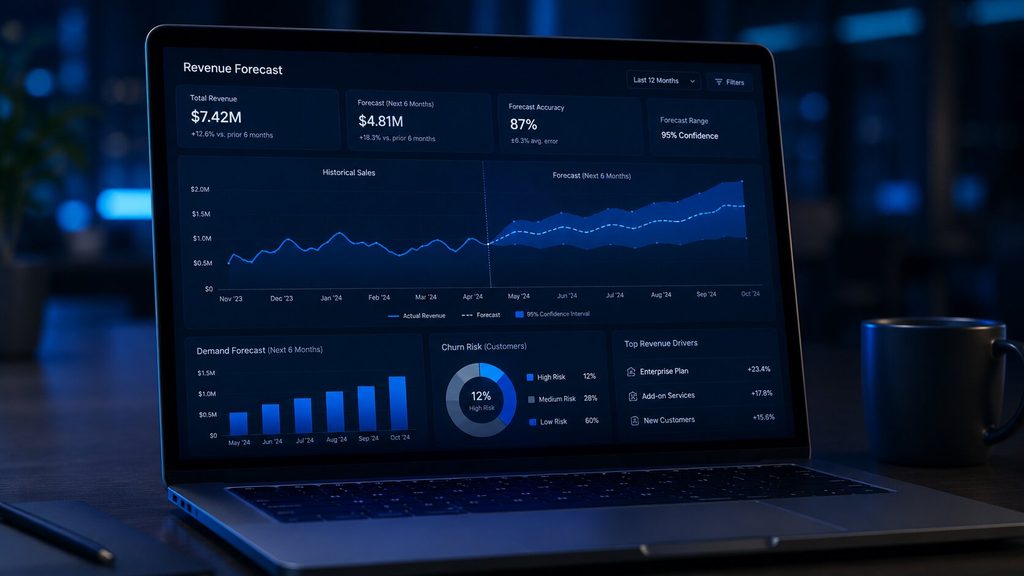
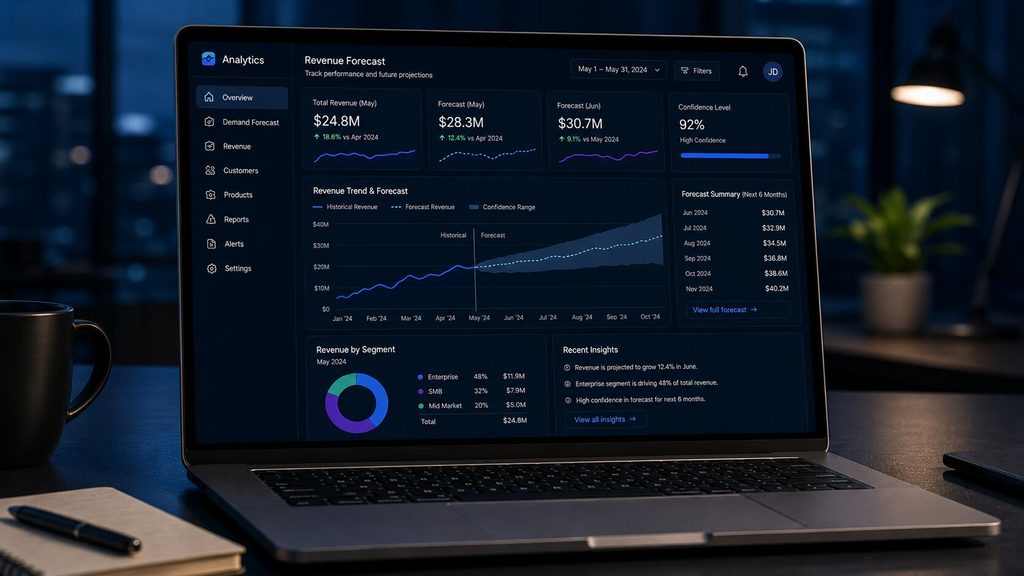
    Every business already has the data it needs to see around corners. It’s just sitting in spreadsheets, CRMs, and transaction logs, describing what already happened. AI predictive analytics flips that data forward. Instead of a report on last quarter’s churn, you get a forecast of which customers are likely to leave next quarter, while you still have time to act.

    For business owners and decision-makers, that shift from hindsight to foresight is turning into one of the highest-ROI AI investments available in 2026, and it doesn’t require a data science team to get started. Here’s what it actually takes to turn your data into decisions instead of just dashboards.

    Key Takeaways

    • AI predictive analytics turns historical and real-time data into forward-looking forecasts, not just backward-looking reports.
    • The predictive analytics software market is growing fast — from $17.3B in 2025 to an estimated $21.4B in 2026, on its way to $38B by 2032.
    • Retail demand forecasting models built on predictive analytics hit accuracy rates far above traditional statistical methods.
    • Predictive vs prescriptive analytics are not the same thing; one tells you what’s likely to happen, the other tells you what to do about it.
    • Supply chain predictive analytics is already cutting operational costs by 20–30% for logistics-heavy businesses.
    • You don’t need a data science team to start. Predictive analytics for small businesses is now accessible through no-code and low-code tools.
    • Getting real ROI depends less on the algorithm and more on clean data, the right use case, and the right predictive data analytics services partner.

    What Is Predictive Analytics, Really?

    What is predictive analytics in plain terms? It’s the practice of using historical data, statistics, and machine learning to answer one question: what is likely to happen next?

    Traditional dashboards tell you what already happened: last quarter’s revenue, last month’s churn. AI predictive analytics goes further. It studies patterns in that historical data and projects them forward, so predictive analytics is a core capability of data-driven organizations planning for what’s coming instead of reacting to what already happened.

    Modern predictive analytics tools blend three layers:

    1. Historical data: sales records, customer interactions, sensor logs, transaction history
    2. Statistical and ML models: regression, time-series forecasting, neural networks
    3. Real-time signals: live data feeds that keep predictions current instead of stale

    The shift in 2026 is that this used to be a data-science-team-only capability. Now it’s embedded directly into everyday business tools — dashboards, CRMs, ERPs — so a marketing manager or operations lead can act on a forecast without waiting on an analyst.

    Why Businesses Are Investing Now

    The numbers explain the urgency. Global corporate AI investment reached $581.7 billion in 2025, up 130% year over year, according to Stanford’s 2026 AI Index. That capital isn’t only chasing generative AI headlines; predictive AI is quietly running the systems that matter most: fraud detection, demand forecasting, and diagnostics, while a lot of generative AI pilots have struggled to show measurable financial impact.

    The predictive analytics software market itself tells the same story:

    Year Market Size (Solutions Segment)
    2024 $13.6 billion
    2025 $17.3 billion
    2026 $21.4 billion (est.)
    2032 (projected) $38.0 billion
    Table source: Market.us

    By 2025, over 55% of businesses were expected to adopt AI-powered predictive analytics tools to sharpen decision-making, particularly in finance, marketing, and supply chain. And the results aren’t theoretical. 90% of Fortune 500 companies already use predictive analytics to convert raw data volume into decisions, with 60% of companies reporting a revenue increase of 10% or more from it.

    For a mid-sized business, that’s the real pitch: predictive analytics isn’t a “nice-to-have” innovation project anymore. It’s becoming table stakes.

    Predictive vs Prescriptive Analytics: Know the Difference

    This is one of the most common points of confusion for decision-makers evaluating predictive data analytics services, so it’s worth separating clearly.

    Predictive Analytics Prescriptive Analytics
    Core question “What’s likely to happen?” “What should we do about it?”
    Output Probabilities, forecasts, risk scores Specific recommended actions
    Example 70% chance a customer churns next month Recommend a discount + onboarding tweak to retain them
    Techniques Regression, time-series, ML classification Optimization, simulation, decision modeling

    Predictive analytics tells you what’s most likely to happen, while prescriptive analytics tells you what the best action to take is. Think of it as prediction versus prescription: one is a weather forecast, the other is the advice to carry an umbrella. In practice, the two work best together: prescriptive analytics could suggest which channel to use for a campaign, while predictive analytics could estimate how much that action will increase sales.

    Most businesses start with AI predictive analytics because it’s the foundation. You can’t prescribe an action based on a forecast you don’t yet trust.

    Where Is AI-Powered Predictive Analytics Delivering Real ROI?

    1. Supply Chain and Operations

    Supply chain predictive analytics is one of the clearest ROI stories in 2026. Predictive models forecast demand spikes, flag supplier delays before they cascade, and optimize inventory levels in real time.

    Logistics firms using predictive analytics saw operational costs drop by 60%, and improvement in customer satisfaction by 45%.

    Demand forecasting models in retail now hit roughly 92% accuracy, compared to about 68% with traditional statistical methods.

    2. Customer Retention and Churn Prediction

    Predictive models flag at-risk customers weeks before they leave — based on usage drop-off, support ticket sentiment, or payment delays — giving retention teams a real window to act.

    3. Financial Risk and Fraud Detection

    Banks and fintechs use predictive scoring to catch fraudulent transactions and assess credit risk in milliseconds, not days.

    4. Healthcare and Patient Outcomes

    Healthcare providers using predictive analytics report better patient outcomes in 58% of cases tracked, largely from earlier risk identification and resource planning.

    VectovateAI helped a healthcare firm with app modernization using predictive analytics which helped increase clinical efficiency by 35% via automated scheduling.

    5. Workforce and Demand Planning

    Retailers and service businesses use predictive staffing models to match headcount to expected demand, avoiding both overstaffing costs and service-quality dips.

    Predictive Analytics for Business Strategy, Not Just Operations

    Where this gets interesting for leadership is when predictive analytics for business strategy moves beyond a single department and into planning itself — market entry decisions, pricing strategy, product roadmap prioritization. Instead of quarterly retrospectives, executive teams get rolling forecasts that update as new data comes in.

    The trend for 2026 backs this up: enterprises are moving away from static dashboards and retrospective reporting, toward predictive and prescriptive intelligence embedded directly into workflows, with Gartner projecting more than 80% of enterprises will have deployed generative or predictive AI-enabled applications by 2026.

    This is also where Agentic AI enters the picture, not as a buzzword, but as the natural next layer. Once a predictive model flags a risk (say, a supplier delay), an AI agent can act on it — reordering stock, alerting the right team, and adjusting a forecast — with a human reviewing the final call rather than executing every step manually. That human-in-the-loop model is what separates a responsible AI deployment from a black-box one.

    Predictive Analytics for Small Business: Yes, It’s Accessible Now

    A common myth: predictive analytics is only for enterprises with in-house data science teams. That’s changing fast. Predictive analytics for small business is now realistic because of two shifts:

    • No-code/low-code platforms let non-technical teams build and deploy predictive analytics tools without writing code
    • Cloud-based, pay-as-you-go tools remove the need for expensive infrastructure upfront

    A small e-commerce brand, for instance, can use predictive analytics to forecast which SKUs will sell out before a festive season without hiring a single data scientist — by plugging existing sales data into a ready-made forecasting tool.

    Choosing the Right Predictive Analytics Consulting Partner

    Buying a tool isn’t the hard part. Making it work with your actual data, your actual workflows, and your actual team is. This is where predictive analytics consulting matters more than the sophistication of any single algorithm.

    A good predictive data analytics services partner should help you with:

    • Data readiness: cleaning and unifying data scattered across systems before any model can be trusted
    • Use-case prioritization: picking the 1–2 problems where a forecast will actually change a decision, instead of trying to predict everything at once
    • Model governance: monitoring for “model drift,” where a model’s accuracy degrades over time as real-world patterns shift
    • Integration: embedding predictions into the tools your team already uses (CRM, ERP, BI dashboards), not a separate system nobody opens

    This is also where visualization matters. A forecast that lives in a spreadsheet gets ignored. A forecast that shows up as a trend line inside a Power BI dashboard your ops manager checks every morning gets acted on.

    Bridging that gap — from raw prediction to a decision someone actually makes — is the difference between a predictive analytics project that sits on a shelf and one that pays for itself.

    Conclusion

    AI predictive analytics is already reshaping business decisions in 2026. The businesses seeing the best ROI aren’t the ones with massive data teams; they are the ones applying accessible AI tools to solve a single high-value problem and embedding those forecasts into daily workflows. Stop reacting to past data and start acting on the future. The only question left is which decision you want to stop guessing on first.

  • Custom AI Development vs Off-the-Shelf Solutions: Which is Better?

    Custom AI Development vs Off-the-Shelf Solutions: Which is Better?

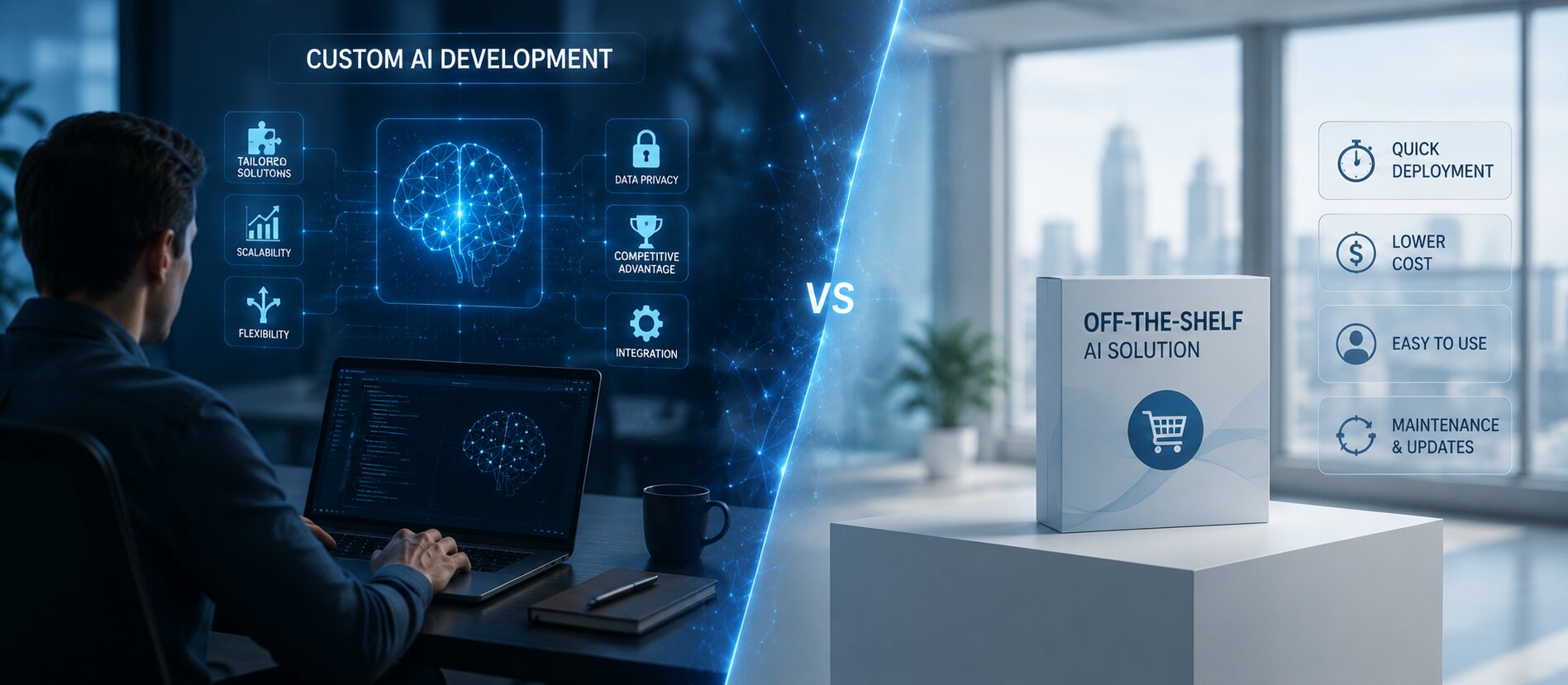
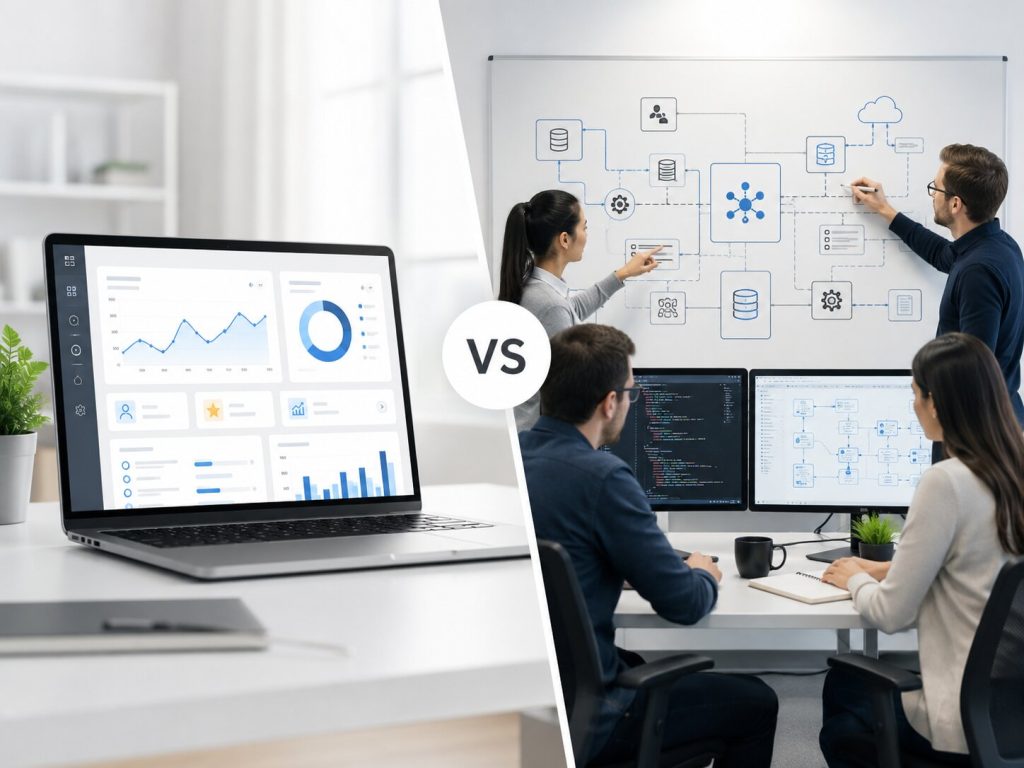
    Every business evaluating AI today lands on the same fork in the road: buy a ready-made tool, or build something that’s genuinely yours. The debate around Custom AI Development vs Off-the-Shelf AI isn’t just a budget conversation; it’s a decision about how much control, differentiation, and long-term value you want from your AI investment.

    As per McKinsey‘s 2025 State of AI report, only 5.5% of organizations are seeing real financial returns from their AI investments, underscoring how the difference between a generic tool and a system built for your workflow can directly decide whether AI pays off.

    Another research study by Gartner predicts that at least 30% of generative AI projects will be abandoned after the proof-of-concept phase due to escalating costs and unclear business value. This happens because a generic tool was asked to do a job it was never architected for.

    Key Takeaways:

    • Off-the-shelf AI platforms are faster to deploy and cheaper upfront, but come with licensing lock-in and limited flexibility.
    • Custom AI development services cost more initially but eliminate recurring “per-seat” fees and adapt to your exact workflows.
    • AI as a Service (AIaaS) models sit in between, useful for quick pilots, risky for core business processes.
    • The real cost isn’t the sticker price; it’s the Total Cost of Ownership (TCO) over 3-5 years.
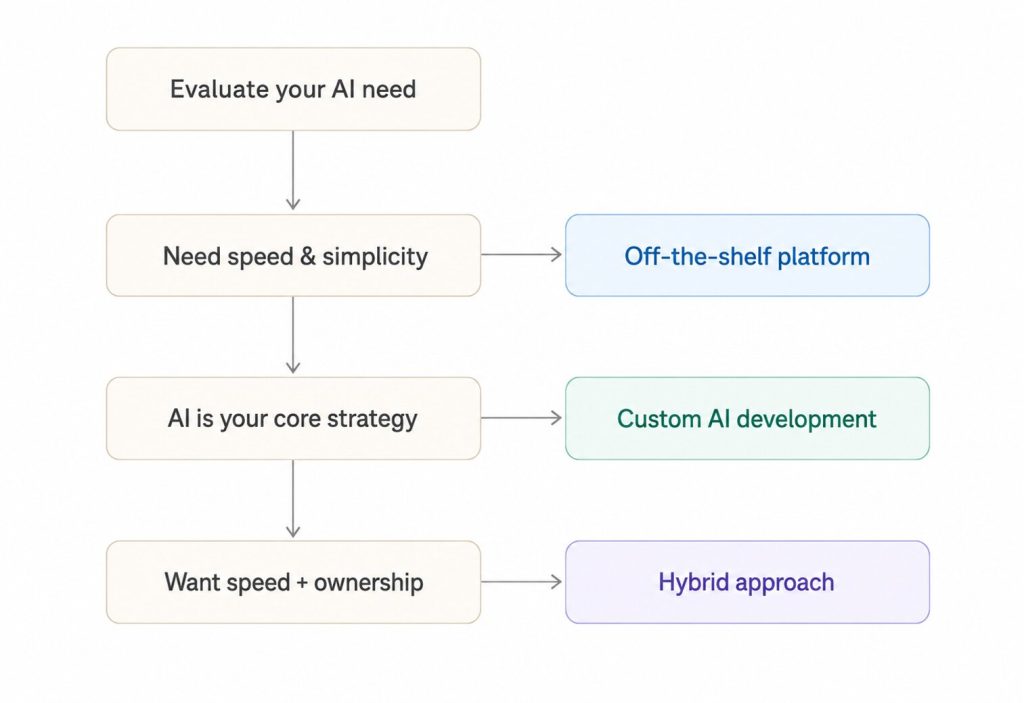
    • Hybrid approaches (custom orchestration layer + pre-built models) are becoming the 2026 standard for enterprises.

    Custom AI Development vs Pre-Built Solutions: Key Differences Explained

    Before picking a side, it helps to see the two approaches laid out against each other:

    Parameter Off-the-Shelf AI Platforms Custom AI Development
    Time to deploy Days to weeks 2-6 months
    Upfront cost Low Moderate to high
    Ongoing cost Subscription/per-seat fees compound over time One-time build, lower recurring cost
    Data ownership Often shared with the vendor Fully proprietary
    Customization Limited to the vendor’s roadmap Built around your exact workflow
    Scalability Capped by the vendor’s architecture Scales with your business logic
    Vendor lock-in High None
    Competitive edge Same tool as competitors Proprietary AI systems unique to you

    This table is the crux of the decision. Pre-built AI solutions win on speed. Custom AI development services win on ownership and long-term economics.

    What Are Off-the-Shelf and White-Label AI Solutions?

    Off-the-shelf AI platforms are pre-built, configurable products, think chatbot builders, generic recommendation engines, or AI software packages you can subscribe to and switch on within a day. Many vendors also offer white-label AI solutions, letting you rebrand a generic engine as your own product.

    These work well when:

    • You need to validate an AI use case quickly, without engineering overhead.
    • Your requirement is generic (basic chat support, standard OCR, simple summarization).
    • The budget for a dedicated build isn’t approved yet.

    Where they fall short: the moment your workflow diverges from the vendor’s assumptions, you’re stuck submitting feature requests and waiting on someone else’s roadmap. And because many of these platforms operate as AI as a Service (AIaaS), your data and prompts often pass through third-party infrastructure, a governance concern for regulated industries like BFSI, healthcare, and legal.

    What Is Custom AI Development?

    Custom AI development means building proprietary AI systems designed specifically around your data, processes, and business rules, not a generic template with your logo on it. This includes custom LLM orchestration, fine-tuned models, agentic workflows, and integrations that sit natively inside your existing tech stack.

    This route makes sense when:

    • Your process is complex enough that no generic tool captures it (multi-step approvals, industry-specific compliance, proprietary data models).
    • You need the AI to act, not just answer, inside your existing systems (an agentic layer that triggers actions, not just chat).
    • Data sovereignty and IP ownership matter to your board or your regulators.
    • You’re building AI as a genuine differentiator, not a checkbox feature.

    The tradeoff is real: custom AI development services demand a longer runway and a more involved discovery phase.

    Real-World Application: FinTech & Insurance Scenarios

    Theory is easy to nod along to. It’s when you look at what these systems actually do inside regulated, high-stakes industries that the “custom vs off-the-shelf” question stops being academic.

    Fraud Detection in FinTech’s Infrastructure

    Off-the-shelf fraud tools are built to flag the fraud patterns everyone already knows about. They work from a shared, generic rulebook, which means every institution using the same platform is defending against yesterday’s threats in the same way.

    A custom-built fraud detection layer, by contrast, is trained on your own transaction history, your customer behavior baselines, and your specific risk appetite. It can flag a subtle deviation, an unusual login location paired with an atypical transaction size, for instance, that a generic model would wave through because it doesn’t fit a pre-defined template.

    For a bank or payments company, that difference isn’t cosmetic; it’s the gap between catching fraud in real time and explaining a loss after the fact.

    Making a Big Difference in Insurance Claim Automation

    Claims processing looks simple from the outside, submit a form, get a payout decision. In practice, it involves policy nuance, document verification, fraud checks, and regulatory sign-off, all stitched together differently by every insurer. An off-the-shelf claims tool forces your process to bend around its workflow.

    A custom AI system does the opposite, it’s built around your claims logic, your document formats, and your compliance checkpoints, automating the repetitive 80% of a claim (data extraction, policy matching, initial validation) while routing genuinely ambiguous cases to a human adjuster. The result is faster claims turnaround without sacrificing the judgment calls that regulators and customers expect a human to make.

    The Real Cost Comparison: Price vs. Value

    A cheaper monthly subscription can quietly become the more expensive option.

    Here’s a simplified 3-year cost lens:

    Cost Factor Off-the-Shelf Custom Build
    Year 1 Low license fee Higher development investment
    Year 2-3 Fees scale with users/usage Mostly maintenance, no per-seat tax
    Switching cost High (data migration, retraining teams) Low (you own the architecture)
    Feature requests Vendor-dependent, often delayed Built on your timeline

    This is where the “Maintenance Iceberg” conversation matters; the visible license fee is just the tip. Below the surface sit integration costs, data migration risk, and the compounding technical debt of stitching multiple SaaS tools together instead of one coherent system.

    Governance, Technical Debt, and the TCO Question

    Enterprises evaluating AI in 2026 are asking sharper questions than “what does it cost per month.” They’re asking about Total Cost of Ownership, model governance, and audit trails, what’s increasingly called “Governance-as-Code.” Off-the-shelf tools rarely expose this level of control. Custom builds bake governance into the architecture from day one, which matters enormously once regulators or enterprise clients start asking how your AI makes decisions.

    Model Drift and Architectural Drift: The Silent Risk Nobody Budgets For

    • AI models don’t stay still. When you depend on a third-party commercial model, you’re depending on something you don’t control the evolution of.
    • Vendors push updates, retrain underlying weights, adjust safety filters, or deprecate versions, and your integration inherits every one of those changes whether you asked for them or not. This is model drift.
    • Its quieter cousin is data lineage decay, where the path your data takes through a system becomes harder to trace as upstream components change beneath you.
    • The practical risk: a prompt that works flawlessly in January might yield degraded, incorrect, or subtly different outputs by July, not because your team changed anything, but because the third-party provider quietly adjusted the model framework underneath it.
    • There’s no changelog, no versioning control, and often no warning. For a regulated business, this becomes an audit trail problem, since you can no longer point to exactly which model version produced which decision.
    • With custom AI architectures, your engineering team retains absolute control over versioning, prompt registries, and data lineage pipelines.
    • Model updates happen on your schedule, against your test suite, with full visibility into what changed and why.
    • This ensures predictability and shields your operations from unexpected system performance drops, precisely the kind of stability regulators, auditors, and enterprise clients expect.

    Industry research from firms like Gartner and McKinsey consistently points to the same pattern: organizations that treat AI as strategic infrastructure see materially better ROI over a 3-year horizon, because they aren’t paying the compounding cost of vendor dependency.

    So, Which One Should You Choose?

    A simple way to decide:

    • Choose off-the-shelf if you need speed, your use case is generic, and you’re testing a hypothesis before committing a budget.
    • Choose custom AI development if AI is core to your competitive strategy, your workflows are unique, or data ownership and compliance are non-negotiable.
    • Choose a hybrid, pre-built model wrapped in a custom orchestration and agent layer if you want the best of both: proven model quality with a system that’s genuinely yours.

    Why VectovateAI As Your Custom AI Development Company?

    This is exactly where VectovateAI, a custom AI Development Company, positions itself differently. Instead of a one-size-fits-all product or a purely off-the-shelf integration, VectovateAI builds agent-first, human-in-the-loop AI systems, proprietary architectures that combine the reliability of proven models with workflows engineered specifically around your business.

    Backed by Ahmedabad’s growing software engineering talent pool, VectovateAI brings enterprise-grade technical rigor without enterprise-consultancy overhead, helping businesses move past the “buy vs. build” debate entirely, toward AI that’s genuinely theirs.

    Final Word

    There’s no universal winner between custom AI development and off-the-shelf AI platforms, only a better fit for your specific stage, budget, and complexity. Early-stage or low-stakes use cases can lean on AIaaS and white-label AI solutions. But if your data is proprietary, your workflows are complex, or AI sits at the center of your competitive strategy, a custom AI development company will outperform any pre-built AI solution within the first year and keep compounding from there.

    Looking to build AI that’s actually yours?

    Talk to VectovateAI about a custom AI development roadmap built around your workflows.

  • Why Custom AI Solutions Deliver Better ROI

    Why Custom AI Solutions Deliver Better ROI

    Artificial intelligence has moved beyond experimentation and is now a strategic business investment. Organizations are deploying AI to improve operational efficiency, automate workflows, enhance customer experiences, and strengthen decision-making. However, achieving measurable outcomes depends largely on the type of AI solution adopted.

    Many businesses begin with off-the-shelf AI platforms because they offer faster deployment and lower upfront costs. While these tools can address general use cases, they often struggle to align with specific business processes, data structures, and long-term growth objectives. This structural gap frequently results in hidden technical debt, where teams spend more time engineering workarounds than driving real revenue.

    This is where Custom AI Solutions create a distinct advantage. Built around an organization’s unique requirements, custom AI enables businesses to maximize efficiency, improve accuracy, and generate stronger returns from their AI investments. Rather than adapting operations to fit software limitations, businesses gain technology designed specifically around their goals.

    What Are Custom AI Solutions?

    Custom AI Solutions are artificial intelligence systems designed and developed to address specific business challenges, operational requirements, and strategic objectives.

    Unlike generic AI tools that serve broad market segments, custom solutions are tailored to an organization’s workflows, datasets, and existing technology ecosystem. Through tailored AI development, businesses can create intelligent systems that align directly with their operational environment.

    These solutions may include:

    • AI workflow automation and multi-agent orchestration
    • Predictive analytics and data pipeline intelligence
    • Recommendation engines
    • Computer vision systems and automated visual quality control layers
    • Natural language processing applications
    • Bespoke machine learning models

    The primary objective is not simply implementing AI, but delivering measurable business outcomes through technology designed for a specific purpose. By prioritizing an AI-native cognitive architecture, companies turn raw unstructured data into a permanent corporate asset.

    Key Differences: Custom AI vs. Ready-Made AI

    Choosing between custom AI and pre-built platforms requires evaluating more than implementation speed. The long-term value of AI depends on how effectively it integrates, scales, and performs within the organization.

    Implementation and Integration

    One of the most significant limitations of generic AI software is integration.

    Many ready-made solutions require businesses to modify existing workflows to accommodate the platform’s capabilities. This often leads to inefficiencies, data silos, and lower adoption rates.

    A custom AI approach prioritizes seamless AI integration with existing systems, including:

    • ERP platforms
    • CRM software
    • Internal databases and data warehouses
    • Customer service applications
    • Business intelligence tools

    By integrating directly into established processes, organizations can accelerate adoption while minimizing operational disruption.

    Scalability and Flexibility

    Business requirements evolve continuously. As organizations expand, AI systems must support increased workloads, larger datasets, and new operational demands.

    Many off-the-shelf platforms impose limitations on customization and scalability. As requirements become more complex, businesses may encounter additional licensing costs or functionality constraints.

    Custom AI is designed with long-term architectural growth in mind. A well-planned scalable AI infrastructure allows organizations to expand capabilities, introduce new use cases, and adapt to changing business priorities without replacing existing systems.

    Cost Breakdown and Long-Term Value

    Initial implementation costs often influence AI purchasing decisions. While ready-made platforms may appear more affordable at first, long-term expenses can accumulate through recurring licensing fees, limited customization, and operational inefficiencies.

    Custom AI requires a greater upfront investment but frequently delivers superior AI solution cost-effectiveness over time. By eliminating vendor lock-in, the Total Cost of Ownership (TCO) drops significantly by years two and three.

    Benefits include:

    • Reduced manual effort via autonomous agent task execution
    • Lower operational costs and optimized cloud compute spend
    • Greater automation efficiency
    • Increased productivity across technical and non-technical staff
    • Reduced dependency on multiple overlapping software tools

    When evaluating AI investments, organizations should consider total business value rather than implementation costs alone.

    Performance and Accuracy

    AI systems generate value through the quality of their outputs.

    Generic AI models are trained on broad datasets designed to support a wide range of industries. While useful for standard applications, they often lack the precision required for specialized business environments.

    Custom AI leverages proprietary business data, industry-specific knowledge, and operational requirements to create bespoke machine learning models that deliver higher relevance and accuracy.

    Whether analyzing customer behaviour, forecasting demand, or automating decisions, improved accuracy leads directly to better business outcomes.

    Why Custom AI Drives Higher ROI

    The strongest argument for custom AI is its ability to generate measurable business value.

    Because these solutions are built around specific objectives, they produce outcomes that directly contribute to organizational performance and profitability.

    Improved Operational Efficiency

    Custom AI enables organizations to automate repetitive and resource-intensive activities through intelligent AI workflow automation.

    Examples include:

    • Document processing
    • Customer support automation
    • Inventory management
    • Data validation
    • Workflow orchestration

    Automation reduces manual intervention, improves consistency, and allows teams to focus on higher-value activities.

    Faster Decision-Making

    Organizations generate large volumes of data every day. Extracting actionable insights from this information is often a challenge.

    Custom AI systems analyze business data in real time, helping leaders make informed decisions faster and with greater confidence. Improved visibility into operational performance enables organizations to respond proactively to opportunities and risks.

    Reduced Operating Costs

    Cost reduction remains one of the most measurable benefits of AI adoption.

    By automating processes, reducing errors, and improving resource utilization, custom AI helps organizations lower operational expenses while maintaining service quality and productivity.

    Over time, these efficiencies contribute significantly to the overall return on investment in artificial intelligence.

    Enhanced Customer Experience

    Customer expectations continue to evolve, requiring businesses to deliver faster, more personalized interactions. Custom AI supports:

    • Personalized recommendations
    • Intelligent customer support
    • Predictive customer behaviour and churn insights
    • Automated engagement workflows

    These capabilities improve customer satisfaction while increasing retention and lifetime value.

    Competitive Differentiation

    Many organizations rely on the same commercial AI platforms, resulting in similar capabilities across the market. If you use the same commoditized tools as your competitors, you inherit the same operational baseline as them.

    Custom AI creates a competitive advantage by delivering proprietary intelligence, unique workflows, and business-specific automation capabilities that competitors cannot easily replicate.

    Better AI Business Value Measurement

    A common challenge with AI adoption is demonstrating measurable impact.

    Custom AI initiatives are typically developed around clearly defined business objectives and performance indicators. This enables organizations to establish a framework for AI business value measurement and track results effectively.

    Common metrics include:

    Business Performance KPI Exact Metric Measurement Tracking
    Engineering & Operational Output Total Process Efficiency & Output
    Capital Efficiency Net Annualized Software Cost
    Customer Value Retained Churn Mitigation & LTV Expansion

    These measurable outcomes provide greater visibility into the success of AI investments.

    How to Get Started with a Custom AI Strategy

    Successful AI adoption begins with a structured approach.

    1. Define Business Objectives

    Identify the challenges and opportunities where AI can create measurable value. Establish clear goals tied to business performance.

    2. Assess Data Readiness

    Evaluate available data sources, quality standards, governance practices, and infrastructure requirements before beginning development.

    3. Identify High-Impact Use Cases

    Focus on initiatives that offer meaningful business impact, such as workflow automation, predictive analytics, customer intelligence, or operational optimization.

    4. Develop an AI Implementation Strategy

    Create a phased roadmap that aligns AI initiatives with organizational priorities and long-term growth plans.

    5. Partner with AI Specialists

    Experienced AI consultants and development teams can help ensure successful deployment, scalability, and ongoing optimization.

    6. Measure and Refine

    Monitor performance continuously, evaluate outcomes against business objectives, and refine models to maximize long-term value.

  • How Much Does It Cost to Develop an AI-Powered Application?

    How Much Does It Cost to Develop an AI-Powered Application?

    If you have searched “how much does it cost to develop an AI app”, you already know the answer feels like a moving target. One website quotes $20,000. Another jumps to half a million dollars. Neither is wrong. They are just answering different questions.

    The real answer depends on what you are building, how ready your data is, and how deep you want the AI to sit inside your business. This guide breaks down the actual AI app development cost in 2026, the AI development cost factors that move the number, and a simple framework you can use to estimate your own project before you talk to any vendor.

    Key Takeaways

    • AI app development cost typically falls between $40,000 and $400,000+, depending on complexity, data readiness, and scale.
    • AI agent development cost rises sharply once you add autonomous decision-making, multi-step workflows, and human-in-the-loop checkpoints.
    • Data preparation alone can eat up 15-40% of your budget.
    • AI chatbot development cost starts low with pre-built APIs but climbs fast once you add custom training, integrations, and compliance layers.
    • Hidden costs like model drift, monitoring, and legacy-system integration often double the “sticker price” businesses expect.
    • Choosing between in-house teams, offshore vendors, or an agent-first, human-in-the-loop approach changes your total cost of ownership more than any single technical decision.

    What Drives AI App Development Cost in 2026

    Most businesses want one number. But AI development cost is really a sum of several smaller decisions stacked together. Here is how the ranges typically break down.

    Project Tier Cost Range What It Usually Includes
    Entry-level AI $20,000 – $80,000 Chatbots, basic recommendation engines, pre-trained model integrations
    Mid-level AI $80,000 – $200,000 Custom AI assistants, predictive analytics dashboards, personalization engines
    Enterprise / Agentic AI $200,000 – $500,000+ Multi-agent systems, generative AI platforms, computer vision, full automation pipelines

    These figures line up closely across independent sources. Appinventiv places the overall AI development cost between $40,000 and $400,000+, while Coherent Solutions puts the broader market range at $20,000 to $500,000+ depending on project complexity.

    The overlap tells you something important: the cost of AI development is not random. It follows predictable patterns once you know what to measure.

    What Really Drives Up the Cost of AI Development

    Understanding the core AI app development cost factors helps you separate a fair quote from an inflated one. A content writer or a founder skimming three blogs will see the same five factors repeated everywhere. Here is what they actually mean for your budget.

    1. Data Readiness

    This is the single biggest lever. Businesses rarely start with clean, structured data. According to Coherent Solutions, data collection and preparation alone can account for 15-25% of total project cost, and roughly 96% of businesses begin without sufficient training data. Appinventiv puts this figure even higher, at 25-40% of the total artificial intelligence development cost, when manual labeling is required.

    If your data lives in scattered spreadsheets, expect this stage to stretch both your timeline and your custom AI development costs.

    2. Model Complexity and Approach

    You have three paths, and each has a different price tag:

    • Pre-trained models or APIs: fastest, cheapest, good for chatbots and simple automation.
    • Fine-tuning an existing model: moderate cost, more control, better fit for your business data.
    • Building from scratch: highest AI model development cost, reserved for genuinely novel problems.

    Most businesses in 2026 do not need to build from scratch. Fine-tuning gets you 80% of the value at a fraction of the cost.

    3. Infrastructure and Compute

    Once your app is live, every user interaction consumes compute. Generative AI systems, in particular, run on usage-based pricing rather than a one-time fee, which means the AI app development cost keeps growing after launch. A mid-sized NLP project on AWS, for instance, can run over $20,000 a month in infrastructure alone once you factor in GPU training instances, storage, and monitoring, based on Coherent Solutions’ cost modeling.

    4. Integration with Existing Systems

    An AI feature that does not talk to your CRM, ERP, or customer database is not very useful. Deeper integration means more engineering hours, which directly raises the AI agent development cost for anything beyond a standalone tool.

    5. Team Structure: In-House vs Outsourced

    This decision alone can swing your budget by 30-50%.

    Factor In-House Team Outsourced / Offshore Team
    Annual Cost $400,000+ for a small team, per Coherent Solutions 30-50% lower on average
    Hiring Speed Slow, competitive market Faster, ready-made teams
    Best For Long-term core AI products MVPs, pilots, scaling projects

    For most Indian and global businesses testing their first AI initiative, an experienced outsourced partner delivers a lower AI software development cost without sacrificing quality.

    AI Chatbot Development Cost: A Closer Look

    Since chatbots are the most common entry point into AI, they deserve their own breakdown. AI chatbot development cost depends heavily on how much customization you need.

    • Off-the-shelf chatbot platforms: $99 to $1,500 per month, according to Coherent Solutions, suitable for simple FAQ automation.
    • Custom-built chatbots: $20,000 to $80,000, when you need brand-specific tone, integrations, and proprietary training data.
    • Advanced conversational agents with memory and tool use: $80,000 to $250,000+, especially when the bot needs to take actions, not just answer questions.

    This is where the shift toward agentic AI development cost becomes visible. A chatbot that only answers questions is cheap. A chatbot that can check inventory, update a CRM record, or escalate to a human when confidence is low costs significantly more, but delivers far more business value.

    What Drives the Cost of AI App Development: The Hidden Layer

    The numbers above cover development. They rarely cover what happens after launch. This is where budgets quietly balloon.

    • Model drift: AI accuracy degrades as user behavior and data patterns shift, requiring periodic retraining.
    • Monitoring and observability: you need visibility into latency, error rates, and model performance, which means additional tooling.
    • Compliance and governance: data privacy regulations, audit logs, and bias checks are no longer optional for most industries.
    • Vendor lock-in: heavy reliance on third-party APIs can make switching providers expensive later.

    Appinventiv estimates that ongoing maintenance alone can account for 15-25% of the total cost of artificial intelligence annually. Plan for this from day one instead of discovering it six months post-launch.

    A Simple Framework to Estimate Your AI Development Cost

    Instead of guessing, walk through these questions in order:

    1. What problem are you solving? A single-task chatbot costs far less than a multi-workflow assistant.
    2. How ready is your data? Clean, centralized data significantly reduces both time and your AI software development costs.
    3. Which model strategy fits? APIs keep upfront cost low but add usage fees over time. Fine-tuning offers balance.
    4. How deep does integration need to go? Every connected system adds engineering hours.
    5. What is your expected scale? Higher usage volumes mean higher long-term infrastructure spend.

    Run your project through these five filters honestly, and you will arrive at a realistic AI app development cost before you ever request a formal quote.

    Why Agent-First, Human-in-the-Loop Changes the Math

    Most cost breakdowns online treat AI as either “fully automated” or “just a chatbot.” Neither framing fits how businesses actually operate in 2026. The smarter, and often more cost-efficient, approach is agent-first with human-in-the-loop design: AI agents handle repetitive decisions and workflows, while people stay in control of judgment calls, exceptions, and anything customer-facing that carries real risk.

    This model does not just reduce liability. It also controls cost, because you are not paying for full autonomous decision-making everywhere, only where it makes business sense. At Vectovate AI, this is the lens we apply to every AI engagement, whether it is a cost estimate conversation or a full build: start with the workflow, decide where agents add value, and keep humans anchored where accuracy and trust matter most.

    If you are still scoping your project, our AI development services page walks through how we structure engagements for Ahmedabad-based and global businesses alike, and our pricing and consultation process is built specifically to avoid the hidden-cost surprises covered above.

    Final Thoughts

    The honest answer to “how much does it cost to develop an AI app” is: it depends on scope, not on the technology itself. A simple chatbot can go live for under $50,000. An enterprise-grade agentic system with deep integrations can cross half a million dollars. What separates a smart AI investment from an expensive mistake is not the initial price tag. It is whether you planned for data readiness, infrastructure scaling, and human oversight from the start.

    Before you commit a budget, map your use case against the frameworks above. Then talk to a team that will tell you the real number, not just the number that closes the deal fastest.