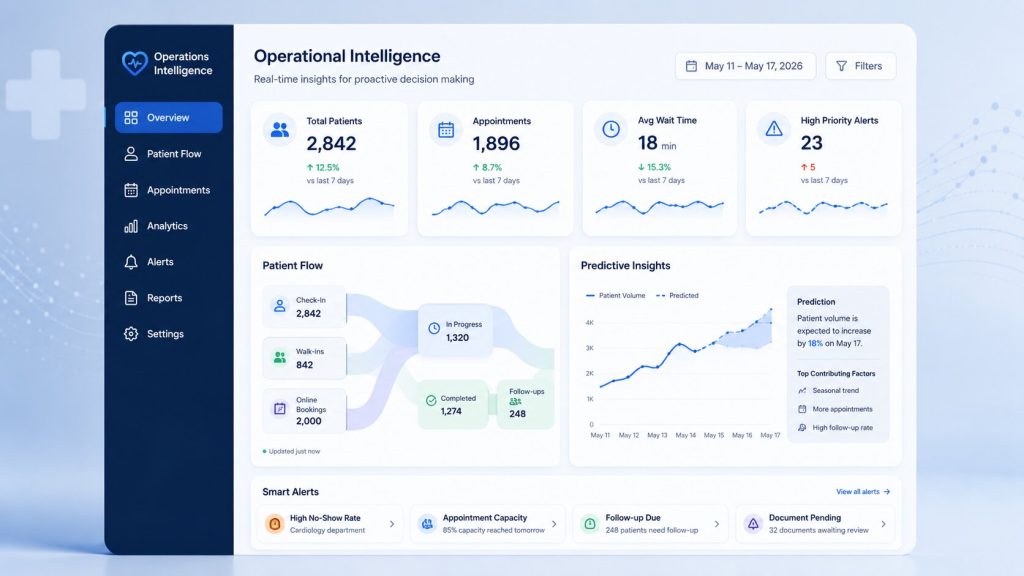
Category: AI Engineering

  • Patient Onboarding Automation: How HealthTech Platforms Cut Intake Time by 90%

    Patient Onboarding Automation: How HealthTech Platforms Cut Intake Time by 90%

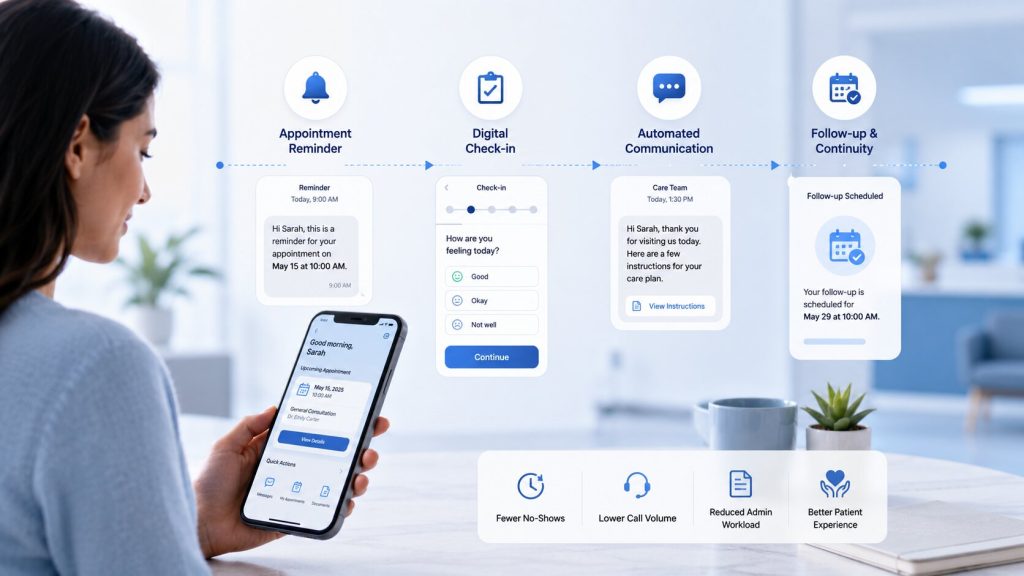
    Patient onboarding automation is changing how clinics greet new patients. A new patient used to spend 30 to 50 minutes filling out forms, waiting on hold, and repeating the same details to three different staff members. Today, that same journey takes under five minutes. HealthTech platforms are proving that patient onboarding automation is no longer just an operational upgrade. It’s the primary lever to keep front-desk teams from burning out under relentless administrative overhead.

    This blog breaks down exactly how healthcare process automation compresses a 45-minute ordeal into a 2-minute experience, what tools make it possible, and how your practice can start.

    Key Takeaways

    • Manual onboarding wastes 30 to 50 minutes per patient on forms, insurance checks, and re-typing data.
    • Robotic process automation in healthcare and AI-driven intake tools cut that time by 80 to 90%.
    • Automated eligibility checks reduce claim denials and speed up the revenue cycle by several days.
    • The right healthcare business process automation stack combines digital intake forms, RPA bots, and EHR integration.
    • Choosing a solution depends on your EHR compatibility, HIPAA compliance, and how well it handles unstructured documents.

    Why Is Manual Onboarding Breaking Down?

    Most clinics still run onboarding the old way. A patient walks in, fills a clipboard, and waits while a receptionist retypes everything into three separate systems. This isn’t a small inconvenience. According to LMTEQ, administrative delays in registration create an average patient throughput lag of 45% in medium to large hospitals.

    The real damage runs deeper than wait times. Automating healthcare processes matters because manual intake creates:

    • Fragmented data: the same patient exists in three systems with three slightly different records.
    • Compliance exposure: paper consent forms get lost, and audits catch it too late.
    • Revenue leakage: a missed insurance pre-authorization can cost thousands in denied claims.
    • Staff burnout: front-desk teams spend their day typing instead of talking to patients.

    None of this happens because staff isn’t capable. It happens because the systems around them were never built to talk to each other.

    What Is Robotic Process Automation in Healthcare?

    Robotic process automation in healthcare, or RPA, uses software bots to handle repetitive, rules-based tasks — the kind a human currently does by clicking through screens. Think data entry, eligibility lookups, and document routing. RPA doesn’t replace clinical judgment. It replaces the boring, error-prone parts of the job.

    Layer AI on top of RPA — reading a scanned insurance card, extracting fields from a handwritten form, flagging a duplicate patient record — and you get intelligent process automation in healthcare. This combination is what actually delivers the 90% time reduction platforms are advertising.

    The 45-Minute-to-2-Minute Shift: What Changes

    Here’s what a typical new-patient visit looks like before and after healthcare robotic process automation enters the picture.

    Onboarding Step Manual Process Automated Process Time Saved
    Form filling 10 minutes at the counter 0 minutes (completed online pre-visit) 10 min
    Insurance verification 15 minutes on phone/portal 3–5 seconds via real-time API ~14 min
    Demographic data entry 10 minutes of manual typing 2 minutes (auto-synced from form) 8 min
    Scheduling confirmation 5 minutes 1 minute (smart matching) 4 min
    Consent collection Paper chase, often incomplete E-signature before visit, 100% completion 1–2 min per visit at check-in

    These efficiency gains are backed by real-world clinical benchmarks. OmniMD found that AI-driven front desks cut total onboarding from 40–50 minutes down to roughly 18–20 minutes, while healthcare automation firm Gistia reports pushing patient intake from 15 minutes down to under 2 minutes by targeting the specific manual bottlenecks in a clinic’s existing workflow, without ripping out current software.

    How Automated Document Processing Fixes Healthcare Claims

    One of the most expensive bottlenecks sits between intake and billing. Automated document processing healthcare tools read insurance cards, IDs, and referral letters, then push clean, structured data straight into the EHR and billing system with no retyping required.

    The downstream effect shows up fastest in automated healthcare claims processing. When eligibility gets verified the moment an appointment is booked instead of at check-in, gaps in coverage surface early, not after the visit, when it’s too late to fix. OmniMD’s data shows this kind of real-time validation can push claim rejection rates down from 12–14% to roughly 3–4%, translating into faster reimbursement and fewer write-offs for clinics running high patient volumes.

    Intake and Referral Workflow Automation Healthcare Practices Actually Need

    Intake and referral workflow automation healthcare systems solve a problem that’s bigger than a single clinic: coordination across departments. For specialty centers like oncology, cardiology, and transplant care, onboarding a single patient can involve labs, radiology, insurance, and multiple clinical teams.

    LMTEQ’s case studies show that case-based automated workflows, triggered the moment a referral lands, can push documentation accuracy above 90% while shrinking the time to first treatment. Each department gets automatic notifications instead of waiting for a fax or a phone call, and every step gets tracked in real time so nothing falls through the cracks.

    Key Features to Look For in Healthcare Process Automation Tools

    Not every automation vendor solves the same problem. Before you buy, check for these key features to look for in healthcare process automation tools:

    • EHR-native integration: Epic, Cerner, Athenahealth, or eClinicalWorks compatibility without custom middleware.
    • HL7 & FHIR Standard Compliance: Support for HL7 v2 and FHIR standards to guarantee bi-directional data flow into custom fields without corrupting base EHR schemas.
    • Real-time eligibility API checks: coverage verified in seconds, not after a phone hold.
    • AI-based document reading: extracts data from insurance cards, IDs, and handwritten forms.
    • Duplicate detection: fuzzy matching on name, date of birth, and insurance ID to stop split patient records before they happen.
    • E-signature and consent tracking: audit-ready by default, not after a compliance scare.
    • HIPAA-compliant infrastructure: encryption, access controls, and a signed BAA.
    • Human-in-the-loop exception handling: bots handle the routine 90%; staff reviews the flagged 10%.

    Managing Edge Cases: The Human-in-the-Loop Workflow

    No AI model achieves 100% optical character recognition (OCR) accuracy on crumpled insurance cards or damaged IDs. High-performing automation architectures implement a Human-in-the-Loop (HITL) fail-safe:

    • Confidence Scoring: The system assigns a confidence percentage to extracted fields (e.g., >95%).
    • Automated Routing: Any extraction falling below the threshold gets routed to an “Exception Queue” for human review.
    • Continuous Feedback: Staff corrections automatically retrain local parsing models, progressively lowering error rates over time.

    Benefits of Healthcare Process Automation Beyond Speed

    The time savings get all the attention, but the benefits of healthcare process automation run wider than a shorter waiting room.

    Impact Area What Improves
    Data accuracy Manual entry averages 93–94% accuracy; automated sync pushes this above 99%
    Staff capacity A 30-patient clinic can recover roughly 10 staff-hours per day
    Patient experience Fewer repeated questions, shorter waits, higher satisfaction scores
    Revenue cycle Faster eligibility checks shrink billing cycle time by several days
    Compliance Every consent and access event is logged automatically

    None of this requires hiring more staff. It requires removing the manual steps standing between your team and the patient.

    How to Choose a Healthcare Process Automation Solution

    Picking the right platform isn’t about the flashiest AI demo. Here’s a practical checklist for how to choose a healthcare process automation solution that actually fits your clinic:

    1. Map your bottlenecks first. Don’t automate everything at once, and find where staff loses the most time (usually eligibility checks or data re-entry).
    2. Check integration depth. A tool that “connects” to your EHR isn’t the same as one that syncs data bidirectionally in real time.
    3. Ask about unstructured data handling. Can it read a messy, handwritten form or a photographed insurance card, not just a clean digital field?
    4. Confirm HIPAA compliance, BAA availability and zero-data-retention pipelines. This is non-negotiable for any vendor touching patient data.
    5. Start small, scale fast. Most successful rollouts begin with one workflow: digital intake or eligibility verification before expanding to referrals and consent management.
    6. Look for human-in-the-loop design. Full automation without oversight creates new risks. The best platforms flag exceptions for a human to review, not bury them.

    Final Word

    Patient onboarding automation isn’t about replacing your front desk. It’s about giving them back the ten hours a day they currently lose to retyping the same information three times. Clinics that adopt business process automation in healthcare aren’t just running faster. They’re building a first impression that makes patients trust the visit before it even starts.

  • Healthcare SaaS Development: How to Build a Scalable, Compliant, AI-Powered Platform in 2026

    Healthcare SaaS Development: How to Build a Scalable, Compliant, AI-Powered Platform in 2026

    Healthcare leaders no longer ask “should we build a digital health product?” They ask “how do we architect one that scales seamlessly without breaking under strict regulatory mandates, volatile user concurrency, or clinical data complexity?” Healthcare SaaS development in 2026 sits at the intersection of three hard problems: compliance, interoperability, and AI adoption, and getting any one of them wrong costs you months and millions.

    According to Mordor Intelligence, the stakes are only rising: the global healthcare SaaS market is worth $37.68 billion in 2026 and is growing at a 16.94% CAGR, expected to reach $82.37 billion by 2031. Building a resilient, compliance-first architecture from day one is the single highest-leverage decision a HealthTech leadership team can make.

    This guide breaks down exactly how to plan, build, and launch a scalable, compliant, AI-powered healthcare SaaS platform, and why the way you build it now matters as much as what you build.

    Key Takeaways

    • Healthcare SaaS development succeeds when compliance (HIPAA, GDPR, ABDM) is designed in from day one, not patched in later.
    • AI is no longer a bolt-on feature. It now shapes the healthcare software development lifecycle itself, from requirement-gathering to deployment.
    • A modern healthcare SaaS platform needs five pillars: interoperability, security, scalability, AI/agentic intelligence, and human-in-the-loop clinical oversight.
    • Telehealth software development timelines typically run 4-9 months depending on scope, and budgets range from $60,000 to $400,000+.
    • Choosing the right healthtech software development companies matters more than choosing the right tech stack, and execution discipline decides outcomes.

    What Does Healthcare SaaS Development Actually Involve?

    Healthcare SaaS development means building a cloud-hosted, subscription-based software platform that healthcare providers, payers, or patients access over the internet instead of installing on local servers.

    Think patient portals, telehealth software development platforms, remote monitoring dashboards, or hospital management systems delivered as a service. Advanced platforms also incorporate AI-native clinical decision support via Retrieval-Augmented Generation (RAG) and automated X12 EDI claims clearinghouses.

    Unlike a generic SaaS product, healthcare application development carries extra weight. You are handling Protected Health Information (PHI), you must interoperate with existing hospital systems, and a bug in your code can affect patient safety, not just user experience. That’s why custom healthtech software development services look very different from typical web app development. Every architectural decision runs through a compliance and clinical-safety filter first.

    Why AI Is Rewriting the Healthcare Software Development Playbook

    Software engineering itself is changing, and healthcare is feeling it first because the stakes are highest. AWS’s engineering team recently proposed an entirely new way of building software called the AI-Driven Development Lifecycle, in which AI is positioned as a central collaborator that creates detailed work plans, actively seeks clarification, and defers critical decisions to human teams, rather than being treated as a side tool. This is exactly the discipline healthtech software development needs. AI can move fast on code, test generation, and documentation, but a clinician or compliance officer still has to sign off on anything that touches patient data or care logic.

    Industry analysis backs this shift. AI is transforming linear software delivery into a continuously optimizing system by introducing intelligence, automation, and feedback at every stage of the development lifecycle, from requirements parsing to deployment to operations. For a healthcare SaaS platform, that means:

    • Requirements phase: AI parses clinical workflows and regulatory clauses (HIPAA, ABDM, SOC 2, FHIR R4 specs & HL7) to flag conflicts before a single line of code is written.
    • Build phase: AI-assisted coding accelerates FHIR/HL7 integration work and reduces manual API-mapping errors.
    • Testing phase: AI generates synthetic, privacy-safe patient data to test edge cases without ever touching real PHI.
    • Operations phase: AI-driven monitoring catches anomalies in patient data flows faster than manual audits ever could.

    This is the “Agent-first, Human-in-the-loop” approach that separates a platform built to scale from one built to demo. AI drafts, humans decide — especially in digital health software development, where a wrong autonomous decision isn’t just a bug. It’s a liability.

    The 5 Pillars of a Scalable, Compliant Healthcare SaaS Platform

    Every successful healthtech enterprise software development project rests on five non-negotiable pillars.

    Pillar What It Means Why It Matters
    Interoperability HL7, FHIR, and DICOM support to connect with EHRs, labs, and imaging systems Hospitals won’t adopt a platform that creates data silos
    Security & Compliance HIPAA, GDPR, ABDM, SOC 2 baked into architecture One breach can end a healthtech brand overnight
    Scalability Cloud-native, microservices-based, auto-scaling infrastructure Patient load spikes unpredictably (flu season, pandemics, campaigns)
    AI/Agentic Layer Clinical decision support, triage bots, predictive analytics Differentiates your platform from legacy competitors
    Human-in-the-Loop Governance Clinician review checkpoints on AI-driven suggestions Keeps AI accountable and clinically safe

    A platform missing even one of these pillars isn’t a healthcare SaaS platform. It’s a liability waiting to surface.

    Core Features Every Modern Healthcare SaaS Platform Needs

    Whether you’re building a hospital-wide system or a focused telehealth software development product, these features are now table stakes:

    • Secure patient portals with granular Role-Based Access Control (RBAC).
    • HIPAA-compliant video consultation infrastructure built with WebRTC and bandwidth-adaptive streaming for telehealth software development.
    • EHR/EMR integration via FHIR APIs for real time chart updates.
    • AI-powered symptom triage to route patients faster and reduce clinician load.
    • E-prescription and pharmacy integration (e.g., Surescripts) with immutable audit trails.
    • Remote patient monitoring (RPM) dashboards pulling data from wearables and IoT devices.
    • Billing and insurance claims automation to reduce administrative overhead.
    • Analytics and predictive dashboards for population health management.
    • Multi-tenant architecture if you’re selling to multiple hospital groups or clinics.

    Each of these needs to be designed for custom healthtech software development, not squeezed out of an off-the-shelf template. Healthcare workflows are too specific for generic SaaS boilerplate to hold up under real clinical use.

    Compliance: The Part You Cannot Outsource to Later

    Compliance failures are the single biggest reason healthcare software development projects stall or get shelved after launch. Build these in from architecture stage one:

    Regulation Region What It Requires
    HIPAA United States PHI encryption, access logs, breach notification protocols
    GDPR European Union Explicit consent, right to erasure, data portability
    ABDM (Ayushman Bharat Digital Mission) India Health ID integration, consent-based data sharing
    SOC 2 Type II Global/Enterprise Security, availability, and confidentiality controls audit
    HL7/FHIR Global Standardized clinical data exchange format

    A genuinely reliable healthcare application development partner treats these not as a checklist at the end, but as design constraints from the first architecture diagram.

    Cost & Timeline: What to Actually Budget For

    Cost is usually the first question decision-makers ask, so here’s a realistic breakdown for healthtech software development services in 2026:

    Platform Type Estimated Timeline Estimated Cost (USD)
    MVP Patient Portal / Booking App 3-4 months $40,000 – $80,000
    Telehealth Platform (video + EHR integration) 5-7 months $90,000 – $180,000
    Full Hospital Management SaaS 8-12 months $200,000 – $450,000+
    AI-Powered RPM + Analytics Suite 6-9 months $150,000 – $300,000

    Costs swing based on the depth of EHR integration, the number of compliance jurisdictions you need to satisfy, and how much AI/agentic functionality you build in versus bolt on later. Building AI-native from day one costs more upfront but saves significant rework, and retrofitting AI into a rigid legacy architecture is almost always more expensive than designing for it initially.

    Choosing the Right Development Partner

    Here’s what actually separates a healthtech software development company from a bad hire:

    1. Domain proof, not just tech proof. Ask for healthcare-specific case studies and verified FHIR integration experience, not generic app portfolios.
    2. Compliance-first engineering culture. They should ask about HIPAA/ABDM before you bring it up.
    3. AI-DLC maturity. Teams using AI-augmented development cycles ship faster without sacrificing code quality. This is now a genuine differentiator, not a buzzword.
    4. Post-launch ownership. Healthcare platforms need continuous monitoring, patching, and audit support long after go-live.
    5. Engineering depth over headcount. Ahmedabad’s software engineering ecosystem has quietly become a serious hub for this kind of disciplined, compliance-aware, AI-augmented development — worth evaluating alongside the usual metro-city names.

    Final Thoughts

    Building a healthcare SaaS platform in 2026 isn’t about picking the flashiest AI feature. It’s about combining compliant architecture, real interoperability, and a development process where AI accelerates the team without replacing clinical and regulatory judgment. Get the foundation — compliance, interoperability, and security — right first, layer AI-driven intelligence on top with human oversight built in, and you have a platform that scales with trust intact.

    If you’re scoping a custom healthtech software development services project and want a realistic cost and timeline estimate based on your specific use case, that conversation is worth having before you write a single requirement document.

    At VectovateAI, we engineer custom, AI-Native healthcare software platforms built for enterprise scale, strict compliance, and flawless interoperability.

    Schedule a Technical Architecture Review with VectovateAI

  • Predictive Analytics in Healthcare: Turning Patient Data into Decision Intelligence

    Predictive Analytics in Healthcare: Turning Patient Data into Decision Intelligence

    Hospitals sit on mountains of data every day: lab results, vitals, claims, wearable feeds. Most of it just sits there unused. Predictive analytics in healthcare changes that.

    It takes historical and real-time patient data and turns it into forward-looking signals: who’s likely to be readmitted, which claim will get denied, where the next bed crunch is coming from. Instead of reacting after something goes wrong, hospitals and payers can act before it happens.

    The healthcare predictive analytics market itself proves the shift is real: it’s projected to grow past $50 billion by 2030, at over 24% a year. This blog breaks down what it is, how it works, real examples, and how you can start using it, without the jargon.

    Key Takeaways

    • Predictive analytics in healthcare uses ML models on EHR, claims, and device data to forecast risk before it becomes a crisis.
    • Real-world use cases span readmission prevention, chronic disease risk scoring, fraud detection, and staffing forecasts.
    • A healthcare data analytics platform built on clean, governed data is the real foundation, not just the isolated algorithm.
    • Power BI for healthcare and custom embedded UI layers (like SMART on FHIR) make predictive dashboards accessible directly inside existing clinician workflows.
    • The biggest barriers aren’t technical. They’re data silos, HIPAA compliance, and clinician trust.

    What Is Predictive Analytics in Healthcare?

    Predictive analytics in healthcare applies statistical modeling and machine learning to clinical, operational, and financial health data to forecast upcoming events such as readmissions, claim denials, or ER demand spikes.

    Think of it in three layers:

    • Descriptive analytics tells you what happened last month.
    • Predictive analytics tells you what’s likely to happen next month.
    • Prescriptive analytics tells you what to do about it.

    Most hospitals are strong on the first layer and weak on the other two. That gap is exactly where healthcare predictive analytics earns its value.

    How Predictive Analytics in Healthcare Works Using Big Data

    Every predictive model follows a similar path, and it starts long before any AI touches the data.

    1. Data collection: pulling from EHRs, lab systems, imaging, claims, and wearable devices.
    2. Cleaning and normalization: messy, duplicate, or missing records get standardized.
    3. Model training: algorithms like logistic regression, random forests, or gradient boosting learn patterns from historical outcomes. This is where AI predictive analytics in healthcare moves past basic statistics, using machine learning to catch patterns a human reviewer would likely miss in raw data.
    4. Integration into workflow: the output shows up as a risk score or alert inside the tools clinicians already use, not a separate report nobody opens.

    This is what people mean by predictive analytics in healthcare using big data.

    The Technical Architecture of an Enterprise Healthcare Data Engine

    Delivering real-time risk scores in a live health environment requires a scalable, secure backend architecture:

    • Interoperability & Data Ingestion: Ingestion engines pull continuous streams using HL7 v2/v3 and FHIR (Fast Healthcare Interoperability Resources) RESTful APIs to bridge legacy EHRs (like Epic or Cerner) with cloud environments.
    • Unified Data Lakehouse: Raw data lands in an enterprise lakehouse (such as Snowflake, AWS HealthLake, or Azure Health Data Services) where automated ETL/ELT pipelines handle de-identification, schema mapping, and normalization.
    • MLOps & Model Serving: Models are containerized via Docker and managed using Kubernetes. Automated MLOps pipelines track data drift and clinical bias, ensuring model predictions remain accurate as patient demographics shift.

    Predictive Analytics in Healthcare — Examples

    Looking at real examples of predictive analytics in healthcare in action is the fastest way to see where the ROI actually shows up.

    Use Case What the Model Predicts Business Impact
    Re-admission risk Which discharged patients are likely to return within 30 days Fewer penalties, targeted follow-up care
    Chronic disease management Patients trending toward complications (diabetes, COPD) Earlier, cheaper intervention
    Clinical deterioration alerts Sepsis or cardiac risk hours in advance Faster clinical response
    Claims and denial prediction Which claims will likely get denied before submission Cleaner first-pass approvals
    No-show prediction Patients likely to miss an appointment Better scheduling, less revenue leakage
    Fraud detection Anomalous billing patterns Blocked fraudulent payouts

    A Duke University study, cited by ForeSee Medical, on EHR-based no-show modeling found it flagged nearly 5,000 additional missed appointments annually with higher accuracy than legacy forecasting methods.

    Insurers use the same logic differently. Anthem, as reported by ForeSee Medical, has applied predictive modeling to build patient profiles that shape more personalized outreach and messaging.

    Healthcare fraud alone drains an estimated 3 to 10% of total US healthcare spending every year, per NHCAA. A single well-tuned fraud detection model can pay for the entire analytics investment.

    Predictive Analytics in Healthcare Supply Chain

    Predictive analytics in healthcare supply chain management forecasts demand for medications, PPE, and critical inventory using seasonal surge data and admission forecasts. This cuts inventory carrying costs and prevents emergency shortages before flu seasons hit.

    Benefits of Predictive Analytics in Healthcare

    The benefits of predictive analytics in healthcare hit three groups at once: patients, providers, and the finance team.

    • Better outcomes: earlier detection means smaller, cheaper interventions instead of emergency ones.
    • Lower costs: fewer avoidable admissions, less fraud, fewer denied claims.
    • Operational efficiency: staffing and bed planning based on forecasted demand, not guesswork.
    • Personalized care: treatment plans shaped by a patient’s specific risk profile, not a generic protocol.
    • Stronger health equity: risk stratification that factors in social determinants helps direct resources to underserved populations, not just the loudest requests.

    Power BI for Healthcare & Embedded Dashboards: Making Predictions Usable

    A brilliant model is useless if non-technical clinical and finance teams can’t interpret it. This is where Power BI for healthcare earns its place, as the visible front end of a strong healthcare business intelligence strategy, turning complex data science into actionable, visual intelligence.

    A well-built enterprise healthcare dashboard typically shows:

    • Real-time bed occupancy and length-of-stay trends by department.
    • Readmission risk scores flagged directly against patient cohorts.
    • Billing and denial-rate trends broken down by payer.
    • Predictive staffing recommendations based on forecasted patient census.

    In production deployments, combining predictive modeling with live occupancy tracking has helped health systems achieve around a 22% reduction in unplanned ICU overflow. For operations teams, tools like Copilot in Microsoft Fabric allow staff to query aggregated operational trends in plain language, delivering instant answers without waiting on custom IT reports.

    Bridging the Clinical Gap: Executive dashboards alone do not drive bedside adoption. For physicians and nurses, context-switching between an EHR and a third-party BI tool causes friction. High-impact implementations solve this by deploying custom-embedded UIs — such as SMART on FHIR micro-apps built directly into Epic or Cerner interfaces — delivering real-time risk predictions straight to the patient record where decisions happen.

    Enterprise Security, HIPAA, and Data Governance

    Building a production-grade predictive engine requires a zero-trust security model:

    • HIPAA & SOC 2 Compliance: All infrastructure enforces strict end-to-end encryption, both at rest (AES-256) and in transit (TLS 1.3) — backed by formal Business Associate Agreements (BAAs).
    • PHI De-identification: Personally identifiable health data (PHI) undergoes automated de-identification and anonymization protocols in compliance with HIPAA Safe Harbor standards before model training.
    • Role-Based Access Control (RBAC): Access policies ensure clinicians view only the risk scores relevant to active cohorts, while analysts view aggregated, non-PHI trends.

    Building a Healthcare Data Analytics Platform: What It Actually Takes

    Building a real healthcare data analytics platform is a sequencing problem before it’s a technology one.

    Step What It Solves
    Assess data readiness Confirms your EHR, claims, and device data can actually support a model
    Pick one measurable use case Avoids the trap of trying to “do AI” everywhere at once
    Build a governed data layer One trusted source, not five conflicting spreadsheets
    Train and validate the model Tested for accuracy and bias before it touches a patient
    Lock in HIPAA governance Access control, audit trails, de-identification, non-negotiable
    Deploy and monitor Predictions land inside existing workflows, tracked for drift over time

    Skipping straight to “build the AI model” without steps one through three is the most common and costly mistake health systems make.

    Pros and Cons of Predictive Analytics in Healthcare

    Pros Cons
    Earlier intervention, better outcomes Requires clean, unified data, most hospitals don’t have this yet
    Reduces avoidable costs and fraud HIPAA and privacy compliance add real complexity
    Frees up staff from manual pattern-spotting Models can carry bias if trained on non-representative data
    Scales across clinical, financial, and operational teams Clinician adoption takes time and trust-building
    Works well alongside existing EHR systems Needs ongoing validation, a model isn’t “done” after launch

    How to Use Predictive Analytics in Healthcare: Where to Start

    If you’re a decision-maker wondering how to use predictive analytics in healthcare without a six-month pilot that goes nowhere, start narrow:

    1. Pick one high-cost, high-frequency problem. Readmissions or claim denials are usually the easiest wins.
    2. Audit whether your current data can actually support that specific prediction.
    3. Get a dashboard in front of the team that owns the decision, not just IT.
    4. Measure the outcome against a clear number, like fewer readmissions or faster claim turnaround, before expanding to a second use case.

    The organizations that get real ROI from predictive analytics rarely start with the most ambitious project. They start with the smallest one that proves the loop works: data in, prediction out, decision made, outcome improved.

    Conclusion

    Predictive analytics in healthcare isn’t about replacing clinical judgment. It’s about giving decision-makers a head start. Whether that’s a nurse manager staffing for tomorrow’s patient surge, a CFO chasing down claim denials, or a care coordinator flagging a high-risk diabetic patient before a hospitalization, the pattern is the same: turn patient data into decision intelligence, and act while there’s still time to change the outcome.

  • AI Development Process: From Idea to Deployment

    AI Development Process: From Idea to Deployment

    Every successful AI product starts as a rough idea and ends as a system that runs quietly in production, making decisions or predictions without anyone watching every step. The gap between those two points is called the AI development process, and most businesses underestimate how many stages sit inside it.

    This guide breaks down the complete AI development lifecycle, explains how to build an AI model the right way, and shows you exactly where teams lose time, budget, or accuracy. Whether you’re a founder scoping your first AI product or an IT student trying to understand AI model development end-to-end, this blog gives you a practical, no-fluff roadmap.

    Key Takeaways

    • The AI development process has six core stages: discovery, data preparation, model selection, training, deployment, and monitoring.
    • Clean, well-labeled data determines model accuracy more than any algorithm choice.
    • Custom AI model development should start with a business problem, not a technology preference.
    • Deployment isn’t the finish line. Post-launch monitoring prevents model drift and silent failure.
    • Most AI model development challenges come from poor data readiness and weak governance, not weak engineering.
    • Businesses that follow a phased AI development lifecycle see faster ROI and fewer costly rebuilds.

    What Is AI Model Development?

    AI model development is the structured process of designing, training, testing, and deploying a system that can learn patterns from data and make predictions or decisions on its own. Unlike traditional software, which follows fixed rules, an AI model improves as it sees more data, which is exactly why the process demands more planning upfront.

    Think of it this way: building a normal app is like writing precise instructions for a machine to follow. Building an AI model is more like training a new employee. You feed it examples, correct its mistakes, test its judgment, and only then let it work independently. That difference is why the AI model development process needs its own dedicated framework, separate from a typical software development process.

    The Complete AI Development Lifecycle

    Every reliable AI software development process moves through the same core stages, regardless of industry or use case. Splunk’s roadmap research frames this well: an AI roadmap is a strategic guide for bringing your AI vision to life within your organization, breaking that vision into practical steps that move you from planning to real-world deployment in a structured, scalable, and realistic way.

    Stages of AI model development:

    Stage What Happens Primary Output
    1. Discovery & Strategy Define the business problem and success metrics Clear objectives and KPIs
    2. Data Strategy & Preparation Audit, clean, and label data Training-ready dataset
    3. Model Selection & Architecture Choose ML, DL, NLP, or rule-based approach Model architecture
    4. Training & Validation Train, tune, and test the model Validated, benchmarked model
    5. Deployment Push the model into production Live AI feature or product
    6. Monitoring & Governance Track drift, retrain, ensure compliance Stable, trustworthy AI system

    Stage 1: Discovery and AI Strategy

    This is where most teams either set themselves up for success or waste months building the wrong thing. Before writing a single line of code, define what business problem you’re solving. Is the goal automation, prediction, personalization, or accuracy improvement? A structured approach here helps you answer these questions and set clear priorities, which minimizes risks, maximizes ROI, and ensures AI initiatives align directly with business goals.

    Ask three questions at this stage:

    • What specific problem are we solving, and for whom?
    • How will we measure success (accuracy, speed, cost savings, revenue)?
    • What’s our realistic timeline and budget ceiling?

    Skipping this stage is the single biggest reason AI product development processes fail before they even start.

    Stage 2: Data Strategy and Preparation

    Your model is only as good as the data behind it. This stage covers data auditing, cleaning, labeling, and pipeline creation. Poor data quality, missing records, or inconsistent formatting between systems will quietly sabotage a model no matter how advanced the algorithm is.

    Key activities in this phase include:

    • Data audit: Identify gaps, duplicates, and inconsistencies across sources.
    • Data labeling: Annotate data accurately for supervised learning tasks.
    • Pipeline creation: Build automated pipelines that keep data flowing cleanly into training environments.
    • Quality checks: Validate accuracy, security, and compliance before training begins.

    Companies serious about custom AI model development treat this stage as seriously as the modeling itself, since real production data rarely arrives clean.

    Stage 3: Model Selection and Architecture

    This is the technical heart of how to build an AI model from scratch. The right approach depends entirely on your use case:

    • Rule-based systems: Best for simple, repetitive, predictable tasks.
    • Machine learning (ML): Ideal for forecasting, fraud detection, or recommendation engines.
    • Deep learning (DL): Needed for image recognition, speech processing, or complex pattern detection.
    • NLP and LLMs: Used for chatbots, summarization, and content generation tasks.

    Picking an overpowered model for a simple problem wastes compute and budget. Picking an underpowered model for a complex problem produces unreliable results. This tradeoff is why an experienced AI model development services partner matters more than most founders expect, and it’s a core part of how we approach AI/ML development at VectovateAI.

    Stage 4: Training and Validation

    Once the model architecture is set, training begins. The dataset gets split into training, validation, and testing subsets so the model learns without simply memorizing patterns. Teams then tune hyperparameters, apply regularization to prevent overfitting, and track performance metrics like accuracy, F1 score, or RMSE depending on the task.

    This stage is iterative by nature. A model rarely performs perfectly on the first attempt, and repeated validation cycles are completely normal in any serious AI development lifecycle.

    Stage 5: Deployment

    Deployment moves the model from a controlled testing environment into the real world, where it interacts with live data and real users. This includes integration with existing systems, API setup, and infrastructure scaling. UDig’s framework on the AI journey reinforces that deployment isn’t a single event but a path that runs from early pilots to enterprise-wide scale, echoing the same phased logic found across most AI roadmaps in the industry.

    A smooth rollout typically follows three phases:

    1. Pilot deployment in a small, low-risk environment.
    2. Scaled deployment across broader systems and teams.
    3. Enterprise-wide deployment with standardized pipelines and governance.

    Stage 6: Monitoring, Retraining, and Governance

    Deployment is not the finish line. Models degrade over time as real-world data shifts, a problem known as model drift. Without active monitoring, an AI system that performed well at launch can silently become unreliable within months.

    Ongoing governance should include:

    • Performance monitoring: Track accuracy and output quality continuously.
    • Retraining schedules: Refresh models with new data at set intervals.
    • Compliance checks: Maintain data privacy, security, and ethical standards.
    • Feedback loops: Capture real user interactions to guide future improvements.

    Common AI Model Development Challenges

    Even well-funded teams run into predictable roadblocks during the AI development process. The most frequent ones include:

    • Poor data quality: Incomplete or inconsistent data derails accuracy before training even starts.
    • Unclear success metrics: Teams build models without agreeing on what “success” actually looks like.
    • Underestimating infrastructure needs: Training and inference both demand serious compute planning.
    • Skipping governance: Compliance gaps surface later as expensive legal or security problems.
    • No retraining plan: Models left untouched after launch degrade quietly and lose business value.

    Solving these challenges early is far cheaper than fixing them after deployment, which is why structured planning through AI strategy and consulting saves both time and budget for most teams.

    How Long Does AI Model Development Actually Take

    Timelines vary by complexity, but a realistic AI software development process typically breaks down like this:

    Project Type Estimated Timeline
    Simple rule-based automation 4 to 8 weeks
    Standard ML model (forecasting, classification) 3 to 5 months
    Deep learning or computer vision system 5 to 9 months
    Custom LLM-powered product 4 to 8 months

    These ranges assume clean data availability. Poor data readiness can easily double any of these timelines, which is exactly why the discovery and data stages deserve more attention than most teams give them.

    Why Businesses Choose a Dedicated AI Development Partner

    Building AI in-house without prior experience often means learning expensive lessons on your own budget. A dedicated partner brings tested frameworks, senior architects, and infrastructure knowledge that compress the entire AI product development process.

    At VectovateAI, this looks like combining AI agent development, generative AI development, and LLM development under one architecture-first methodology, backed by strong data engineering services to keep the foundation solid. You can see how this plays out in practice through our development methodology and real case studies across industries.

    Conclusion

    The AI development process rewards teams that plan before they build. Every stage, from discovery to deployment to ongoing monitoring, exists because skipping it creates expensive problems later. Businesses that respect this lifecycle end up with AI systems that actually deliver ROI, not just impressive demos.

    If you’re ready to move from idea to a working, production-grade AI system, our team at VectovateAI can walk you through a scoped roadmap. Talk to our AI architects to see where your idea fits into this process.

  • How AI Is Transforming Business Intelligence with Power BI?

    How AI Is Transforming Business Intelligence with Power BI?

    Data used to sit in dashboards, waiting for someone to notice a trend. That’s changing fast. AI for business intelligence has moved from a “nice to have” add-on to the core engine behind how teams make decisions in 2026. And nowhere is this shift more visible than in Power BI AI features, especially since Microsoft supercharged the platform with Power BI Copilot.

    If you’re a business owner, IT decision-maker, or a student trying to understand where BI is heading, this blog breaks down exactly how AI in business intelligence works inside Power BI, what it does, what it costs, and how to use it without losing control of your data.

    If your own team is still stitching together reports manually, this is also a good moment to look at how modern data visualization and dashboards can replace that entire workflow.

    Key Takeaways

    • Power BI Copilot uses natural language to generate DAX formulas, build visuals, and write report narratives, cutting authoring time significantly.
    • AI-powered business intelligence in Power BI runs on four pillars: Copilot, built-in AI visuals, natural language Q&A, and semantic model preparation.
    • Copilot requires Fabric capacity (F64 or higher) or Premium Per User licensing, plus a tenant admin toggle before anyone can use it.
    • Business intelligence AI tools like Key Influencers, Decomposition Tree, and Anomaly Detection help teams find root causes without writing a single formula.
    • 2026 updates pushed Copilot into mobile, web modeling, and cross-app experiences via Fabric IQ, meaning AI now lives everywhere your data does.

    What Is Power BI Copilot?

    Power BI Copilot is Microsoft’s AI assistant built directly into Power BI Desktop and the Power BI service. Instead of manually writing DAX queries or building charts from scratch, you type a plain English request, and Copilot handles the technical part. It runs on Azure OpenAI’s GPT architecture to interpret your prompt and translate it into report actions.

    To actually use Copilot for Power BI, your organization needs a bit of setup first:

    Requirement Detail
    Licensing Fabric capacity at F64 or higher, or Premium Per User (PPU)
    Admin access A Fabric administrator must enable the Copilot tenant setting
    Workspace Must be Fabric enabled
    Semantic model Should be “AI ready” with clear relationships and business-friendly field names

    This last point matters more than people realize. According to AlphaBOLD’s 2026 Power BI update analysis, Copilot’s reliability at scale depends on organizations configuring AI-ready semantic models with defined business terminology and governance rules. Skip this step, and Copilot’s answers get shaky fast. This is why Semantic Layer Consulting & Analytics Engineering has become essential—without a single, unified “source of truth” across your infrastructure, AI tools end up producing hallucinated or inconsistent metrics across different departments.

    Microsoft increased the Copilot prompt limit from 500 characters to 10,000 characters across every surface, including Standalone, Report pane, Apps, Mobile, and Embed, per the official Power BI February 2026 feature summary. So you can now paste in a full business question instead of a fragment.

    The Core AI Visuals Powering Power BI

    Before Copilot even entered the picture, Power BI had already built a strong foundation of Power BI AI features through its native AI visuals. These are still the backbone of how teams explore data today, and Microsoft walks through them in its own Artificial Intelligence sample tour.

    Key Influencers analyzes your dataset to show what’s actually driving an outcome. In Microsoft’s sample report, the tool found that a 2% increase in discount made a sales opportunity 2.76 times more likely to close as “Won.” Click any factor, and Power BI reruns the analysis live as you apply filters.

    Decomposition Tree lets you break a metric down path by path. You can drill from “Category” into “Territory” into “Sales Owner,” and the AI splits automatically to suggest the next branch that leads to the highest value outcome.

    Smart Narratives auto-writes a text summary of your report in plain English, updating itself as filters change, describing things like the highest and lowest performing months without anyone typing a word.

    Q&A (natural language query) lets anyone type a question like “close % by month in a line chart by manager” and get a live visual back, no formula required.

    What Changed in 2026?

    Power BI’s AI stack evolved quickly through 2026, and the direction is clear: less clicking, more asking.

    • Copilot on mobile went GA. Standalone Copilot inside the mobile app now generates AI-powered insights and visuals on the go, and iOS users can speak their queries instead of typing them.
    • Copilot can now write DAX and help build models. The 2026 upgrades let Copilot write DAX queries, support model building, and expand automation, leading to faster insights and more efficient report creation, per the same Intelegain report.
    • Copilot moved into web modeling. A preview feature now lets Copilot analyze a semantic model, flag inconsistent naming or unclear structure, and make schema updates like renaming tables or generating DAX measures, all through natural language, as covered in the Power BI June 2026 feature summary.
    • Copilot summary shortcuts arrived. Report consumers can now access AI-generated narrative summaries instantly, without opening the full Copilot pane.
    • Fabric IQ connected Power BI to everyday tools. Business users can now ask data questions directly inside Cowork or Microsoft 365 Copilot Chat, with answers grounded in trusted Power BI models, as explained in the June 2026 feature summary.

    This is the bigger pattern behind AI-powered business intelligence in 2026.

    Traditional BI vs. AI Powered BI

    Traditional BI AI Powered BI (Power BI + Copilot)
    Analysts manually build every chart and DAX measure Copilot generates visuals and formulas from a text prompt
    Root cause analysis takes hours of manual filtering Decomposition Tree and Key Influencers surface causes in minutes
    Anomalies get caught only if someone is watching Anomaly Detection flags and explains outliers automatically
    Executive summaries written manually every cycle Smart Narratives update summaries in real time
    Insights available only on desktop Copilot now works across desktop, mobile, and chat apps

    If your team is still on the left side of this table, moving over usually starts with a proper BI platform migration rather than bolting Copilot onto a messy existing setup. Modernizing your analytics requires BI Modernization Services to seamlessly migrate slow, legacy enterprise reports into lightning-fast cloud environments, combined with End-to-End Dashboard Automation to completely eliminate manual Excel exports and data cleaning before AI ever touches the data.

    Where This Actually Helps Your Business?

    AI-powered business intelligence isn’t just a technical upgrade, it changes who can use data at all.

    • Faster decisions: Report creators using Copilot for DAX authoring have saved an average of 2 to 3 hours per week in enterprise deployments, according to this Power BI Copilot complete guide.
    • Lower skill barrier: Non-technical staff can ask questions in plain English instead of learning DAX or Power Query.
    • Proactive alerts, not reactive digging: Anomaly Detection surfaces problems before they show up in a quarterly review.
    • Consistent reporting: Auto-generated narratives remove the variation you get when five different analysts write five different summaries of the same numbers.
    • Governance built in: Since Copilot works off your semantic model, well-governed data means well-governed AI answers, not a shadow spreadsheet floating around. This is where solid data engineering services pay off long before Copilot ever gets involved.

    These gains look different depending on the industry. Finance teams use it for risk and fraud pattern detection, as we’ve seen in our own work with finance and insurance clients, while retail teams lean on it for demand forecasting, a pattern that shows up across our retail and eCommerce engagements too.

    The Human-in-the-Loop Reality

    Here’s what most vendor content skips. Power BI Copilot doesn’t replace your analysts, it changes what they spend time on. Copilot writes the first draft of a DAX measure or a summary, a human still validates it against business context Copilot doesn’t have. Organizations that skip building AI-ready semantic models with proper governance are accumulating technical debt that limits how reliable Copilot’s answers stay at scale.

    The teams getting real value out of business intelligence AI tools treat AI as a fast first pass, not a final answer. This is also the exact philosophy behind our own AI strategy and consulting work.

    How to Get Started: The 3-Phase Roadmap

    1. Data Governance & Cleanup: Standardize data schemas and clean up legacy data models across your enterprise.
    2. Capacity & Licensing Alignment: Audit your current Power BI footprint to determine if Fabric (F64+) or Premium Per User fits your scale.
    3. Human-in-the-Loop Implementation: Deploy Copilot alongside custom validation workflows so business users get fast insights with zero loss of accuracy.

    Need to Build an AI-Ready Data Foundation?

    Deploying Power BI Copilot safely across an enterprise requires more than just flipping a switch. We engineer the entire data lifecycle to turn fragmented corporate data into predictive market leadership:

    • AI-Enabled Power BI Consulting: We supercharge your existing dashboards with advanced predictive models, forecasting layers, and automated anomaly detection.
    • MCP-Enabled Analytics Architecture: Our team constructs highly secure, compliant, and production-grade data foundations that satisfy enterprise-level IT governance.
    • AI-Assisted Reporting Systems: We implement cognitive natural language features (NLP) and smart text summaries, allowing executives to literally text or talk to their data for instant answers.

    Final Word

    How AI is transforming business intelligence comes down to one shift: data is no longer something you have to go looking for. With Copilot in Power BI, Key Influencers, Decomposition Trees, and Smart Narratives, your data comes looking for you, flagging what changed, explaining why, and doing it in the language you already use at work. The businesses that win here won’t be the ones with the most dashboards. They’ll be the ones who paired Power BI AI with well-structured data and a team that still knows how to ask the right question.

  • AI-Powered Dashboards: The Future of Business Intelligence

    AI-Powered Dashboards: The Future of Business Intelligence

    Your dashboard tells you sales dropped 12% last quarter. It doesn’t tell you why, and it definitely doesn’t tell you what to do next. That gap between “here’s the number” and “here’s the decision” is exactly what AI-powered dashboards are built to close. Instead of waiting days for an analyst to build a custom report, you ask a question in plain English and get an answer, a chart, and a reason, all in seconds.

    Here’s what’s actually changed, what’s still hype, and how to tell the difference before you commit a budget to it.

    Key Takeaways

    • AI dashboards don’t just display data. They explain it, forecast it, and let you ask follow-up questions in plain English.
    • Only 4% of IT leaders consider their data “AI-ready,” according to Gartner, so AI dashboard success starts with clean data, not fancy models.
    • Text-to-SQL engines like Snowflake’s Cortex Analyst now hit close to 90% accuracy, closing the gap between “cool demo” and “trustworthy tool.”

    What Is a Business Intelligence Dashboard, Really?

    Before we jump into the AI layer, let’s ground the basics. A business intelligence dashboard is a visual workspace with charts, KPIs, and tables that pull data from your systems into one screen so you can track performance without digging through spreadsheets. Traditional BI platforms have done this for two decades. You picked your metrics, someone built the report, and you waited for updates.

    The problem? That model was built for a world where data moved slowly, and questions were predictable. Neither is true anymore. Your data volumes have exploded, and your team’s questions change daily, not quarterly.

    This is exactly the gap AI dashboarding is built to close.

    What Makes a Dashboard “AI-Powered”?

    An AI dashboard is a fundamentally different way of interacting with data.

    Instead of clicking through filters, you ask a question — “show me sales trends by region this quarter” — and the system does three things a static dashboard never could:

    1. Understands intent, not just keywords, using natural language processing (NLP)
    2. Generates the right visualization automatically, choosing a line chart for trends or a comparison card for two values
    3. Explains what’s happening, not just what the numbers say

    Databricks frames this shift well: their AI/BI approach uses a compound AI system that learns and shares insights from data interactions across a company.

    At VectovateAI, this is the same philosophy behind our Data Visualization & Dashboards work: dashboards that explain themselves, not just display numbers.

    The Technology Stack Behind AI Dashboards

    If you’re evaluating an AI dashboard generator, it helps to know what’s actually running under the hood. Four technologies do the heavy lifting:

    Technology What It Does Why It Matters
    Text-to-SQL / NLP Converts plain-English questions into database queries Removes the SQL bottleneck for non-technical users
    Machine Learning Models Detects patterns, anomalies, and churn signals Surfaces issues before a human would spot them
    Predictive Analytics Engines Forecasts trends using historical data Shifts BI from “what happened” to “what’s next”
    Automated Visualization Engines Picks the right chart type instantly Saves hours of manual dashboard design

    Snowflake’s Cortex Analyst reports it delivers self-serve answers from tables like sales transactions without writing SQL, with industry-leading accuracy of roughly 90%, which is the difference between a tool people trust and one they double-check every time.

    This kind of accuracy depends entirely on the data engineering and data warehousing foundation underneath it. Skip that groundwork, and even the best AI model will produce shaky answers.

    Why “Excel Dashboards AI” Searches Are Spiking

    Excel dashboards AI tools have become such a popular entry point. You don’t need to rip out your existing systems. Modern AI layers can sit on top of Excel or your existing data warehouse and add:

    • Natural language query boxes (“what were my top 5 products last month?”)
    • Auto-generated pivot summaries and forecasts
    • Anomaly flags on rows that look off compared to historical patterns

    This is a low-risk way to test AI dashboard design before committing to a full platform migration, and it’s often the first place SMBs in India and the UAE start their AI journey through a lightweight data analytics engagement.

    Real Business Impact: It’s Not Just Hype

    Care-coordination platform Wellthy used natural language search to let its care team explore patient data without relying on data engineers, and the result was savings of more than $200,000 by increasing analyst efficiency.

    That said, adoption is still uneven. A recent ThoughtSpot industry survey found 65% of organizations are either actively using or exploring AI solutions for data analytics, which tells you two things: the shift is real, but a third of the market hasn’t moved yet, which is your window to get ahead of competitors. Our own supply chain AI orchestration case study shows a similar pattern: a 60% reduction in operational costs once predictive analytics replaced manual reporting.

    The Trust Problem Nobody Talks About Enough

    AI-powered dashboards are only as good as the data feeding them, and most companies aren’t ready. Gartner’s research is blunt on this: only 4% of IT leaders consider their data AI-ready. Feed a model messy, inconsistent, or duplicated data, and you don’t get insight, you get confident-sounding nonsense.

    Gartner reports 50% of consumers don’t trust humans to use AI responsibly, which means transparency isn’t optional, it’s a competitive differentiator. If your dashboard AI can’t explain why it flagged a trend, adoption stalls no matter how accurate the model actually is.

    This is why the strongest platforms build in human-in-the-loop review rather than fully autonomous decision-making. It’s also the core principle behind how we approach AI/ML development at VectovateAI: senior oversight on every model, not just automated output.

    What Does “AI-Ready Data” Actually Look Like?

    Before connecting an AI query engine or dashboard generator to your database, your data infrastructure must meet three engineering criteria:

    • Unified Semantic Definitions: A single source of truth ensuring metric calculations (e.g., “Net Revenue” or “Active User”) mean the exact same thing across all departments.
    • Context-Rich Schema Metadata: High-quality table documentation, foreign key constraints, and clear column naming so LLMs don’t misinterpret database logic.
    • Automated Pipeline Hygiene: Real-time ingestion pipelines that continuously validate, clean, and deduplicate records before feeding analytics models.

    Business Intelligence Dashboard Examples: Where AI Is Already Working

    AI-driven dashboards are already delivering measurable results across industries:

    • Retail: Forecasting inventory needs based on seasonal demand shifts, cutting both overstock and stockouts. See our work in retail & eCommerce.
    • Healthcare: Flagging high-risk patients before discharge using treatment history and demographic patterns, reducing avoidable readmissions. More in healthcare AI.
    • Finance: Scanning transactions in real time to catch fraud and unusual spending patterns before they escalate, a core use case in finance & insurance.
    • Supply Chain: Detecting anomalies like unexpected price hikes or demand spikes across supplier networks, covered under supply chain & logistics.
    • Marketing: Auto-segmenting customers and predicting campaign performance without waiting on an analyst.

    What Is a Business Intelligence Dashboard Going to Look Like in 2027?

    If you’re wondering what a business intelligence dashboard is going to evolve into next, the direction is fairly clear from where the major platforms are investing. Expect:

    • Conversational-first interfaces replacing click-heavy filters almost entirely
    • Proactive alerts where the dashboard tells you something’s wrong before you ask
    • Role-based storytelling: executives get a summary, analysts get the granular breakdown, automatically
    • Tighter governance layers as regulators start paying closer attention to AI-driven business decisions

    The businesses that win with this shift will keep a human checkpoint on high-stakes decisions, even as the routine reporting gets fully automated, an approach we build into every AI agent development engagement.

    How to Choose the Right AI Dashboard Partner?

    Not every AI dashboard vendor is solving the same problem. Before you commit, ask these questions:

    1. How is your data prepared today? If it’s inconsistent across systems, fix that first. No AI model fixes bad inputs.
    2. Do you need self-service for business users, or deeper predictive modeling for analysts? These require different tooling.
    3. Can the vendor explain its recommendations, or is it a black box? Transparency isn’t a nice-to-have, it’s what drives adoption.
    4. Does the platform support human review before automated actions? This matters more in regulated industries like finance and healthcare.
    5. What’s the actual implementation timeline? Be wary of promises of instant transformation. The real work is in data readiness, not the AI layer itself.

    If you’d rather talk this through than guess, our AI strategy & consulting team can map your current data setup against what an AI dashboard rollout would actually take.

    How to Transition from Static Reports to AI Dashboards

    • Phase 1: Audit & Semantic Standardization: Clean legacy data schemas and define standardized metrics across your enterprise data warehouse.
    • Phase 2: Hybrid AI Layer Deployment: Connect text-to-SQL engines (like Snowflake Cortex or custom MCP architecture) alongside existing Power BI/Tableau environments.
    • Phase 3: Governance & Human-in-the-Loop Rollout: Deploy natural language queries with built-in validation checks so business leaders get instant answers with zero hallucination risk.

    Final Thoughts

    The shift toward AI dashboarding is about getting faster access to better-explained answers. Text-to-SQL accuracy is climbing, natural language interfaces are genuinely usable, and real companies are posting real savings.

    The businesses winning today are the ones that treat data readiness as seriously as the AI model, keeping a human in the loop for decisions that actually matter.

    Ready to see what an AI-powered dashboard would look like for your business? Talk to our AI architects.

  • AI-Driven Predictive Analytics for Businesses: Turning Data Into Decisions

    AI-Driven Predictive Analytics for Businesses: Turning Data Into Decisions

    Every business already has the data it needs to see around corners. It’s just sitting in spreadsheets, CRMs, and transaction logs, describing what already happened. AI predictive analytics flips that data forward. Instead of a report on last quarter’s churn, you get a forecast of which customers are likely to leave next quarter, while you still have time to act.

    For business owners and decision-makers, that shift from hindsight to foresight is turning into one of the highest-ROI AI investments available in 2026, and it doesn’t require a data science team to get started. Here’s what it actually takes to turn your data into decisions instead of just dashboards.

    Key Takeaways

    • AI predictive analytics turns historical and real-time data into forward-looking forecasts, not just backward-looking reports.
    • The predictive analytics software market is growing fast — from $17.3B in 2025 to an estimated $21.4B in 2026, on its way to $38B by 2032.
    • Retail demand forecasting models built on predictive analytics hit accuracy rates far above traditional statistical methods.
    • Predictive vs prescriptive analytics are not the same thing; one tells you what’s likely to happen, the other tells you what to do about it.
    • Supply chain predictive analytics is already cutting operational costs by 20–30% for logistics-heavy businesses.
    • You don’t need a data science team to start. Predictive analytics for small businesses is now accessible through no-code and low-code tools.
    • Getting real ROI depends less on the algorithm and more on clean data, the right use case, and the right predictive data analytics services partner.

    What Is Predictive Analytics, Really?

    What is predictive analytics in plain terms? It’s the practice of using historical data, statistics, and machine learning to answer one question: what is likely to happen next?

    Traditional dashboards tell you what already happened: last quarter’s revenue, last month’s churn. AI predictive analytics goes further. It studies patterns in that historical data and projects them forward, so predictive analytics is a core capability of data-driven organizations planning for what’s coming instead of reacting to what already happened.

    Modern predictive analytics tools blend three layers:

    1. Historical data: sales records, customer interactions, sensor logs, transaction history
    2. Statistical and ML models: regression, time-series forecasting, neural networks
    3. Real-time signals: live data feeds that keep predictions current instead of stale

    The shift in 2026 is that this used to be a data-science-team-only capability. Now it’s embedded directly into everyday business tools — dashboards, CRMs, ERPs — so a marketing manager or operations lead can act on a forecast without waiting on an analyst.

    Why Businesses Are Investing Now

    The numbers explain the urgency. Global corporate AI investment reached $581.7 billion in 2025, up 130% year over year, according to Stanford’s 2026 AI Index. That capital isn’t only chasing generative AI headlines; predictive AI is quietly running the systems that matter most: fraud detection, demand forecasting, and diagnostics, while a lot of generative AI pilots have struggled to show measurable financial impact.

    The predictive analytics software market itself tells the same story:

    Year Market Size (Solutions Segment)
    2024 $13.6 billion
    2025 $17.3 billion
    2026 $21.4 billion (est.)
    2032 (projected) $38.0 billion
    Table source: Market.us

    By 2025, over 55% of businesses were expected to adopt AI-powered predictive analytics tools to sharpen decision-making, particularly in finance, marketing, and supply chain. And the results aren’t theoretical. 90% of Fortune 500 companies already use predictive analytics to convert raw data volume into decisions, with 60% of companies reporting a revenue increase of 10% or more from it.

    For a mid-sized business, that’s the real pitch: predictive analytics isn’t a “nice-to-have” innovation project anymore. It’s becoming table stakes.

    Predictive vs Prescriptive Analytics: Know the Difference

    This is one of the most common points of confusion for decision-makers evaluating predictive data analytics services, so it’s worth separating clearly.

    Predictive Analytics Prescriptive Analytics
    Core question “What’s likely to happen?” “What should we do about it?”
    Output Probabilities, forecasts, risk scores Specific recommended actions
    Example 70% chance a customer churns next month Recommend a discount + onboarding tweak to retain them
    Techniques Regression, time-series, ML classification Optimization, simulation, decision modeling

    Predictive analytics tells you what’s most likely to happen, while prescriptive analytics tells you what the best action to take is. Think of it as prediction versus prescription: one is a weather forecast, the other is the advice to carry an umbrella. In practice, the two work best together: prescriptive analytics could suggest which channel to use for a campaign, while predictive analytics could estimate how much that action will increase sales.

    Most businesses start with AI predictive analytics because it’s the foundation. You can’t prescribe an action based on a forecast you don’t yet trust.

    Where Is AI-Powered Predictive Analytics Delivering Real ROI?

    1. Supply Chain and Operations

    Supply chain predictive analytics is one of the clearest ROI stories in 2026. Predictive models forecast demand spikes, flag supplier delays before they cascade, and optimize inventory levels in real time.

    Logistics firms using predictive analytics saw operational costs drop by 60%, and improvement in customer satisfaction by 45%.

    Demand forecasting models in retail now hit roughly 92% accuracy, compared to about 68% with traditional statistical methods.

    2. Customer Retention and Churn Prediction

    Predictive models flag at-risk customers weeks before they leave — based on usage drop-off, support ticket sentiment, or payment delays — giving retention teams a real window to act.

    3. Financial Risk and Fraud Detection

    Banks and fintechs use predictive scoring to catch fraudulent transactions and assess credit risk in milliseconds, not days.

    4. Healthcare and Patient Outcomes

    Healthcare providers using predictive analytics report better patient outcomes in 58% of cases tracked, largely from earlier risk identification and resource planning.

    VectovateAI helped a healthcare firm with app modernization using predictive analytics which helped increase clinical efficiency by 35% via automated scheduling.

    5. Workforce and Demand Planning

    Retailers and service businesses use predictive staffing models to match headcount to expected demand, avoiding both overstaffing costs and service-quality dips.

    Predictive Analytics for Business Strategy, Not Just Operations

    Where this gets interesting for leadership is when predictive analytics for business strategy moves beyond a single department and into planning itself — market entry decisions, pricing strategy, product roadmap prioritization. Instead of quarterly retrospectives, executive teams get rolling forecasts that update as new data comes in.

    The trend for 2026 backs this up: enterprises are moving away from static dashboards and retrospective reporting, toward predictive and prescriptive intelligence embedded directly into workflows, with Gartner projecting more than 80% of enterprises will have deployed generative or predictive AI-enabled applications by 2026.

    This is also where Agentic AI enters the picture, not as a buzzword, but as the natural next layer. Once a predictive model flags a risk (say, a supplier delay), an AI agent can act on it — reordering stock, alerting the right team, and adjusting a forecast — with a human reviewing the final call rather than executing every step manually. That human-in-the-loop model is what separates a responsible AI deployment from a black-box one.

    Predictive Analytics for Small Business: Yes, It’s Accessible Now

    A common myth: predictive analytics is only for enterprises with in-house data science teams. That’s changing fast. Predictive analytics for small business is now realistic because of two shifts:

    • No-code/low-code platforms let non-technical teams build and deploy predictive analytics tools without writing code
    • Cloud-based, pay-as-you-go tools remove the need for expensive infrastructure upfront

    A small e-commerce brand, for instance, can use predictive analytics to forecast which SKUs will sell out before a festive season without hiring a single data scientist — by plugging existing sales data into a ready-made forecasting tool.

    Choosing the Right Predictive Analytics Consulting Partner

    Buying a tool isn’t the hard part. Making it work with your actual data, your actual workflows, and your actual team is. This is where predictive analytics consulting matters more than the sophistication of any single algorithm.

    A good predictive data analytics services partner should help you with:

    • Data readiness: cleaning and unifying data scattered across systems before any model can be trusted
    • Use-case prioritization: picking the 1–2 problems where a forecast will actually change a decision, instead of trying to predict everything at once
    • Model governance: monitoring for “model drift,” where a model’s accuracy degrades over time as real-world patterns shift
    • Integration: embedding predictions into the tools your team already uses (CRM, ERP, BI dashboards), not a separate system nobody opens

    This is also where visualization matters. A forecast that lives in a spreadsheet gets ignored. A forecast that shows up as a trend line inside a Power BI dashboard your ops manager checks every morning gets acted on.

    Bridging that gap — from raw prediction to a decision someone actually makes — is the difference between a predictive analytics project that sits on a shelf and one that pays for itself.

    Conclusion

    AI predictive analytics is already reshaping business decisions in 2026. The businesses seeing the best ROI aren’t the ones with massive data teams; they are the ones applying accessible AI tools to solve a single high-value problem and embedding those forecasts into daily workflows. Stop reacting to past data and start acting on the future. The only question left is which decision you want to stop guessing on first.

  • How Companies Use AI to Gain Competitive Advantage: Real-World Examples

    How Companies Use AI to Gain Competitive Advantage: Real-World Examples

    Artificial intelligence has moved well past its hype cycle, and the enterprises pulling ahead are no longer the ones simply adopting it, but the ones engineering it into the core of how they operate. Using AI to gain competitive advantage has become a core and integral part of business strategy.

    McKinsey’s 2024 Global AI Survey found that 78% of organizations now use AI in at least one business function. That number jumped from 55% just a year earlier. Generative AI adoption has grown just as fast. Yet Deloitte research shows a perception gap. Executives feel more transformed by AI than frontline employees do. This gap signals that strategic AI implementation separates leaders from laggards.

    Key Takeaways

    • 78% of organizations now use AI in at least one function.
    • Real competitive advantage AI comes from owning the underlying data pipelines and orchestration layers.
    • Retail eCommerce giants like Amazon and Netflix drive revenue through AI personalization.
    • Manufacturers use predictive maintenance to cut downtime and waste significantly.

    AI Business Strategy: How Leading Companies Gain a Competitive Edge?

    Leading companies treat AI as a strategic asset engineered into core infrastructure. They align AI initiatives with core business goals, invest in data infrastructure well before deploying advanced models, and measure success in business outcomes rather than isolated technical metrics.

    Financial Services: Speed and Risk Management

    As per the CNBC report, Goldman Sachs has been testing generative AI tools for its software developers. Internal pilots showed developers writing up to 40% of code automatically. The bank also tested an autonomous software engineer designed to work alongside human teams, treating AI as a productivity partner rather than a replacement.

    Barclays takes a similarly engineered approach to fraud detection, deploying AI models that analyze transaction patterns and flag anomalies in real time, which has meaningfully reduced financial losses while strengthening customer trust in digital banking.

    AI-Native software for financial services builds real-time event streaming pipelines, typically on architectures like Kafka or Flink, to intercept anomalies at the transaction gateway level before capital leakage occurs, rather than flagging fraud after settlement.

    Retail and E-Commerce: Personalization at Scale

    Amazon uses AI to optimize inventory, pricing, and product recommendations simultaneously, and its dynamic pricing algorithms adjust rates in response to real-time demand and competitive signals.

    Cross-selling and upselling driven by these systems reportedly account for a large share of total revenue, which demonstrates how business intelligence AI translates directly into bottom-line impact rather than remaining a marketing abstraction.

    Netflix applies comparable logic to content, where its recommendation engine analyzes viewing behavior to boost engagement; personalized suggestions keep subscribers watching longer and canceling less often. These systems prove that AI-driven innovation can shape entire business models, precisely because the recommendation layer is inseparable from the product itself.

    AI-Native retail platforms pair vector search with graph databases that track how user intent shifts across a session. Running that in production takes real-time data pipeline orchestration, millisecond latency reduction at checkout, and infrastructure scaling that holds through flash-sale demand spikes.

    Manufacturing: Predictive Maintenance and Efficiency

    Procter & Gamble is digitizing over 100 manufacturing sites worldwide. The company uses machine learning to predict equipment failures before they happen. It also applies computer vision for real-time quality checks. This reduces waste, downtime, and manual inspection costs across its supply chain.

    General Electric takes a similar approach to predictive maintenance, feeding sensor data into AI models that flag potential failures early enough to prevent costly downtime and extend machine lifespan. Enterprise AI adoption at this scale, however, is only possible with strong data pipelines and genuine cross-team collaboration between operations and engineering.

    Running predictive maintenance at scale takes data pipeline orchestration to normalize IoT signals from thousands of sensors, latency reduction so predictions arrive early enough to act on, and infrastructure scaling across facilities.

    Healthcare and Biotech: Faster Innovation Cycle

    Moderna built its business around a data-first AI strategy, creating an integrated system for designing mRNA-based medicines. This infrastructure helped the company develop a COVID-19 vaccine in record time, and Moderna now embeds AI assistants across research, legal, and manufacturing functions.

    Regulated biotech demands more engineering discipline than commercial platforms typically offer: data pipeline orchestration that preserves lineage and audit trails, validation rigor over raw latency reduction, and infrastructure scaling for massive batch workloads like candidate screening, all without compromising reproducibility.

    Telecommunications: From Automation to Reinvention

    Telstra started with simple AI assistants for customer service agents, and these tools cut follow-up support calls by 20%, with most operational stakeholders reporting meaningful real-time savings from the system.

    Telstra did not stop at automation, though; it later formed a joint venture focused on agentic AI and full process reinvention. This reflects a broader shift in enterprise AI adoption toward reimagining entire workflows rather than automating isolated tasks.

    Moving from a chat assistant to a full agentic workflow is an infrastructure leap: it takes data pipeline orchestration across billing, network, and CRM systems, latency reduction so multi-step workflows resolve fast, and infrastructure scaling for concurrent sessions nationwide.

    Why does Strategic AI Implementation Matter More Than Tools?

    Procuring a commoditized software license does not, by itself, create a competitive advantage. Strategic AI implementation requires clear goals, strong data foundations, leadership buy-in, and genuine cross-functional collaboration.

    Why Off-the-Shelf AI Won’t Build You a Moat

    Here is the uncomfortable truth most vendors won’t tell you: commercial, out-of-the-box AI software licenses offer zero competitive edge on their own, because your competitors can buy the exact same software the same afternoon you do.

    A licensed model is a commodity the moment it ships; whoever holds the purchase order gets identical capabilities, identical limitations, and identical blind spots.

    A true strategic moat is built somewhere else entirely: in owning your sovereign data pipelines, in custom middleware layers that connect models to your actual operational systems, and in bespoke multi-agent workflows fine-tuned on your enterprise’s proprietary logic, the accumulated judgment calls, edge cases, and institutional knowledge that no vendor’s model was ever trained on.

    Common Challenges Businesses Must Address

    Algorithmic bias: AI systems can produce unfair outcomes, especially in recruitment and facial recognition; diverse datasets and rigorous bias-testing pipelines help reduce this risk before it reaches production.

    Data privacy: AI depends heavily on sensitive data, so strong data protection frameworks are essential to maintaining customer trust; Apple’s privacy-first, on-device processing offers a useful architectural model here.

    Workforce disruption: Automation can displace repetitive roles, but forward-thinking companies invest in reskilling programs for operational stakeholders instead of relying on layoffs, protecting institutional knowledge that no model can replicate.

    Lack of transparency: Many AI systems function as “black boxes” with unclear decision logic, which creates real compliance risk in regulated industries like finance and healthcare.

    Explainability gaps: Explainability tooling helps businesses validate and defend AI-driven decisions, especially where regulators or customers demand accountability rather than a confident-sounding output.

    AI-Driven Innovation Beyond the Obvious Use Cases

    Toy maker Mattel used an AI image generator to speed up product design, where designers describe an idea in plain language and the system produces multiple visual concepts within seconds.

    The agriculture industry is another unexpected example of AI-driven innovation. Costa Group, an Australian produce grower, replaced manual pollination with computer vision robots. The robots identify ready flowers and pollinate them automatically, lifting yields well beyond traditional methods.

    Construction firms are exploring similar territory. Teams building the UK’s HS2 railway used an AI scheduling simulator that generated dozens of construction plans within minutes, after which planners reviewed and refined the strongest options rather than building each scenario by hand.

    Checklist for the Mid-Market AI Readiness Audit

    Use the checklist below to audit your own workflows before committing to an engineering budget.

    • Data foundation audit: Can your core systems expose clean, structured, real-time data, or does data still live in fragmented, siloed spreadsheets and legacy databases?
    • Process mapping: Which workflows consume disproportionate time or headcount relative to the value they produce, and would a bespoke workflow address the root cause?
    • Integration reality check: Does your existing middleware support real-time orchestration between systems, or will any AI layer sit bolted on top, disconnected from your actual operations?
    • Governance readiness: Do you have a framework in place to monitor bias, model drift, and explainability before deployment, or only after something goes wrong?
    • Talent and ownership: Do you have, or can you engineer, the in-house or partner capability to own your models long term, rather than renting a black box you cannot inspect or modify?

    Executing against this checklist surfaces the three biggest real-world engineering roadblocks enterprises actually run into.

    1. Model Hallucination Mitigation: Production systems need retrieval-grounding, confidence scoring, and human-in-the-loop checkpoints to prevent a confidently wrong output from reaching a customer or a regulator.

    2. Secure Data Masking for Privacy Compliance: Any pipeline touching personally identifiable information needs tokenization or masking at the ingestion layer before an audit.

    3. Handling Model Drift: Production accuracy degrades as market conditions and user behavior shift, which means monitoring and retraining pipelines are a permanent operating cost of running AI safely in production.

    Build Your Own AI Business Strategy

    • Map high-impact processes: Identify workflows that consume excessive time or resources. These are your best starting points.
    • Evaluate the right tools: Look at where predictive analytics or automation could add real, measurable value.
    • Start small if needed: Small businesses can begin with affordable tools for marketing, support, or bookkeeping.
    • Scale with the right infrastructure: Larger enterprises should invest in scalable data infrastructure and skilled AI talent.
    • Focus on measurable impact: The goal isn’t chasing every new AI tool. It’s driving measurable business outcomes.
    • Align with clear KPIs: Companies that tie strategic AI implementation to clear KPIs consistently outperform competitors, cutting costs and unlocking new revenue.
    • Leverage local talent ecosystems: Ahmedabad’s growing tech ecosystem combines strong software engineering talent with cost-efficient delivery, making agent-first, human-in-the-loop AI systems achievable even for smaller teams.

    Contact VectovateAI for Custom AI Engineering Foundations

    Every business faces a different set of challenges and opportunities, which is exactly why a generic AI rollout rarely delivers lasting results. The enterprises that win are the ones that engineer AI-Native infrastructure around their specific operations rather than licensing someone else’s generic model.

    We help companies design and build custom AI engineering foundations, sovereign data pipelines, custom middleware, and bespoke multi-agent workflows, that create a defensible moat rather than a temporary edge.

    We help you identify the right use cases first. We then build scalable, human-in-the-loop AI systems around your goals. Whether you need predictive analytics, workflow automation, or customer intelligence tools, we tailor the approach to your industry.

    Contact VectovateAI today to start building your competitive advantage with AI.

  • How AI Chatbots Transform Customer Experience: Benefits & Use Cases

    How AI Chatbots Transform Customer Experience: Benefits & Use Cases

    Customer expectations have changed. People want instant answers now. They want help at any hour. This is where AI chatbots improve customer experience the most. Businesses in every sector are noticing the shift. Support teams cannot scale with humans alone. AI chatbots fill this exact gap. They combine speed, availability, and personalization.

    A Gartner survey found that 80% of companies are either using or planning to adopt AI-Native chatbots for customer service, a clear signal that instant, always-on support has become a baseline expectation.

    Key Takeaways

    • AI chatbots now handle context, tone, and intent along with the keywords thanks to conversational AI and NLP.
    • Businesses see measurable gains: 24/7 availability, instant responses, lower support costs, and consistent accuracy at scale.
    • Generative AI chatbots go beyond scripted Q&A, offering context-aware responses that can summarize, explain, and reason.
    • Retail, banking, healthcare, insurance, travel, and SaaS are all seeing chatbots resolve issues.
    • The winning model pairs agent-first automation with human-in-the-loop oversight, balancing speed with accountability.

    What Are AI Chatbots, Really?

    Modern AI-Native agents are autonomous, cognitive workflows engineered to process intent, context, and nuance far beyond scripted logic. Unlike legacy rule-based bots, these agents draw on machine learning and natural language processing (NLP) to handle complex customer queries and sharpen their accuracy with every interaction. Deployed across websites, apps, and social platforms, they deliver a customer experience that feels less robotic and far more human.

    Conversational AI & Natural Language Processing: How Chatbots Understand Customers?

    At the core of these systems lies Conversational AI, leveraging sophisticated Natural Language Processing (NLP) to break down complex syntax, identify user intent, and evaluate sentiment in real time. This is how modern agents grasp what customers actually mean, moving well past simple keyword matching to understand slang, typos, and phrasing variations across languages at scale.

    A customer in Delhi and one in Dubai get equally accurate responses. Sentiment analysis adds another layer of understanding. Chatbots detect frustration or urgency in messages. They then escalate to human agents when needed. This blend of conversational AI and NLP creates smoother experiences for customers reducing drop-offs and repeated queries.

    This technology keeps improving with every conversation logged, training the model further. That’s why intelligent chatbots feel smarter every month.

    Key Benefits: How AI Chatbots Improve Customer Experience

    AI chatbots improve customer experience through clear, measurable value. Here’s a quick breakdown of core benefits.

    Benefit Impact on Customer Experience
    24/7 Availability Customers get help anytime, anywhere
    Instant Responses No waiting in long support queues
    Personalization Recommendations based on past behavior
    Cost Efficiency Lower support costs, higher scalability
    Consistency Same accurate answer, every single time
    Multilingual Support Serves global customers without extra staff
    Data Insights Captures patterns for better decision-making

    Let’s unpack a few of these further.

    • Speed matters more than ever, as customers now expect replies within seconds.
    • Personalization builds loyalty, since AI virtual assistants remember and act on past preferences.
    • Scalability solves seasonal spikes, letting bots handle thousands of chats simultaneously.
    • Consistency reduces errors, since there’s no fatigue and no mood based mistakes to work around.
    • Insights improve strategy, turning every chat into usable business data.

    These benefits compound over time making AI Chatbots cost-effective and also helps businesses build stronger customer relationships.

    Real-World Use Cases Across Industries

    AI chatbots aren’t limited to one industry, it scales businesses across industries based on their model.

    Retail and E-commerce

    Behind the scenes, the agent connects to product information management (PIM) and inventory systems in real time. It cross-references SKU-level data to guide shoppers through catalogs, sizing, and shipping questions with precision.

    When a customer hesitates, order management APIs let it process returns and exchanges autonomously, catching that moment before it turns into cart abandonment.

    Banking and Finance

    In banking, agents plug into core systems via secure APIs to surface balance and transaction data instantly. Fraud-detection models run in parallel, flagging suspicious activity in real time.

    Verified, token-based authentication lets them resolve identity-sensitive requests without a single trip to a branch queue.

    Healthcare

    Healthcare agents integrate with EHR and scheduling systems to book appointments and send medication reminders without human intervention. They cross-check provider availability and patient history as they go.

    Built-in triage logic then evaluates symptoms against clinical protocols, guiding patients before they ever see a doctor and easing pressure on front-desk staff.

    Insurance

    AI-Native agents integrate directly with legacy Core Insurance Systems via secure APIs, cross-verifying policy documentation and validating claims criteria autonomously.

    This removes manual back-and-forth entirely, letting agents trigger instant processing pathways while giving customers real-time claim status without a single phone call. What once was a traditionally slow process becomes a streamlined, self-service experience.

    Travel and Hospitality

    Travel agents connect directly to Global Distribution Systems (GDS) and property management platforms via API. They handle bookings, cancellations, and itinerary changes against live inventory, and push flight or hotel updates the moment they change. Call-center volume drops dramatically as a result.

    SaaS and Technology

    In SaaS, agents hook into product telemetry and knowledge-base APIs to onboard new users through walkthroughs tailored to their behavior. They cross-reference logs and known issues to troubleshoot autonomously and resolve routine tickets without delay. Support teams are freed to focus on the problems that actually need a human.

    Each industry sees a similar pattern. Problems shrink, outcomes improve, and impact scales.

    Generative AI Chatbots: The Next Leap Forward

    Generative AI chatbots represent the newest evolution, moving beyond fixed scripts to generate original, context-aware responses that make conversations feel far more natural. Where traditional bots followed rigid decision trees, generative AI chatbots understand nuance and context deeply enough to summarize, explain, and even reason.

    Businesses now use them for complex support scenarios, as well as content generation and drafting. This shift moves chatbots beyond simple Q&A. They become genuine problem-solving assistants, giving customers richer, more helpful conversations and companies a competitive edge through innovation.

    What Industry Leaders Say About AI-Driven Customer Experience?

    Global leaders are validating this shift too. Their research points to consistent patterns.

    • Enterprise automation is accelerating, with companies now using AI agents for both simple and complex queries.
    • Predictive analytics adds foresight, helping businesses anticipate customer needs before they even ask.
    • Intelligent handoffs matter most, since bots know exactly when to bring a human into the conversation.
    • Omnichannel consistency builds trust, giving customers the same experience everywhere they show up.
    • Conversation insights drive strategy, since every chat reveals patterns worth acting on.

    AI Virtual Assistants vs Traditional Chatbots

    Not all chatbots are created equal. Here’s how they differ.

    Feature Traditional Chatbots AI Virtual Assistants
    Understanding: Keyword-based matching Context and intent-based
    Learning: Static, rule-based logic Continuously learns and adapts
    Personalization: Minimal or none Deep, behavior-based personalization
    Complexity Handling: Struggles with nuance Handles multi-step conversations
    Scalability: Limited use cases Enterprise-wide deployment ready

    This comparison shows why businesses are upgrading. Static bots simply can’t compete anymore.

    Challenges Businesses Should Still Consider

    AI chatbots aren’t a magic fix. They need thoughtful design and oversight.

    • Training quality matters, since poorly trained bots frustrate customers quickly.
    • Data privacy is critical, so businesses must follow regional regulations strictly.
    • Human-in-the-loop design helps, since complex or emotional queries still need human escalation.
    • Hybrid systems build trust, keeping automation and empathy in balance.
    • Knowing limits is key, since the best bots hand off gracefully when needed.

    Why does an Agent-First Approach Win?

    Modern customer experience needs more than chat. It needs autonomous, goal-driven AI agents. Agent-first design lets chatbots take action. They don’t just answer; they resolve issues. This means booking, refunding, or updating records directly. Combined with human oversight, this creates trust. Customers get speed without losing accountability. This is the direction the industry is heading. Businesses that adopt it early gain an advantage.

    VectovateAI, AI Chatbot Development Company in India

    VectovateAI is an AI chatbot development company based in Ahmedabad, building intelligent chatbots for growing businesses.

    Every AI-Native agent that VectovateAI ships is architected for enterprise scrutiny from day one. We build with GDPR and SOC 2 readiness embedded in the data pipeline, connect secure vector databases to power Retrieval-Augmented Generation (RAG) so responses stay grounded in verified enterprise data, and layer in guardrails engineered to drive hallucinations toward zero.

    It is the architecture layer most vendors skip, and the reason global enterprises trust us with production-scale deployments. If you want AI chatbots that improve customer experience, we can help. Let’s build an intelligent AI Chatbot/Agent together.

    Final Thoughts

    AI chatbots have moved far beyond simple FAQs. They now shape entire customer journeys. Conversational AI and NLP make this possible. Generative AI chatbots push boundaries even further and businesses across every industry are adopting them fast.

    The benefits are clear: speed, scale, and personalization, paired with challenges that are manageable with the right approach. An agent-first, human-in-the-loop model works best, blending automation with genuine care. The future of customer experience is conversational, intelligent, and always on.

  • AI in Insurance: How Automated Risk Assessment Is Reshaping Underwriting

    AI in Insurance: How Automated Risk Assessment Is Reshaping Underwriting

    Insurance runs on risk. For decades, insurers priced that risk using spreadsheets, actuarial tables, and gut instinct, but that era is ending fast.

    AI in Insurance: Automated Risk Assessment is now rewriting how insurers underwrite, price, and settle claims. The global AI-in-insurance market is projected to hit $35.77 billion by 2030, growing at a 33.06% CAGR according to Data Bridge Market Research. That growth isn’t hype. It reflects a real shift in how insurers compete.

    This blog breaks down exactly how automated risk assessment works, why it matters, and what insurers must watch out for. Let’s dive in.

    Key Takeaways

    • AI in Insurance: Automated Risk Assessment is projected to reach $35.77 billion by 2030 at a 33.06% CAGR.
    • Predictive risk modeling replaces slow, backward-looking static tables with live, real-time data streams.
    • Telematics data insurance lets insurers price premiums based on actual driving behavior, not guesswork.
    • Fraud detection algorithms scan applications instantly, stopping fake payouts before money leaves.
    • Real-time risk scoring delivers instant digital risk scores, enabling faster policy approvals.
    • AI-driven claims processing cuts processing wait times by up to 50%, per Cognizant.
    • Machine learning underwriting automates routine cases, freeing human underwriters for complex decisions.
    • Legacy system automation needs a clear path: clean data, connect APIs, train staff.
    • Custom actuarial AI models built for your risk book outperform generic, off-the-shelf tools.

    The Shift From Static Models to Predictive Intelligence

    Old insurance methods rely heavily on past data tables, with workers looking at old events to guess future risks, and this backward look misses fast market changes. Predictive risk modeling changes this whole setup by studying live data to see future losses before they happen.

    Old Static Tables ──> Limited Data ──> Slow Decisions

    Predictive Risk Modeling ──> Live Datasets ──> Instant Action

    Modern underwriting architectures continuously ingest diverse data streams, ranging from IoT telemetry to digital transaction logs, allowing machine learning models to surface subtle, non-linear correlations that human analysts could easily overlook. Consequently, insurers transition from broad demographic approximations to highly individualized, dynamic risk profiles.

    This highly granular approach fundamentally transforms the premium pricing matrix for the end consumer: low-risk profiles get dynamically lower premium structures immediately, while high-risk profiles trigger automated step-up authentication and manual underwriting escalations. Ultimately, this improves the loss ratio across the entire policy portfolio.

    Core Technologies Driving Insurance Underwriting AI

    Many tools power the modern insurance office. Insurance underwriting AI blends smart machines with deep data tools, and these systems check thousands of details in a split second.

    Let’s look at the main technical parts below.

    Main Technology Where Data Comes From Business Impact
    Actuarial AI models: Old claims data from many years Perfect and fair policy pricing
    Telematics data insurance: Live car and driving sensors Prices change based on good habits
    Fraud detection algorithms: Digital tracks across the internet Quick alerts for fake applications

    Actuarial AI Models

    Old mathematical setups take weeks of slow work, but modern actuarial AI models test thousands of situations in one second. They balance plan prices against bad events perfectly, which keeps company money safe and secure.

    Telematics Data Insurance

    Changing prices fast requires steady streams of habit data, and telematics data insurance tracks real assets directly. Car sensors record driving speeds and quick stops all the time, so safe drivers get lower prices automatically based on good habits..

    Fraud Detection Algorithms

    Identity fraud, claims inflation, and coordinated fraud rings cost carriers billions of dollars annually. To counter this, advanced fraud detection algorithms analyze applications at the point of ingestion.

    By running real-time entity resolution and social network analysis across global databases, these engines detect suspicious linkages, anomalous digital behaviors, and synthetic identities instantly, stopping fraudulent payouts before the claim is ever processed.

    Achieving Precision With Real-Time Risk Scoring

    Speed is key for people buying insurance online today, since customers want instant price quotes on their screens. Real-time risk scoring makes this fast reply possible, calculating risk levels in milliseconds.

    Insurers use machine learning underwriting setups for this, and the system gives a digital risk score instantly.

    User Input Data ──> ML Underwriting Pipeline ──> Instant Risk Score

    This score guides the automatic approval tool directly, allowing quick approvals for standard forms.

    This step allows clear risk stratification across all accounts, with tiers dividing into exact risk groups automatically. That protects company profits from sudden claim shocks, and workers spend their time only on rare, difficult cases.

    Key Steps to Introduce Automation into Legacy Insurance Systems

    Moving from old software to smart systems requires a clear step-by-step path, and insurance leaders must plan the change carefully to avoid breaking daily operations.

    Clean Old Data ──> Connect Live API Tools ──> Train Human Staff

    • Data Cleaning & ETL (Extract, Transform, Load): Cleanse, normalize, and label legacy databases first, because compromised, unstructured data inevitably results in biased or underperforming AI models.
    • API Orchestration: Develop secure, low-latency APIs to connect modern machine learning models to legacy core transactional databases without disrupting operational continuity.
    • Human-in-the-Loop Training: Train underwriting teams to interpret machine-generated risk outputs and explainable AI dashboards, turning underwriters into sophisticated model supervisors.

    Starting with a small test project reduces transition stress. Test the tool on one basic insurance product first, then expand it to other branches once the system proves its value.

    Managing Data Privacy and Legal Security

    Using live consumer data requires excellent safety habits, because smart systems must follow global and local privacy laws closely.

    According to data security guidelines analyzed by Termly, protecting user privacy builds strong long-term trust, and safe companies always win more customers easily and grow their market share quickly.

    Good software masks personal data points during deep analysis rounds, while encryption keys protect client information from internet thieves. Your company stays fully safe from large legal fines, and clear tracking reports prove your safety habits to inspectors easily.

    Transforming Claims Operations via Automation

    Correct risk checking helps the claims process later, and AI-driven claims processing connects these two vital parts. When an accident happens, automation checks the policy details and matches the loss against the first risk report.

    This link speeds up the claims automation cycle a lot, so honest claims get approved without a human touch.

    According to digital workflow studies by Cognizant, automating core risk checks cuts processing wait times by up to 50%.

    This setup drops manual work costs drastically and stops human mistakes during document checks. Customers get their money days faster than in the old ways, and fast payouts make customers stay with the company longer.

    Breaking Down the Actual Cost of System Modernization

    Investing in new software requires a clear budget plan, since companies must balance the setup price against long-term gains.

    Development Phase Main Tasks Involved Estimated Timeline
    System Audit: Checking old code and data quality 2 to 4 Weeks
    Model Building: Creating custom algorithms for risks 8 to 12 Weeks
    Live Launch: Connecting tools and testing software 4 to 6 Weeks

    Business Impact: Loss Ratio Prediction and ROI

    Every insurance boss looks at the loss ratio, and high loss ratios mean the company picked bad risks. Exact loss ratio prediction allows quick changes to active plans, while systems warn about bad market groups early.

    Modern Insurtech solutions bring clear cash returns fast, and the software lowers the danger of underpriced plans well.

    • Loss Drop: Smart models lower total claim payouts.
    • Work Savings: Automatic data entry cuts labor costs.
    • Market Speed: Fast online quotes win top buyers.

    Business leaders see this change as a safe investment that turns raw data into a massive corporate asset. The investment keeps insurance profits steady over time.

    How VectovateAI Helps Insurers Build Custom Risk Models?

    Basic insurance software often misses specific company needs, since every firm has its own rules for taking risks. At VectovateAI, we specialize in engineering custom, high-throughput machine learning models tailored to your specific underwriting guidelines.

    Our team fits AI-Native deep learning pipelines tools into old computer systems and links live driving data to your check-in pages. Your team gets special tools to score assets, ensuring a long-term lead over basic software tools.

    We focus heavily on data safety rules during the build, so your custom tools remain fully legal and safe. We turn hard data steps into easy business wins — partner with us to grow your digital checking systems.

    Contact VectovateAI for AI Strategy Consulting

    Changing old insurance setups requires a clear tech plan, because old systems need careful updates without stopping daily work. Our expert team guides your business through this shift, and we build plans that bring clear profit returns.

    We check your current data systems closely first, then build simple machine tool plans for your team. Your staff moves smoothly into easy, automatic risk checks.

    Ready to make your insurance work faster today? Book a session with our AI Strategy Consulting experts, and let us build your modern smart business model together.